
Interior Design Styles Explained
AI Render Studio Team · June 2, 2026
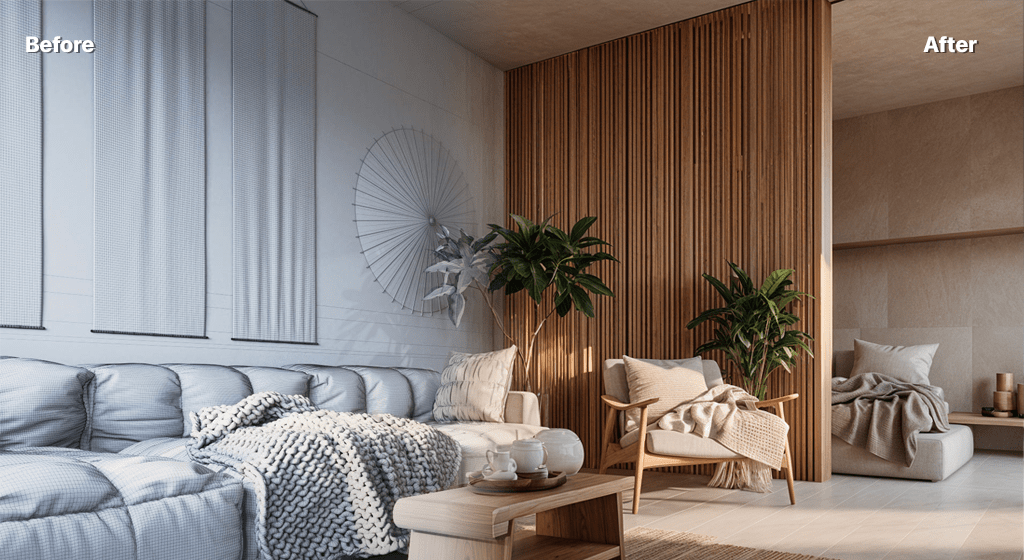
Interior design styles are shorthand for a coherent set of choices — palette, materials, furniture, lighting and mood — that together create a feeling. Knowing the cues that define each style helps you brief a designer, shop with intent, or render a room in a look before committing. This guide maps the most popular styles, and each one links to a deeper article and a matching AI style you can apply to your own photo.
Minimalist
Restraint over ornament: a tight neutral palette, clean lines, hidden storage and a few deliberate pieces. Light is soft and even. See minimalist interior design for the full breakdown.
Japandi
A blend of Japanese warmth and Scandinavian function — low furniture, natural wood, muted earth tones and uncluttered surfaces. Read more in Japandi style.
Bohemian
Layered, collected and warm: rich textiles, plants, rattan and a maximalist mix of pattern. See bohemian interior design.
Scandinavian
Bright, functional and cosy — pale woods, white walls, soft textiles and an emphasis on natural light. The original "less but better" living style.
Industrial
Exposed brick, concrete and steel, open ductwork and salvaged materials. A raw, urban look softened with warm wood and leather.
How to test a style on your room
The fastest way to choose is to see your actual space in each look. Upload a photo to the interior render tool, pick a style, and generate the room in Japandi, minimalist or bohemian in seconds — then compare. For the wider picture, see our AI rendering guide.
FAQ
What is the most popular interior design style in 2026?
Japandi and warm minimalism remain dominant, with bohemian and organic-modern looks rising. The best style is the one that suits your space and how you live.
Can I see my room in a different style before redecorating?
Yes. Upload a photo to AI Render Studio's interior tool, choose a style, and it renders your space in that look in about 30 seconds.
Keep reading
Try it yourself
Render your design in seconds.
Turn a sketch, model or photo into a photoreal render. Start free — 3 credits, no credit card.