- Prompt
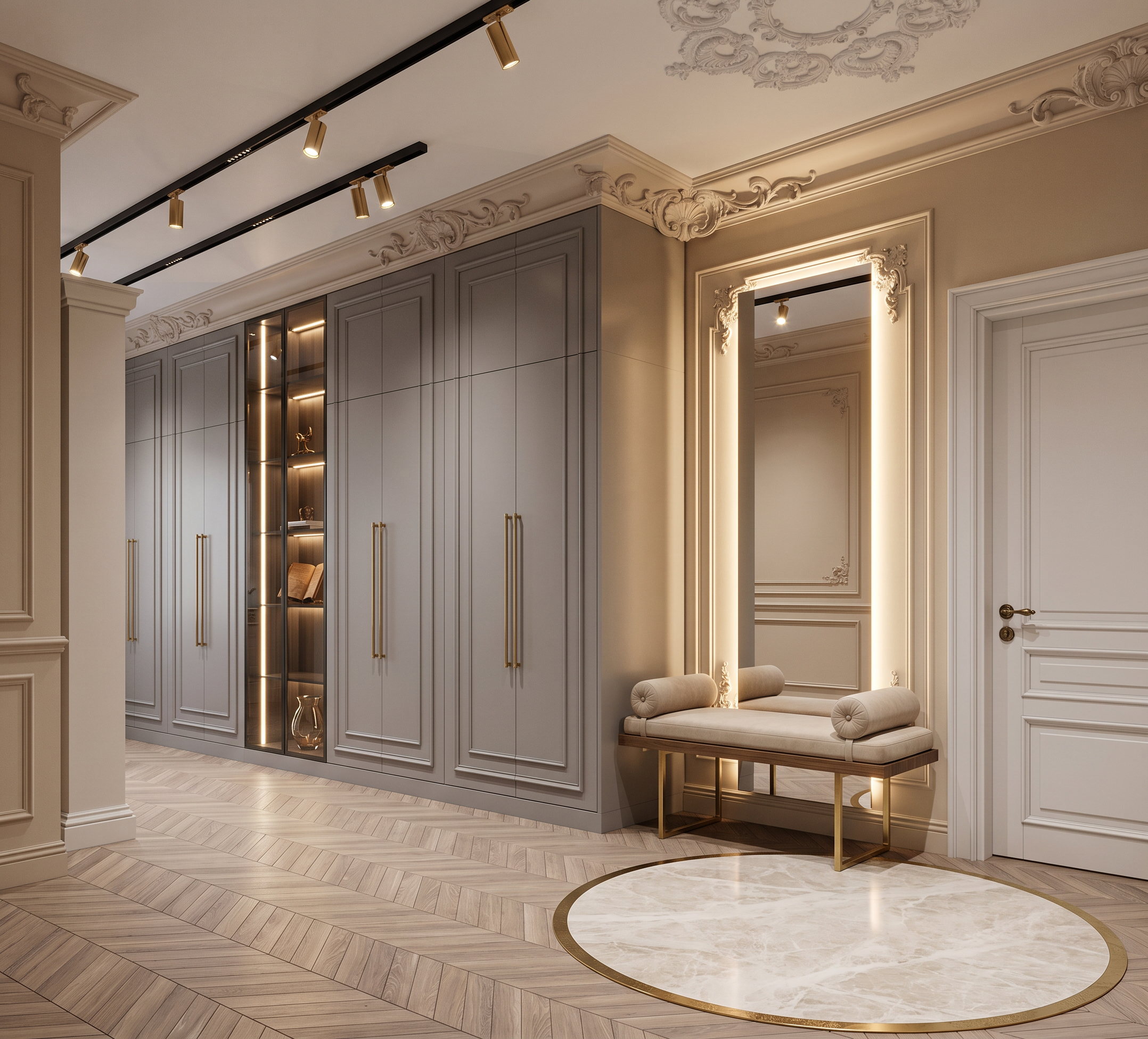
- Create a highly photorealistic interior render based on the provided 3D model.
Do not change the image aspect ratio, proportions, resolution, camera angle, perspective, composition, architectural geometry, dimensions, or overall design of the original 3D model. Preserve all existing elements and their positions exactly, except for the specific modifications described below.
The floor should be finished with neutral-colored chevron parquet. In the center of the floor, there is a yellow circle in the 3D model representing a porcelain stoneware insert. Recreate this circular insert as shown in Reference Image 3, using the same porcelain stoneware color and finish, with a brass circular profile surrounding it.
Along the wall, there is a row of built-in wardrobes. Design the wardrobes to match Reference Image 2. The blue rectangle in the 3D model represents a glass display insert. Recreate it as in Reference Image 2, using tinted glass with integrated LED lighting inside. Add elegant and tasteful decorative objects inside the illuminated display.
The orange element represents a console bench for putting on shoes. Add modern brass legs to support the bench. Place a soft neutral beige upholstered cushion on top, along with two symmetrical cylindrical bolster cushions, similar to Reference Image 1.
Behind the bench, the tall black rectangle represents a mirror with integrated LED backlighting.
The wall behind the mirror features decorative wall moldings. Preserve the molding design and geometry from the original 3D model, and use warm, elegant beige tones for the walls.
The ceiling should remain clean white. The black marking on the ceiling represents a black surface-mounted track lighting system with elegant gold spotlights.
Preserve all decorative moldings from the original 3D model, except for the molding strip located in the upper-right corner of the image. Remove this specific strip completely, as it was accidentally left in the 3D model and is not part of the intended design.
Create a warm, elegant, sophisticated, and luxurious interior atmosphere with realistic materials, natural textures, soft lighting, and highly detailed photorealistic finishes.
Do not add, remove, move, resize, or redesign any architectural or furniture elements beyond the specific modifications described above.
- Created
- September 1, 2026