- Prompt
- Use the uploaded Najdi mosque image as the STRICT architectural source.
MAIN GOAL:
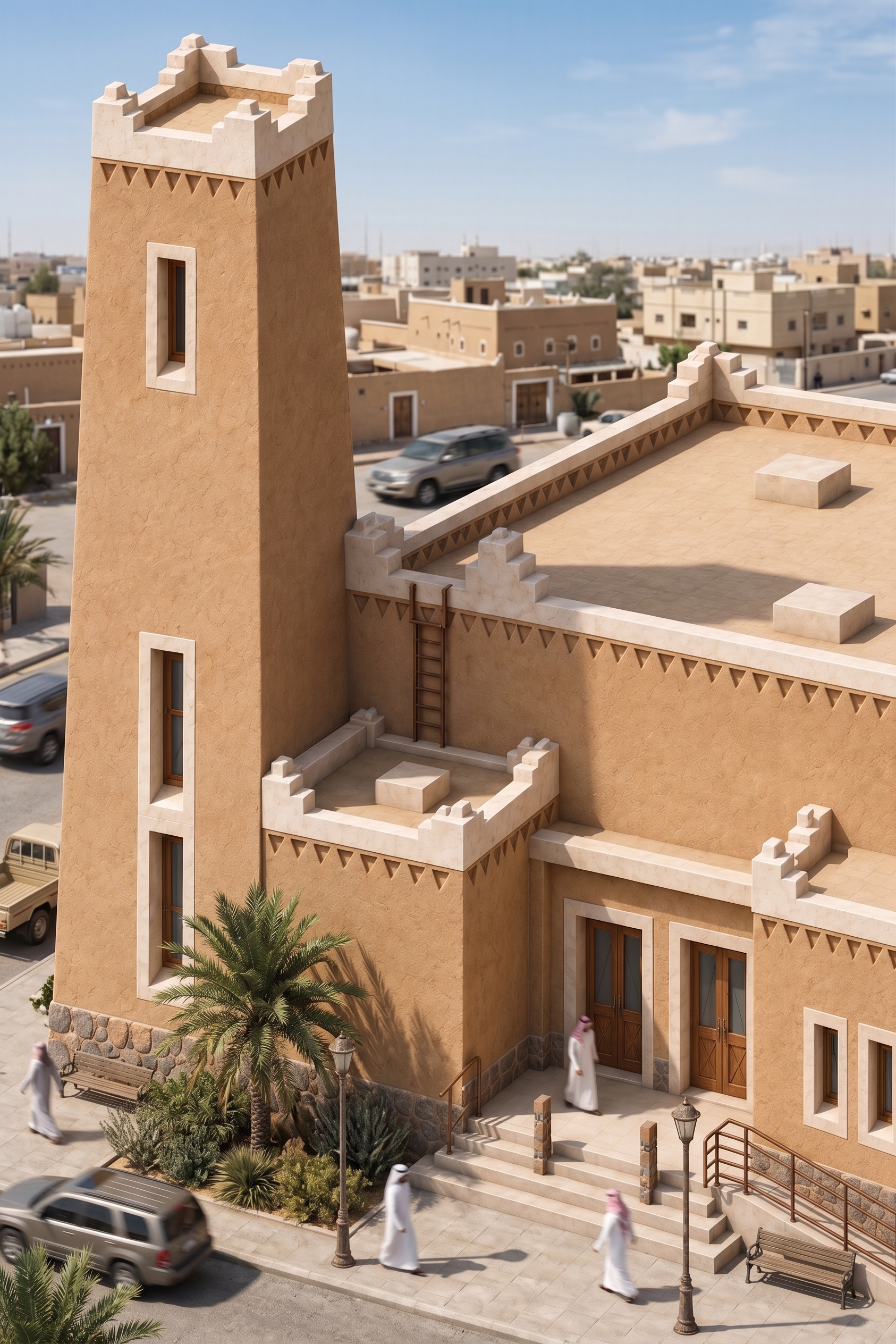
Transform this exact image into a highly photorealistic representation of a REAL BUILT Najdi mosque in Riyadh, Saudi Arabia.
The task is ONLY to improve MATERIAL, LIGHTING, TEXTURE and PHOTOGRAPHIC REALISM.
ABSOLUTELY DO NOT CHANGE THE ARCHITECTURE.
GEOMETRY LOCK — HIGHEST PRIORITY:
Preserve EXACTLY:
- existing building massing
- building footprint
- height and proportions
- minaret height, width, shape and exact position
- roof configuration
- parapets and stepped roof details
- façade openings
- windows and doors
- entrance and stairs
- accessibility ramp
- decorative triangular details
- stone base
- every projection and recess
DO NOT add, remove, move, enlarge or redesign ANY architectural element.
CAMERA LOCK:
Preserve EXACTLY the current:
- camera position
- viewing direction
- perspective
- framing
- crop
- focal length appearance
- elevated three-quarter angle
DO NOT rotate the building.
DO NOT change orientation.
DO NOT lower or raise the camera.
DO NOT zoom in or out.
DO NOT convert it to a frontal view.
DO NOT reveal a different side of the building.
REALISM:
Make the mosque look physically constructed rather than a clean 3D model.
Use realistic Najdi materials:
- natural warm earth-toned lime/clay plaster
- subtle hand-applied plaster texture
- realistic light stone trims
- natural stone base with believable joints
- real timber doors and window frames
- realistic metal handrails
- physically believable roof and paving materials
Add very subtle imperfections:
- fine material variation
- slight tonal differences
- natural plaster irregularity
- construction joints
- subtle dust
- minor weather exposure
- realistic edge variation
Keep the mosque clean, maintained and authentic.
LIGHTING:
Natural Riyadh daylight.
Realistic sunlight and physically correct shadows.
Natural atmospheric response.
Balanced exposure.
No excessive orange tint.
PHOTOGRAPHIC QUALITY:
Make it look like a real architectural photograph of an existing Najdi mosque, not CGI.
Real material depth.
Natural sharpness.
Subtle photographic texture.
Realistic reflections.
Realistic shadow softness.
No artificial HDR.
No bloom.
No plastic surfaces.
No miniature-model appearance.
No obvious AI-generated appearance.
IMPORTANT:
Do NOT add surrounding buildings, people, cars or landscaping unless already present.
Do NOT replace the white background unless necessary for realism.
Focus on making the EXISTING mosque itself materially and photographically realistic.
FINAL RESULT:
THE EXACT SAME MOSQUE,
THE EXACT SAME MASSING,
THE EXACT SAME MINARET,
THE EXACT SAME ORIENTATION,
THE EXACT SAME CAMERA ANGLE,
but rendered with convincing real-world materials and photographic realism.
NO REDESIGN.
NO GEOMETRY CHANGE.
NO CAMERA CHANGE.
NO ORIENTATION CHANGE.
NO NEW ELEMENTS.
- Created
- September 14, 2026