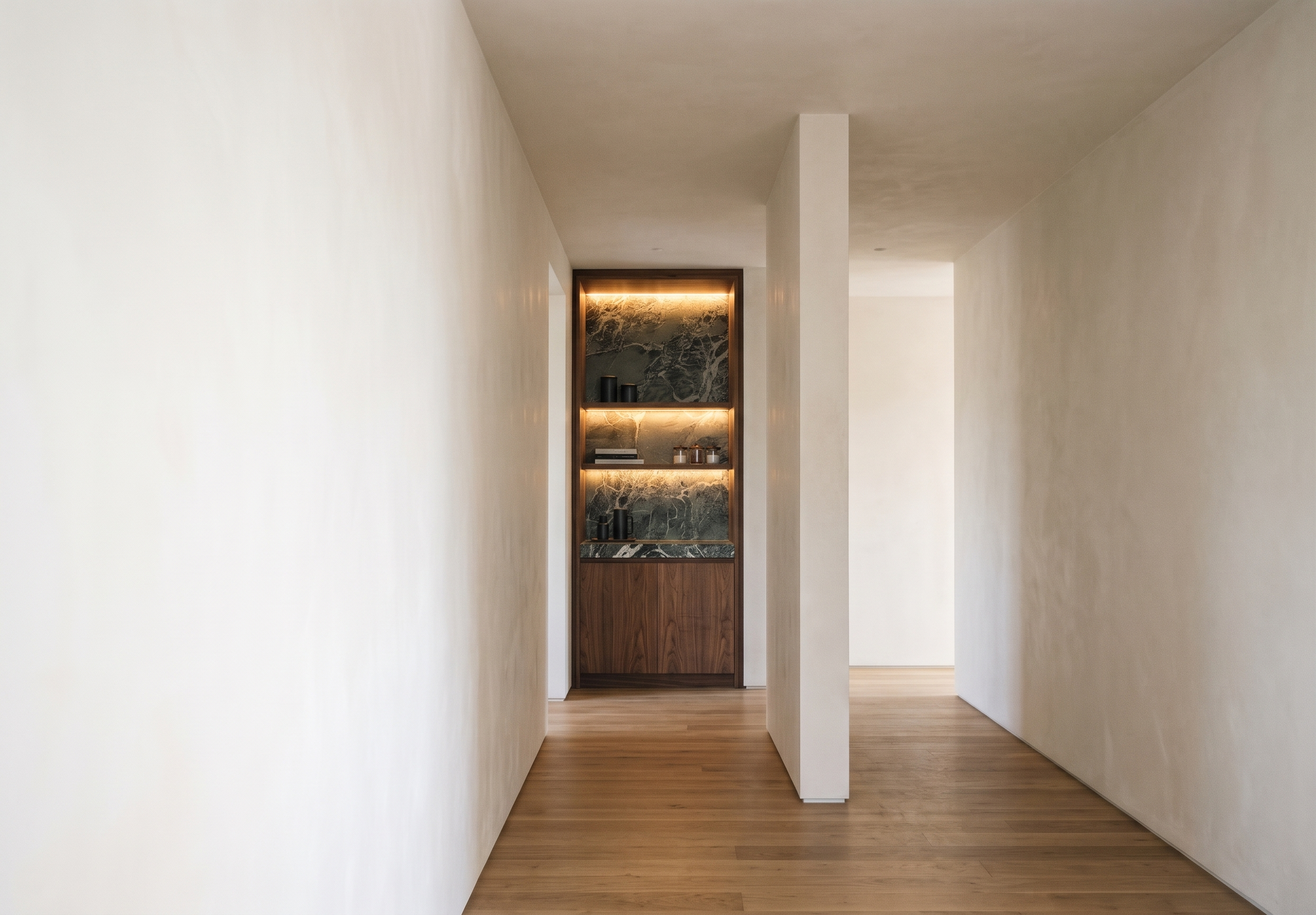
- Prompt
- Create a photorealistic, high-end interior render based on the provided Sketch.
**Strict Preservation Requirements:**
- Preserve the exact original image dimensions, aspect ratio, and proportions.
- Do not resize, crop, stretch, distort, or alter the original image in any way.
- Maintain the exact camera angle, viewpoint, perspective, composition, and architectural dimensions shown in the Sketch.
- Do not change the original design layout or structural elements.
**Design and Material Specifications:**
- Follow the design style, material selection, wood finishes, stone textures, and lighting details from Reference Image 1.
- Reproduce the reference design as accurately as possible while applying it to the original Sketch.
- Create realistic material textures, natural wood grain, detailed stone veining, and realistic lighting and shadows.
**Rendering Quality:**
- Photorealistic High-End Interior Visualization.
- Premium-quality materials and realistic surface details.
- Natural ambient lighting with soft, realistic shadows and reflections.
- Ultra-realistic 4K rendering quality.
**Important:** The original Sketch must remain the exact reference for all dimensions, proportions, camera positioning, and composition. Only enhance the image by applying the specified design, materials, and realistic rendering. Do not modify any elements that are not explicitly specified above.
- Created
- November 11, 2026