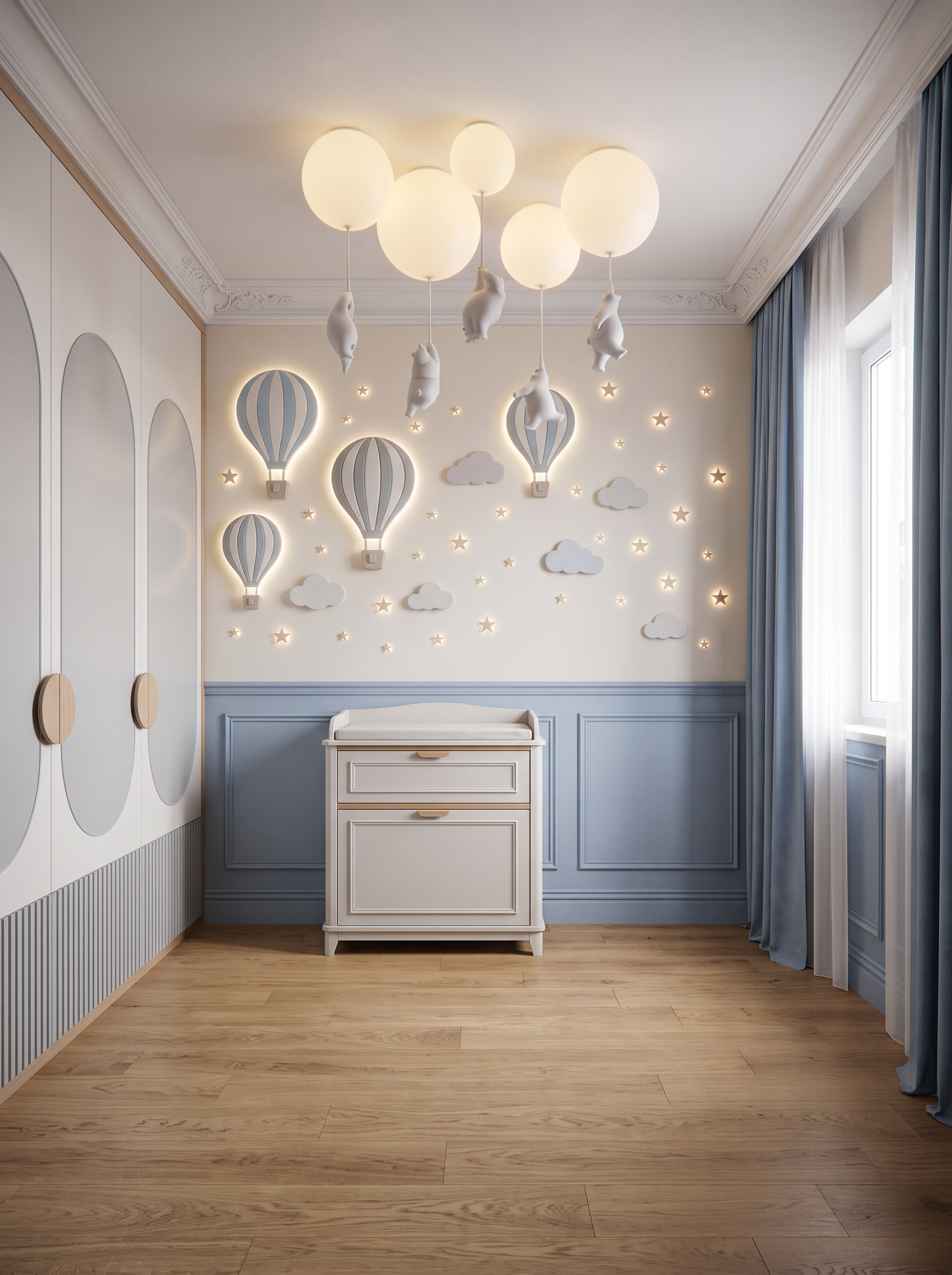
- Prompt
- Create a highly photorealistic interior render of an elegant children’s bedroom, based strictly on the provided 3D model and reference images.
CRITICAL — PRESERVE THE ORIGINAL DESIGN: Do not change the image dimensions, aspect ratio, camera angle, camera position, perspective, crop, room geometry, corner configuration, proportions, or layout. Keep all architectural elements and furniture in their exact positions and preserve their original dimensions. Only apply the materials, finishes, decorative elements, and details specified below.
The floor must be finished in natural oak parquet, matching the color, grain, tone, and finish shown in Reference 1.
The ceiling must be pure white with a clean, elegant finish. Use the same pendant lights as in the reference 1
Add a decorative plaster cornice at the junction between the walls and ceiling, matching the profile, proportions, and style shown in Reference 1.
The blue areas in the 3D model represent the walls.
Recreate the wall treatment shown in Reference 1:
• The lower section of the walls must feature light dusty-blue decorative wall panels with elegant mouldings, matching the color, proportions, and classic detailing of Reference 1.
• The upper section of the walls should remain a light, elegant background suitable for the decorative composition described below.
On the upper wall, create a decorative composition of illuminated three-dimensional wall elements, inspired by Reference 2.
The composition must include only:
• Hot-air balloons
• Decorative clouds
• Small stars
Do not include the castle shown in Reference 2.
The balloons, clouds, and stars should have a soft integrated LED glow, producing a gentle, warm, diffused light.
The white rectangular opening on the right represents a window.
Preserve its exact size, position, and proportions. Dress the window with:
• White translucent voile curtains, allowing soft natural daylight to enter the room.
• Blue decorative drapes, matching the color, fabric character, and styling of the curtains shown in Reference 1.
The green area on the left represents a visible portion of a wardrobe.
Recreate the wardrobe according to Reference 1, matching its design, color, materials, decorative mouldings, front detailing, and finish.
Only the visible portion of the wardrobe should appear in the render, exactly as framed by the original camera. Do not reveal additional parts of the wardrobe or change the composition.
The yellow square viewed frontally represents a children’s changing dresser.
Replace the yellow placeholder with a realistic, elegant changing dresser designed in the same style as the wardrobe in Reference 1.
- Created
- October 22, 2026