- Prompt
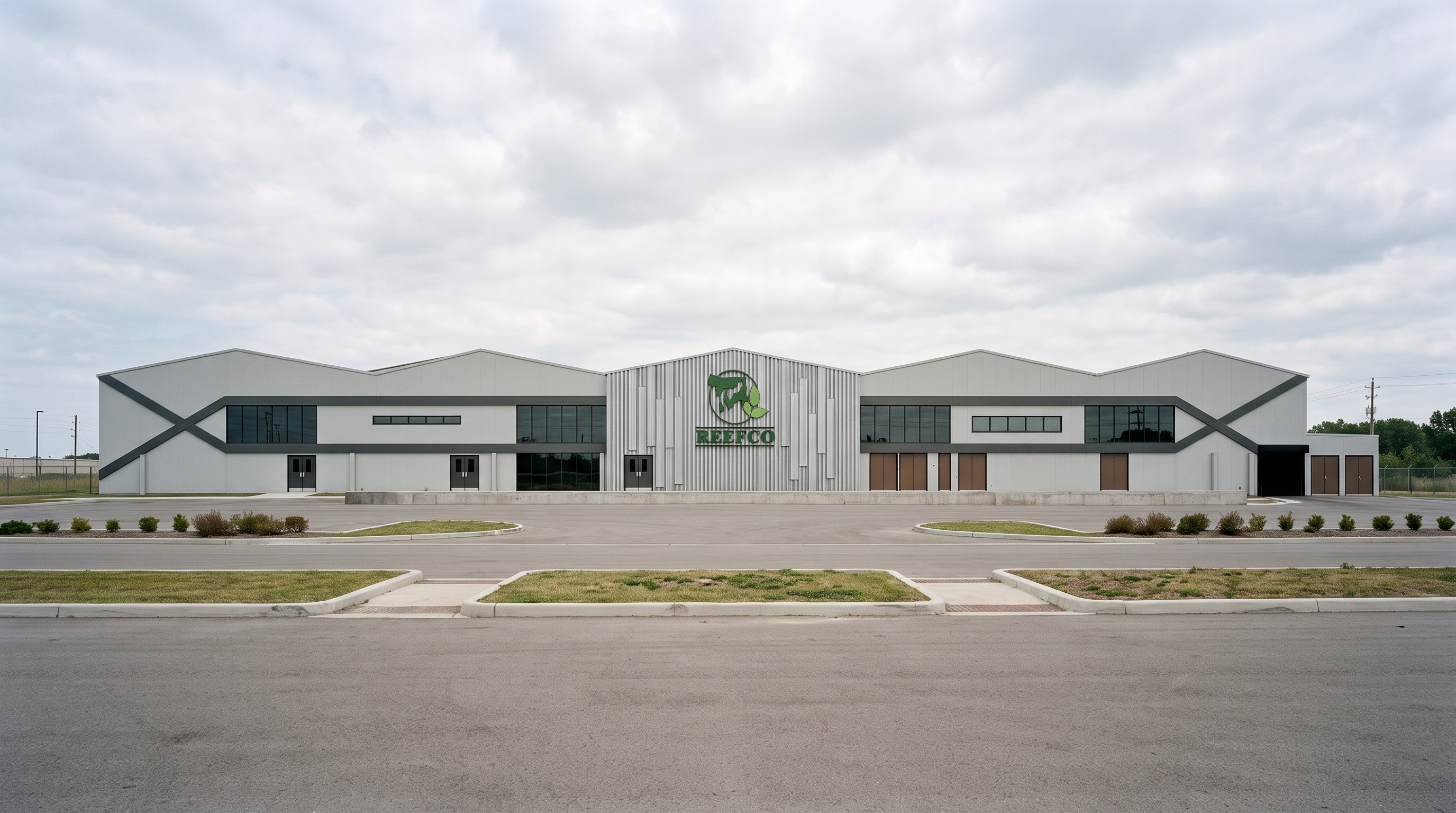
- **ULTRA-PHOTOREALISTIC INDUSTRIAL FACTORY ELEVATION RENDER**
Transform the uploaded factory elevation into an ultra-photorealistic architectural render that looks like a real, professionally photographed industrial factory.
**STRICT RULE: PRESERVE THE ORIGINAL DESIGN EXACTLY. NO REDESIGN. NO GEOMETRY CHANGES.**
**1. Exact Architectural Preservation**
Use the uploaded image as a locked reference. Preserve every architectural line, dimension, proportion, opening, door, window, roof profile, structural member, panel division, and façade detail exactly as shown. Do not add, remove, move, resize, or redesign anything. Do not alter the camera angle or elevation composition.
**2. Realistic Industrial Materials**
Apply physically accurate, high-quality materials only to the existing surfaces:
- **Concrete:** Realistic architectural concrete with subtle natural texture, fine surface imperfections, authentic gray tones, and believable light interaction.
- **Alucobond:** Premium aluminum composite cladding with smooth matte or satin finishes, realistic panel joints, subtle reflections, and the original color palette and its shades.
- **Steel / Iron:** Realistic industrial steel with accurate metallic gray tones, subtle highlights, natural shadows, and physically correct reflections.
- **Glass:** Photorealistic architectural glazing with realistic environmental reflections and subtle transparency, only where glass exists in the original design.
Use coordinated shades of gray and the original color scheme. Do not introduce new colors or decorative finishes.
**3. Photographic Realism**
The final result must look like a real photograph of a completed factory, NOT a 3D model, illustration, sketch, or conceptual visualization.
Use physically based rendering (PBR), realistic material roughness, accurate reflections, natural global illumination, ray-traced shadows, ambient occlusion, realistic contact shadows, and subtle imperfections that make materials look authentic.
**4. Professional Photography and Lighting**
Use natural daylight with realistic sun direction, soft but defined shadows, balanced exposure, physically accurate highlights, and neutral white balance. Maintain realistic contrast without oversaturation, excessive sharpening, artificial glow, or dramatic cinematic effects.
**5. Final Image Quality**
Produce a high-resolution, ultra-photorealistic architectural visualization with crisp material details, realistic surface depth, accurate proportions, and professional architectural photography quality. Keep the entire original elevation visible, with the same framing and perspective as the uploaded image.
**FINAL INSTRUCTION:** Change ONLY the material realism, surface textures, lighting, reflections, and shadows. Do not change the architecture, geometry, dimensions, colors beyond the specified original palette, or any detail of the source image. When uncertain, preserve the source image exactly. Architectural accuracy is more important than creative interpretation.
- Created
- October 18, 2026