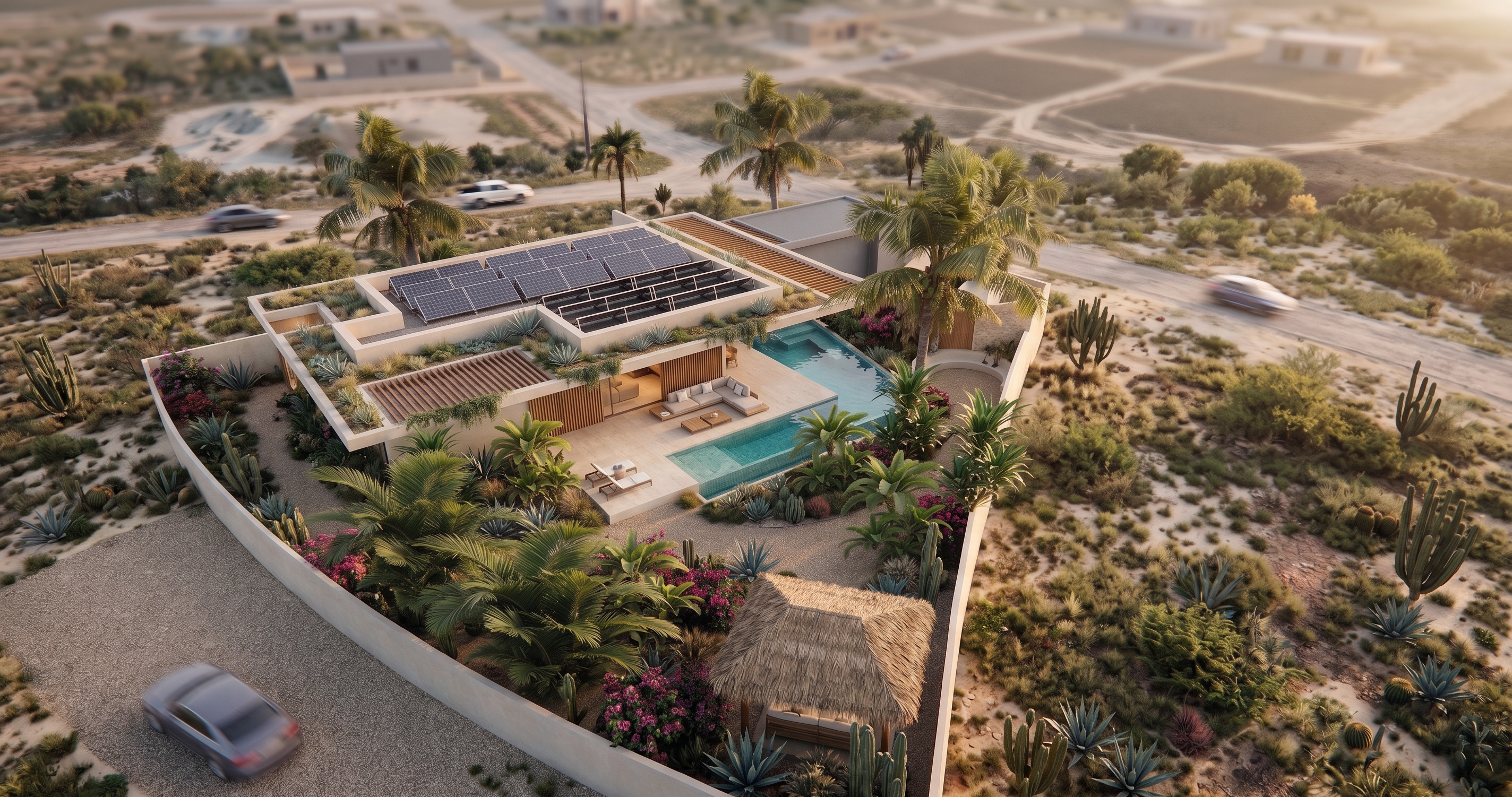
- Prompt
- Use the existing render as the base image.
IMPORTANT: Keep the villa, studio, swimming pool, terraces, architecture, materials, roof shapes, windows, doors, lighting and camera perspective EXACTLY as they are. Do not modify, redesign or reinterpret any part of the architecture.
ONLY improve the surrounding environment and landscape.
Create a realistic Curaçao setting within a low-density developing residential area. Use dry tropical terrain, subtle rocky soil and scattered native vegetation such as cacti, agaves, aloes, low shrubs, ornamental grasses and occasional palms.
The wider surroundings may subtly suggest a developing area with open plots, vague unpaved or lightly developed access roads and very subtle distant development. A few indistinct building volumes may be visible far in the background, but they should remain small, soft, blurred and non-specific.
Do not design detailed neighboring houses, gardens, swimming pools or landscaping. Do not place prominent buildings directly next to the property.
The surroundings should feel spacious, natural and partially developed — not untouched wilderness, but also not a finished residential neighborhood.
Keep all distant development atmospheric and less detailed than the villa.
Do not add new architectural or landscape elements close to the villa. Do not add planters, flower boxes, walls, paths, pergolas or structures to the property itself.
The ONLY requested change is the wider surrounding Curaçao environment.
DO NOT CHANGE THE VILLA, STUDIO OR SWIMMING POOL IN ANY WAY.
- Created
- September 10, 2026
- Seed
- 0