- Prompt
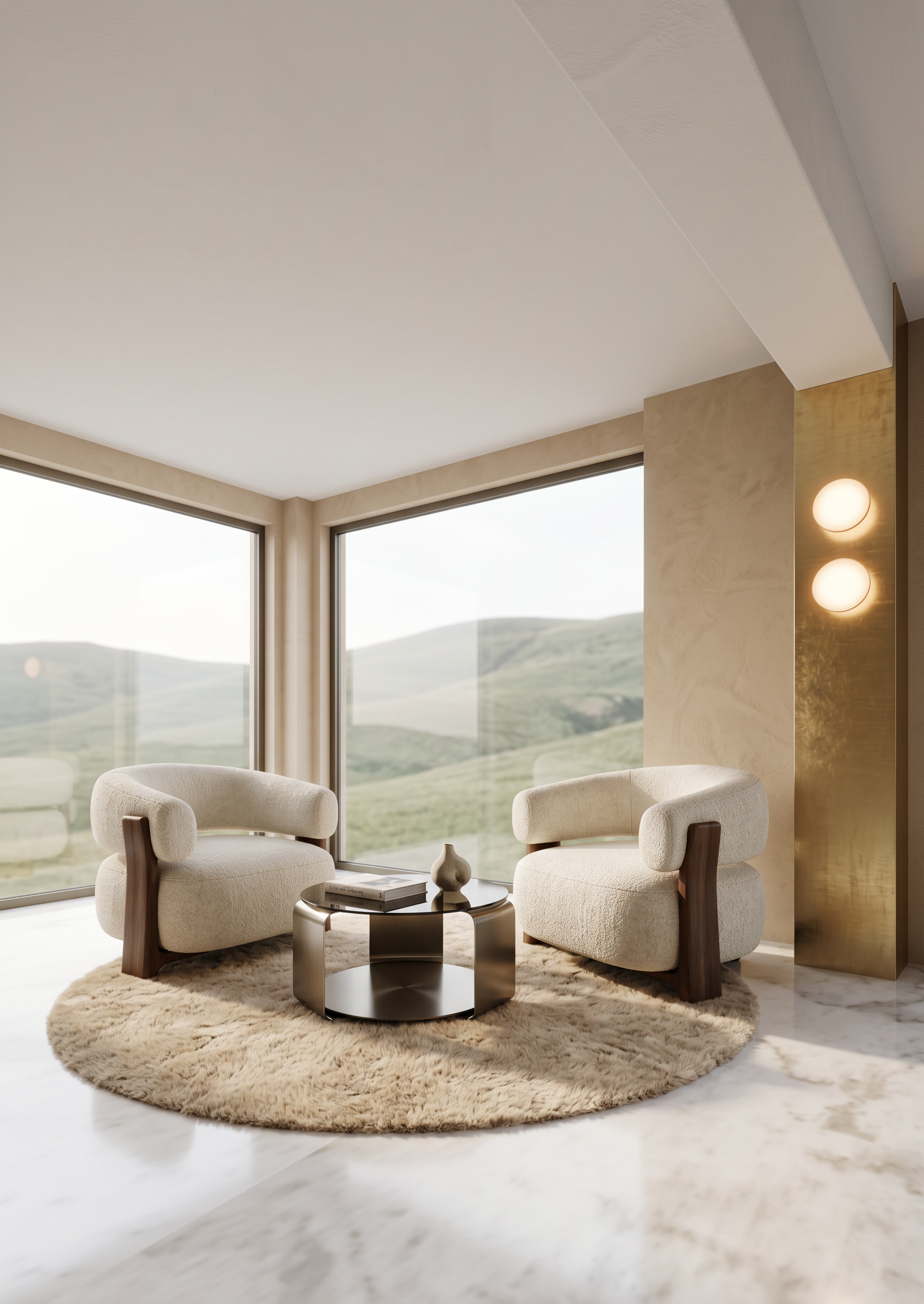
- Create a highly photorealistic interior render based strictly on the provided 3D model and reference images.
CRITICAL — DO NOT CHANGE:
Do not change the image dimensions, aspect ratio, camera angle, camera position, perspective, proportions, geometry, layout, or any existing design elements. Preserve the exact composition and architectural geometry of the 3D model.
The 3D model shows a corner of the room. The two blue rectangles on the left and right walls represent large panoramic windows. Keep their exact size, position, and proportions. Through the panoramic windows, show a subtle, understated view of a soft green hill. The exterior view must remain visually quiet and secondary, without dominating the interior.
Materials and architecture
• The floor must be finished in white marble, matching the appearance and character of the marble shown in the 3D model.
• All walls should be warm beige, matching the wall color and tone from Reference 1.
• The yellow element on the right represents a structural column. Finish the column with an elegant gold metallic panel, matching Reference 1, with two round decorative light fixtures integrated into the panel, also matching Reference 1.
• Pay very close attention to the architectural geometry where the column transitions seamlessly into the ceiling beam. Preserve this exact transition from the 3D model.
• The beam must remain white, and the ceiling must also be white.
Furniture
The two pink squares represent two lounge armchairs. Replace them with armchairs matching Reference 2.
• The armchairs must face directly toward each other.
• Preserve the exact position and orientation indicated in the 3D model.
• Do not reduce their size. They are intentionally large, substantial, and generously proportioned. Preserve their original dimensions and visual mass.
• Their placement must remain exactly within the designated area.
The light-yellow square between the armchairs represents a coffee table. Replace it with a coffee table matching Reference 3, while preserving the exact position and approximate proportions indicated in the 3D model.
Styling and finishing touches
Add a round beige rug with a soft, plush pile underneath the two armchairs and coffee table. The rug should be elegant and understated, harmonizing with the beige walls and overall interior palette.
Add minimal, sophisticated styling to the coffee table, such as:
• one elegant design book
• one small decorative vase
The styling should remain restrained and realistic, without clutter.
Overall visual direction
The final result should feel high-end, elegant, warm, sophisticated, and architectural, with realistic materials, natural lighting, accurate reflections, subtle shadows, and premium interior-design photography quality.
The final render must look like a real professionally photographed interior, not a CGI image.
Most important: preserve the exact geometry, camera angle, proportions, furniture positions, architectural elements, window openings, and overall composition of the original 3D model. Only improve the materials, realism, lighting, furniture appearance, exterior view, and decorative details described above.
- Created
- October 22, 2026