- Prompt
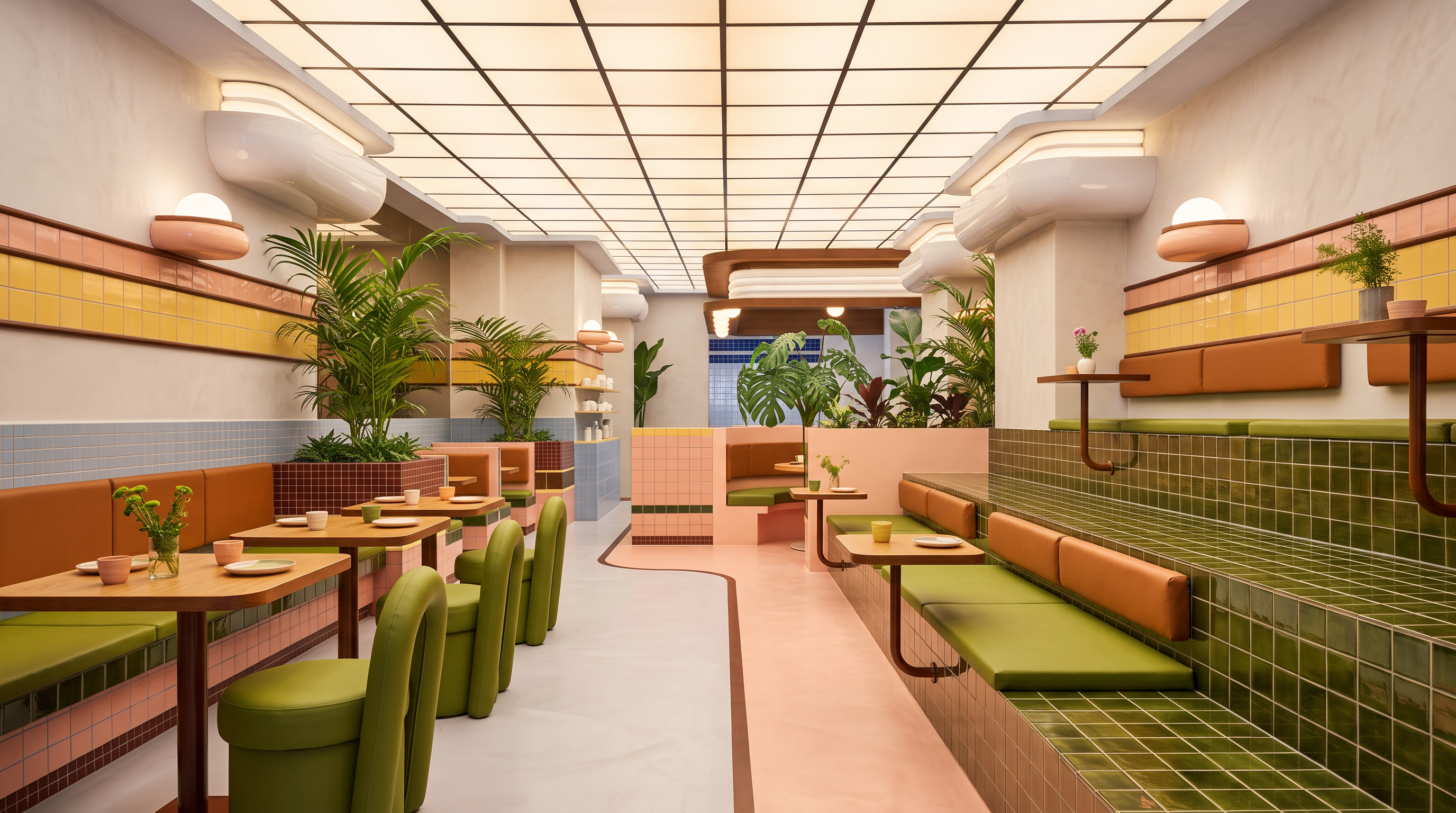
- Transform My 3D Restaurant Model into a Photorealistic Architectural Render. Use the uploaded reference image as inspiration for the rendering quality, material realism, lighting, and overall atmosphere. Transform my existing 3D restaurant model into an ultra-photorealistic, high-end architectural interior render while strictly preserving the original design, geometry, dimensions, proportions, furniture arrangement, ceiling configuration, wall details, built-in seating, tables, chairs, decorative elements, and circulation layout. Maintain the exact original camera position, viewing angle, perspective, focal length, and composition. Do not crop, zoom, rotate, or change the camera view. Enhance all existing materials with realistic PBR textures, including smooth warm off-white plaster walls, detailed ceramic tiles with accurate grout lines, natural wood grain, realistic orange-brown and olive-green upholstery with subtle fabric texture and stitching, physically accurate metal finishes, and detailed natural foliage. Preserve the original material colors, patterns, and finishes without introducing new design elements. Improve the ceiling illumination with realistic luminous panels, balanced exposure, soft light distribution, and natural light bounce. Apply physically accurate global illumination, ray-traced reflections where appropriate, ambient occlusion, realistic contact shadows, natural shadow gradients, and believable light falloff beneath furniture and along wall surfaces. Enhance the depth, texture, roughness, reflections, and subtle imperfections of existing materials so every surface looks physically authentic. Maintain clean architectural lines, accurate ceiling grids, precise tile joints, realistic furniture edges, and correct spatial relationships. Render the scene as if it were a real restaurant photographed by a professional architectural photographer, with ultra-high resolution, sharp details, realistic depth, balanced contrast, natural color grading, and professional interior visualization quality. Avoid excessive brightness, blown-out highlights, harsh shadows, artificial glow, oversaturated colors, plastic-looking materials, blurry textures, distorted perspective, fisheye effects, floating furniture, and an obvious CGI appearance. Negative prompt: No redesign, no modified geometry, no altered proportions, no changed ceiling grid, no additional or missing furniture, no relocated plants, no changed tile patterns, no different upholstery colors, no invented walls, doors, or windows, no extra decorative elements, and no changes to the original layout or camera composition. Final priority: Preserve my original 3D model exactly and improve only the realism of its materials, textures, lighting, shadows, reflections, and overall rendering quality.
- Created
- October 29, 2026