- Prompt
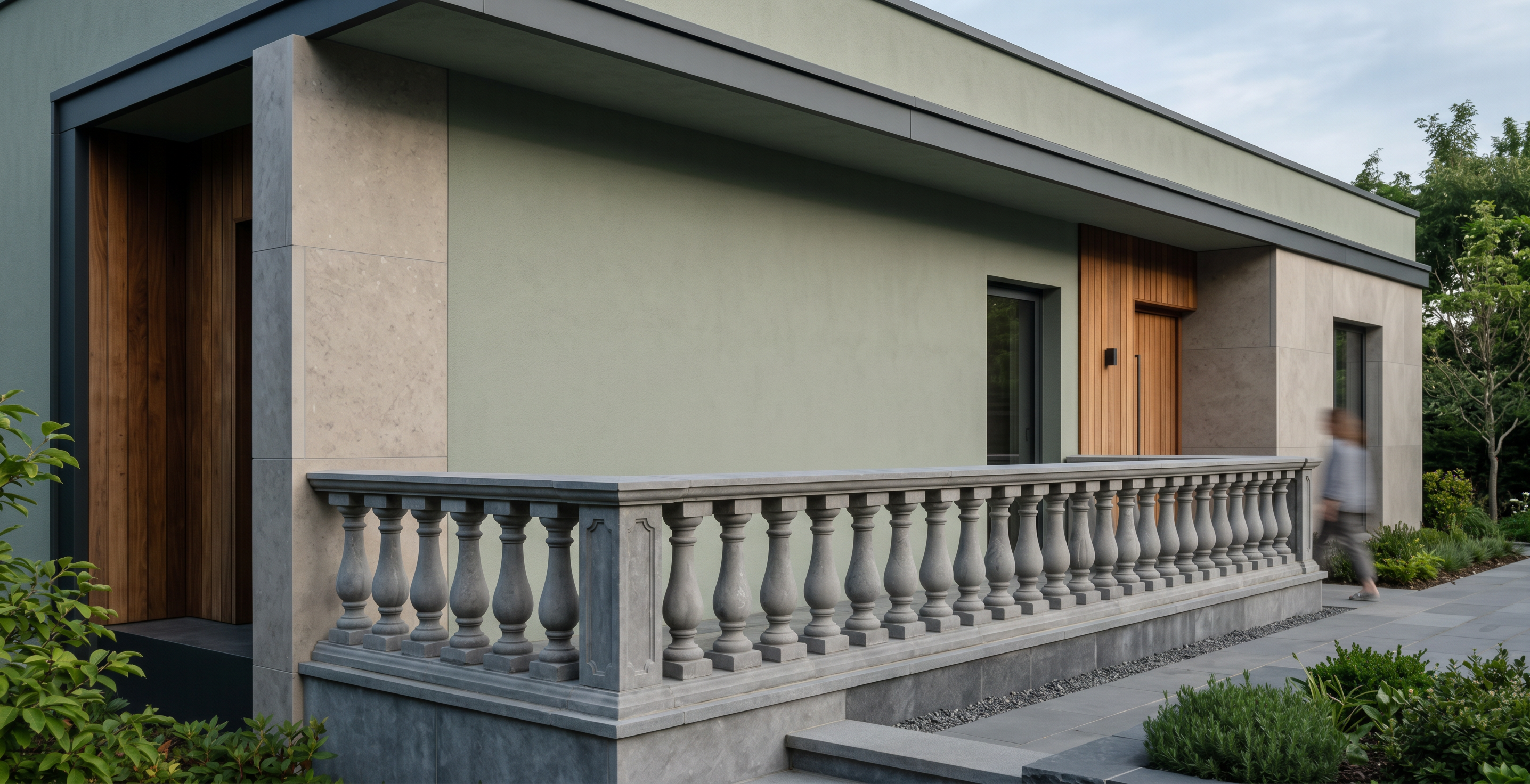
- Transform the uploaded 3ds Max viewport screenshot into an ultra-photorealistic, high-end architectural exterior render with a completely different material palette and visual mood from the previous render.
**STRICT MODEL PRESERVATION:** Keep the original 3ds Max geometry, façade composition, dimensions, proportions, roof shape, window and door positions, balcony, railings, steps, and all architectural details exactly unchanged. Preserve the original camera angle, perspective, framing, and aspect ratio. Do not redesign or simplify the building.
**NEW COLOR PALETTE:** Use a sophisticated combination of muted sage green, warm greige, natural medium-brown wood, and dark bronze metal. Avoid the previous white, ivory, cream, and golden-beige dominant palette.
**MATERIALS:**
- Main façade: smooth, muted sage-green architectural render with a subtle mineral texture.
- Secondary façade panels: natural grey-beige limestone with realistic fine grain.
- Selected recessed areas: vertical natural walnut wood cladding with detailed wood grain.
- Window and door frames: matte dark bronze aluminum.
- Roof: deep graphite-grey tiles with realistic texture.
- Balcony balustrade and steps: medium-grey natural stone, retaining the original geometry.
- Glass: realistic slightly tinted glazing with natural environmental reflections.
- Ground-level details: dark grey stone edging and subtle gravel textures.
**LIGHTING AND ATMOSPHERE:** Create soft natural morning daylight with balanced exposure, gentle shadows, realistic global illumination, and a slightly cool-neutral color temperature. Include a natural blue-grey sky, realistic green landscaping, and restrained surrounding trees. Avoid dramatic orange sunset lighting and excessive artificial lights.
**RENDERING QUALITY:** Professional architectural photography, physically accurate PBR materials, realistic roughness and reflections, high-resolution textures, subtle surface imperfections, accurate contact shadows, natural color grading, and exceptional detail.
**IMPORTANT:** The result must look like the same building rendered with a new material and color scheme—not a new architectural design. Change only the materials, colors, lighting, and environment. Do not add, remove, or relocate any windows, doors, walls, columns, balcony elements, or other modeled objects.
**NEGATIVE PROMPT:** White and cream-dominant façade, all-beige materials, excessive gold, glossy plastic surfaces, exaggerated textures, new architectural elements, altered geometry, changed camera angle, distorted windows, extra floors, redesigned roof, cartoon style, oversaturated colors, artificial CGI appearance.
- Created
- October 16, 2026