- Prompt
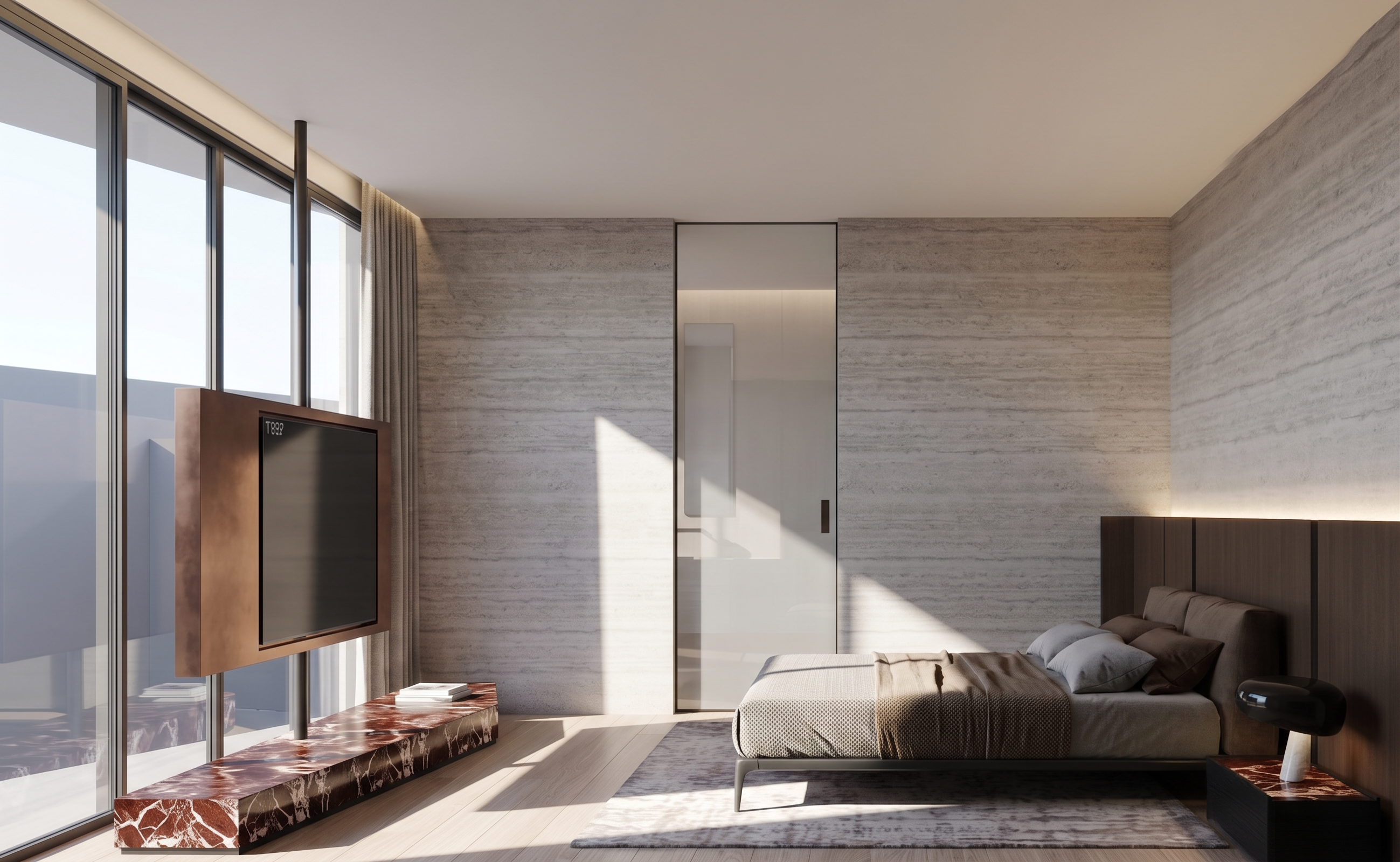
- Create a photorealistic interior perspective render based strictly on the original image. Preserve the exact proportions, composition, camera angle, furniture placement, and overall layout of the original design.
Sharp, defined sunlight coming through the window on the left, creating crisp sunlight and realistic shadows across the interior.
The outdoor view visible through the left window should show a gray-toned building, matching the reference image. Do not add any trees or greenery.
The sliding door at the far end is clear glass with a sheer. Maintain transparency so the bathroom behind it is subtly visible through the glass, as shown in the reference image.
Add concealed LED strip lighting along the wall behind the headboard.
Remove and completely disable the concealed lighting inside the curtain recess behind the TV.
The TV cabinet/enclosure is made of metal, following Reference 1.
Side tables around the room should have black wood finishes with red marble stone tops.
Use realistic material textures, accurate reflections, natural shadows, and physically realistic lighting.
Overall image should be very sharp, crisp, bright, and highly detailed, with clear material definition and realistic daylight.
Maintain the original design and proportions exactly. Do not add, remove, or redesign any architectural elements or furniture other than the lighting changes specifically requested above.
No additional plants, trees, decorative objects, or unnecessary elements.
High-end luxury residential interior photography, realistic architectural visualization, clean and refined atmosphere, ultra-realistic materials and lighting.
realistic rendering and do not change the aspect ratio on the original image
- Created
- September 18, 2026