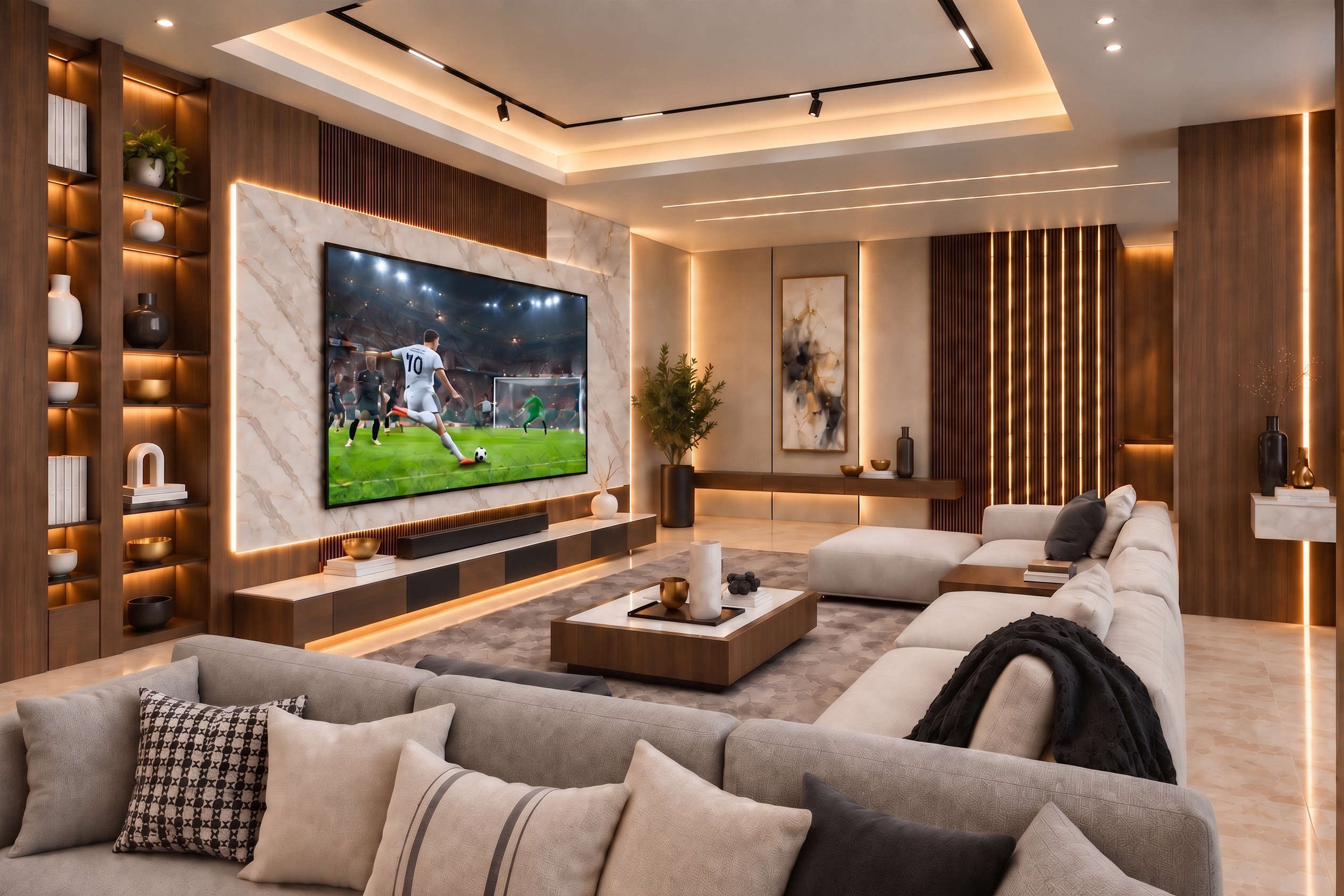
- Prompt
- Transform the provided interior render into an ultra-photorealistic, high-end architectural visualization with premium V-Ray / Corona Renderer quality.
CRITICAL — PRESERVE THE ORIGINAL DESIGN:
- Keep the EXACT architecture, layout, geometry, proportions and dimensions.
- Keep the EXACT camera position, perspective, framing and composition.
- Keep ALL furniture, decorative objects, artwork, curtains, plants, lighting fixtures and accessories exactly in their original positions.
- Do NOT add, remove, replace, resize or redesign any element.
- Do NOT change the furniture design or wall composition.
- Do NOT alter the ceiling design, doors, windows or openings.
- Preserve the original material colors and overall design concept.
- This is strictly a REALISM, MATERIAL, LIGHTING and RENDER-QUALITY enhancement.
PHOTOREALISM:
Convert the CGI appearance into a highly realistic architectural photograph.
Remove any artificial, overly clean or AI-generated appearance.
Create physically believable materials, lighting, reflections, shadows and depth.
Maintain crisp architectural details without excessive sharpening.
LIGHTING:
Create elegant natural DAYLIGHT entering through the large windows.
Use soft, physically accurate sunlight with realistic direction and natural soft shadows.
Improve global illumination and realistic indirect bounce lighting.
Balance the exterior daylight with the interior artificial lighting.
Keep the existing warm concealed LED strips and track lights ON, but make them subtle and realistic.
Avoid excessive yellow/orange lighting.
Reduce overly warm color cast.
Use neutral-to-slightly-warm white balance.
Preserve details in both highlights and shadows.
No blown-out windows and no crushed dark areas.
MATERIAL & TEXTURE ENHANCEMENT:
Upgrade all existing materials to highly detailed realistic PBR materials WITHOUT changing their colors or designs.
Enhance:
- realistic sofa and cushion fabric fibers
- detailed boucle upholstery on the armchairs
- natural rug fibers with realistic depth
- subtle wall texture and micro-surface variation
- realistic stone and floor texture
- natural wood grain where present
- physically accurate metal roughness and reflections
- realistic glass reflections
- natural curtain translucency and fabric folds
- realistic plant leaves and branches
- subtle imperfections and micro-details
Avoid perfectly smooth CGI surfaces.
Add extremely subtle natural surface imperfections, roughness variation and realistic contact shadows.
RENDER QUALITY:
High-end V-Ray / Corona architectural photography.
Physically accurate global illumination.
Ray-traced reflections.
Realistic ambient occlusion.
Accurate contact shadows.
Natural depth and material response.
Excellent texture resolution.
Clean edges with subtle realistic bevel highlights.
High dynamic range.
Professional architectural photography quality.
COLOR GRADING:
Elegant luxury interior photography.
Natural greige and neutral tones.
Reduce excessive red, orange and yellow saturation.
Maintain warm accents without creating an orange cast.
Natural skin-free daylight color balance.
Rich but realistic contrast.
Soft highlight roll-off.
Natural blacks.
No HDR look.
No excessive saturation.
No dramatic cinematic filter.
FINAL RESULT:
The final image must look like a REAL professionally photographed luxury interior rather than a CGI render or AI-generated image.
The original design must remain 100% recognizable and unchanged.
ONLY improve:
photorealism,
textures,
materials,
lighting,
reflections,
shadows,
depth,
color balance,
and overall render quality.
NO redesign.
NO new objects.
NO removed objects.
NO geometry changes.
NO furniture changes.
NO camera changes.
NO composition changes.
NO excessive warm/orange tint.
NO AI-looking textures.
- Created
- September 25, 2026