- Prompt
- I’d keep it precise and material-focused so AI Render Studio doesn’t start redesigning the scene:
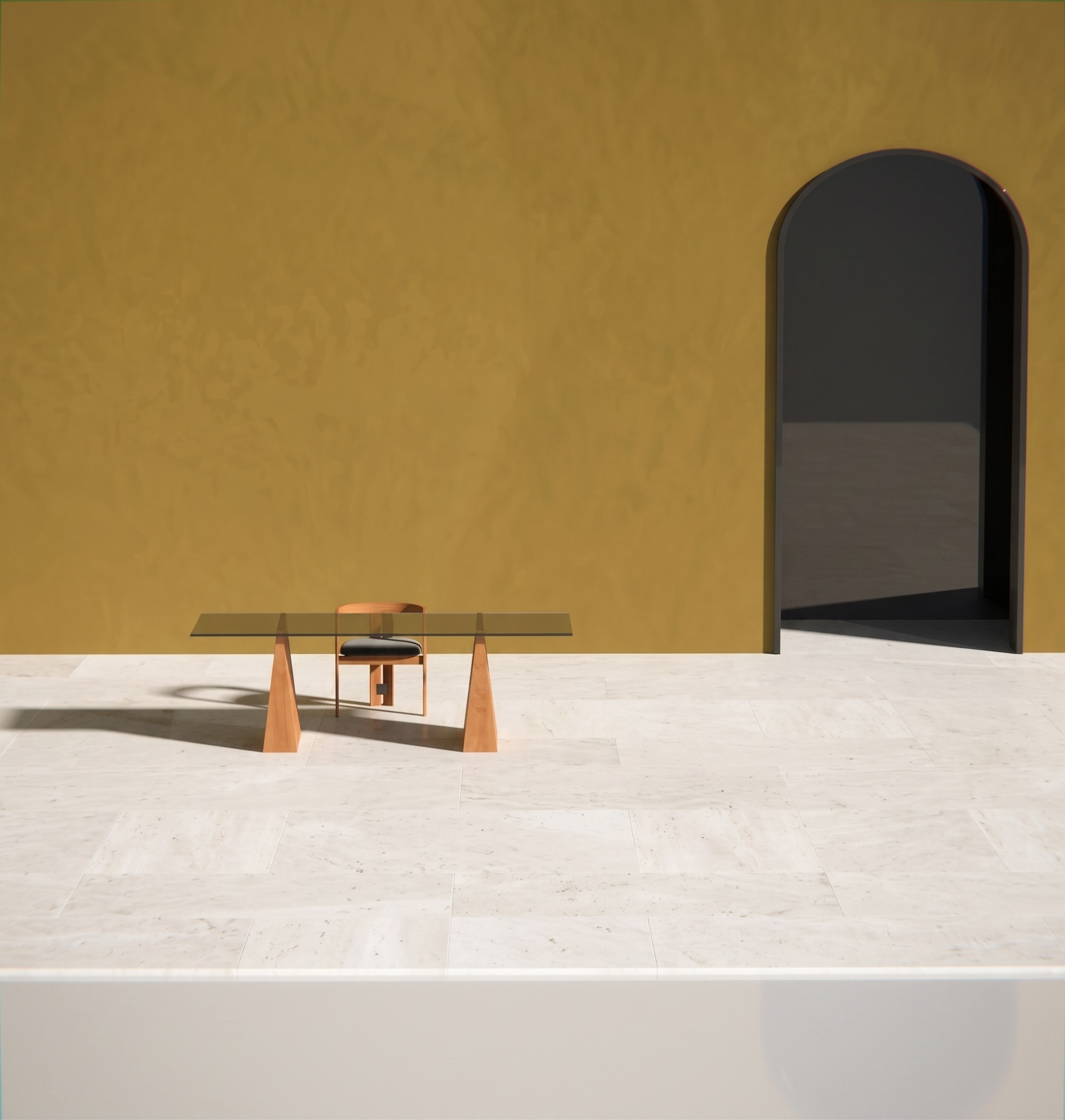
Transform this EXACT render into a highly photorealistic architectural photograph.
PRESERVE EXACTLY: Do not change any dimensions, proportions, shapes, geometry, furniture placement, camera angle, composition or existing colors. Do not redesign or add elements. Only enhance materials, lighting and photorealism.
TABLE BASE: Natural cherry wood with a refined matte finish. Realistic fine cherry grain, subtle tonal variation and tactile wood texture. Warm and sophisticated, never glossy or artificial.
TABLE TOP: 10 mm smoked grey glass, highly realistic and slightly transparent, with subtle reflections and depth. Polished flat/faced edges with realistic glass thickness and delicate highlights along the edge.
FLOOR: White natural travertine in large 60 × 30 cm tiles. Matte/honed finish with subtle pores, veins and natural tonal variations. Refined and understated.
WALLS: Preserve the EXACT existing wall color. Create a natural matte limewash / mineral “calce” finish with very subtle surface movement and tonal variation. No gloss.
LIGHTING: Use beautiful soft natural architectural light focused on the table and chair, making them the visual focus of the image. Allow the light to gently graze the materials and reveal the cherry grain, glass reflections and edges, travertine texture and wall finish.
Create soft, realistic directional shadows, subtle contact shadows and natural reflections. Keep the atmosphere warm, sophisticated and calm.
The final result should look like a REAL high-end architectural interior photograph — highly detailed, tactile and natural, with realistic materials and absolutely no CGI appearance.
MOST IMPORTANT: preserve the exact design, geometry, dimensions, colors and composition of the original render.
- Created
- September 3, 2026