- Prompt
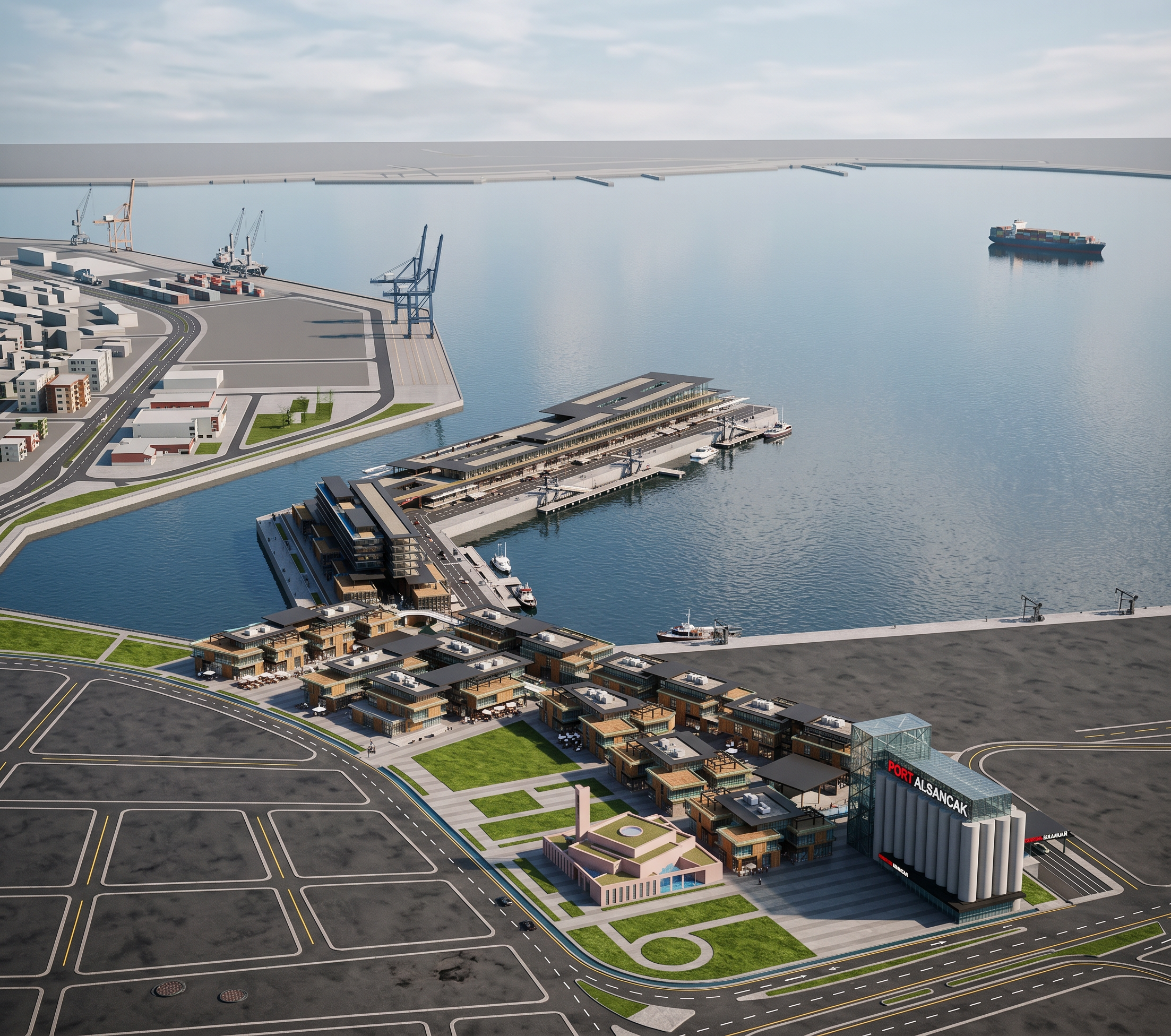
- Use the uploaded SketchUp model/image as an absolutely strict geometric reference. Create a photorealistic architectural visualization of the EXISTING MODEL ONLY.
DO NOT redesign, reinterpret, remodel, simplify, add, remove, move, rotate, resize, reshape or modify ANY building, structure, road, landscape element, roof, facade, column, floor, window, entrance, bridge, tower, monument, parking area or site element.
Preserve 100% of the original geometry, massing, proportions, dimensions, spatial relationships and placement exactly as shown in the reference image.
The camera position, viewing angle, perspective, framing and composition must remain exactly the same as the reference. Do not change the camera or crop the project differently.
The task is ONLY to transform the SketchUp-style viewport into a highly realistic architectural render.
Keep every building volume and architectural element exactly where it is. Do not invent missing architecture. Do not add floors or remove floors. Do not alter roof shapes. Do not change facade proportions or window locations.
Convert the existing materials into realistic physical materials while preserving their original colors and design intent:
realistic glass with physically accurate reflections and transparency
realistic concrete
realistic metal
realistic wood
realistic asphalt and paving
realistic vegetation and grass
realistic architectural facade surfaces
Improve only material realism, lighting, shadows, reflections, ambient occlusion, texture quality, atmospheric depth and photographic quality.
Use physically based rendering, realistic global illumination, natural daylight, accurate soft shadows, realistic reflections, subtle ambient occlusion, realistic glass reflections and high-quality architectural visualization techniques.
Make the scene look like a professional high-end architectural photograph, while maintaining the exact geometry and composition of the original SketchUp model.
NO DESIGN CHANGES. NO GEOMETRY CHANGES. NO CAMERA CHANGES. NO ADDITIONAL BUILDINGS. NO REMOVAL OF ELEMENTS. NO CREATIVE INTERPRETATION.
Reference fidelity has absolute priority over visual creativity.
The final image must look like the exact same project photographed in real life, not a redesigned or AI-generated version of it.
Negative prompt
Do not change geometry, do not change building massing, do not change dimensions, do not change proportions, do not change floor counts, do not change facade layout, do not change window positions, do not change roof geometry, do not move buildings, do not rotate buildings, do not add buildings, do not remove buildings, do not add architectural elements, do not remove architectural elements, do not redesign the project, do not change roads, do not change landscaping layout, do not change site organization, do not change monument geometry, do not change tower geometry, do not change camera position, do not change perspective, do not change viewing angle, do not change framing, no alternative design, no conceptual reinterpretation, no futuristic architecture, no invented details, no exaggerated vegetation, no distorted perspective, no warped buildings, no deformed windows, no extra floors, no missing floors.
Only improve photorealism, materials, lighting, shadows, reflections and image quality.
Daha da güçlü bir “kilit” cümlesi
Eğer kullandığın AI sistemi image-to-image / reference image ile çalışıyorsa promptun en başına şunu koymanı öneririm:
“THIS IS NOT A DESIGN GENERATION TASK. THIS IS A STRICT PHOTOREALISTIC RENDERING TASK. THE REFERENCE IMAGE IS THE SOURCE OF TRUTH. PRESERVE THE ENTIRE EXISTING MODEL EXACTLY AS PROVIDED.
- Created
- September 29, 2026