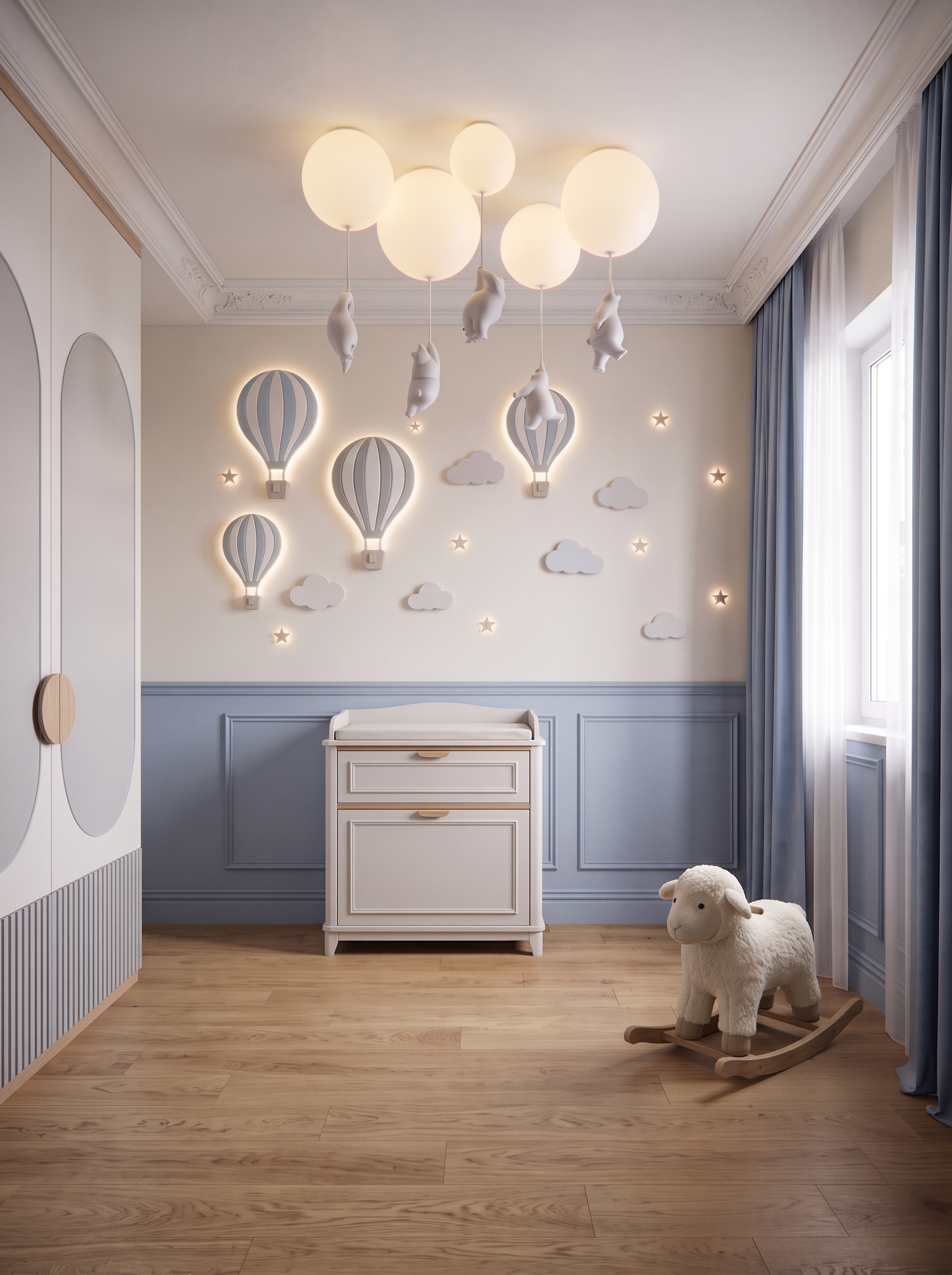
- Prompt
- Do not change anything in the existing image. Preserve the exact image dimensions, aspect ratio, camera angle, camera position, perspective, geometry, proportions, materials, colors, lighting, and overall design.
Make only the following three modifications:
1. Remove the last wardrobe section on the left
• Remove the final wardrobe section on the far left, as this area is an open passage.
• The wardrobe must end before the passage, leaving the space completely open and unobstructed.
• Preserve the design, dimensions, finish, and position of all remaining wardrobe sections.
• Do not modify the surrounding walls or any other architectural elements.
2. Reduce the number of stars on the decorative wall
• Reduce the number of decorative stars in the illuminated wall composition.
• Keep the hot-air balloons and clouds unchanged.
• Arrange the remaining stars in a balanced, elegant composition, maintaining the existing style, mouldings, lighting, and overall arrangement as much as possible.
• Do not remove or redesign the other illuminated decorative elements.
3. Add a rocking sheep toy in the right corner
• Place one elegant children’s rocking sheep toy in the right corner of the room.
• Choose a soft, plush sheep with a natural, neutral color palette, such as ivory, cream, or warm beige, mounted on a traditional wooden rocking base in a natural oak finish.
• The toy should have a refined, timeless design that complements the existing children’s bedroom interior.
• Keep its size realistic and proportionate to the room.
• Position it naturally in the corner without obstructing the window, curtains, furniture, or circulation space.
CRITICAL RESTRICTION: DO NOT CHANGE ANYTHING ELSE.
Do not alter the existing wall paneling, illuminated balloons and clouds, remaining stars beyond the specified reduction, wardrobe design except for removing the last section, furniture, flooring, ceiling, curtains, lighting, or any other details. Preserve the original camera angle, composition, and geometry exactly.
Only remove the last wardrobe section on the left, reduce the number of stars on the wall, and add the rocking sheep toy in the right corner.
- Created
- October 22, 2026