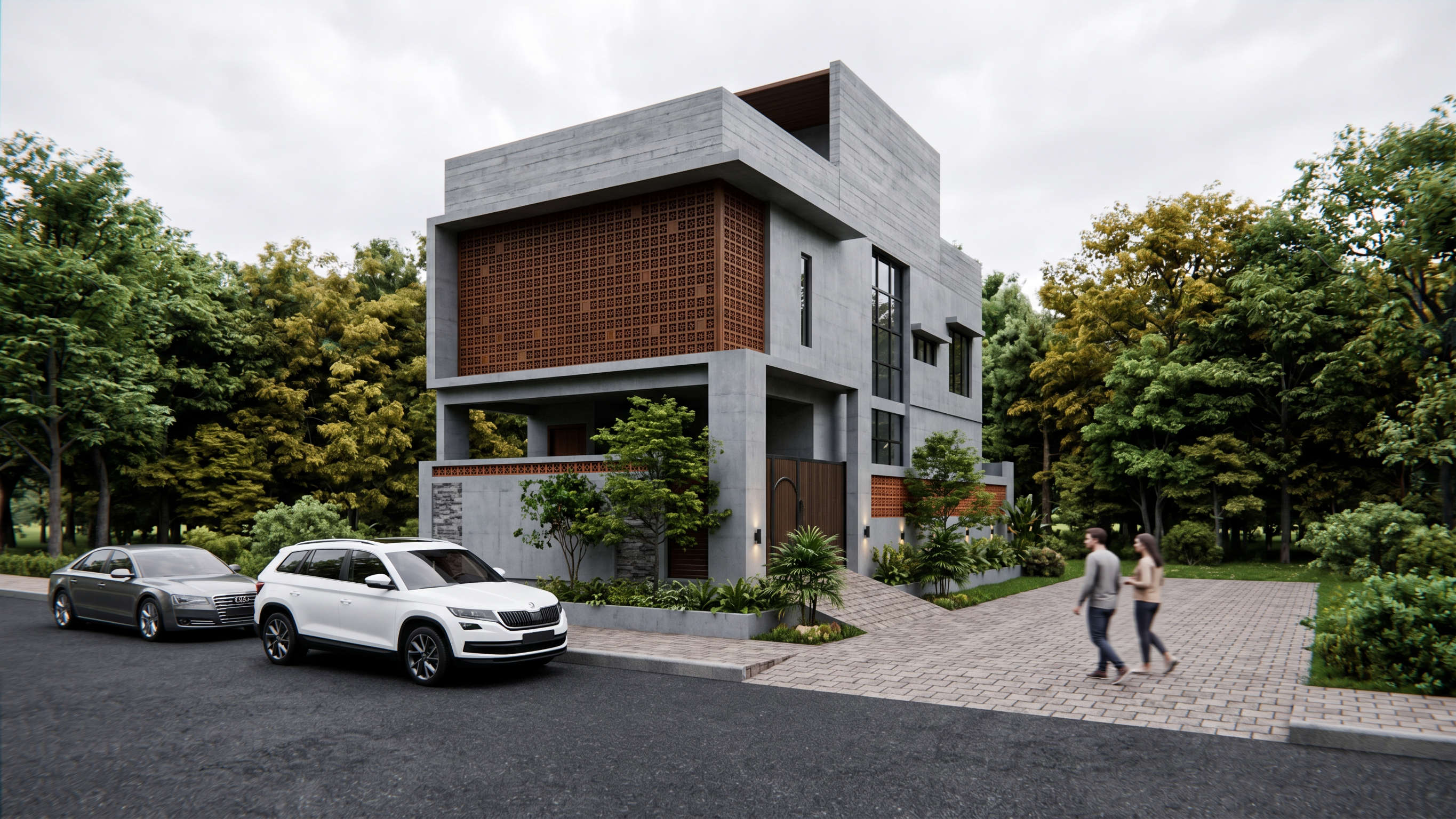
- Prompt
- Role: Professional 3D Architectural Visualizer. Your task is to generate a photorealistic exterior rendering of the building in Image 1. You must strictly preserve its architecture while purely swapping its surface materials, replacing the background with Image 2, and populating the scene with human scale figures and parked vehicles.
1. Absolute Structure & Layout Constraints (Strictly No Building Modifications):
- Maintain the exact camera angle, perspective, and framing of Image 1.
- Do not add any new architectural elements, structural extensions, objects, or decorative features to the building itself. Do not remove, omit, or change any existing building elements.
- Keep the building's physical geometry exactly as it appears in Image 1: preserve the specific patterns of the upper screen panel, the exact placement of the vertical grille bars below it, the structural pillars, the front boundary walls, the gate openings, and all window/door shapes in their exact spatial positions without any modification.
2. Background Environment Transfer (Only Addition allowed):
- Replace the empty blue sky and horizon void behind the house in Image 1 with the background environment from Image 2.
- Fill the background space entirely with a dense, mature forest canopy of lush green and golden trees framing the structure against a soft, bright, overcast sky.
3. Pure Material & Surface Swapping (From Image 2):
- Upper Facade Block: Replace the plain white finish with the horizontal-board-formed raw gray concrete texture from Image 2, maintaining all the original geometric edges.
- Screen Facade & Accents: Retain the exact geometry and perforation layout of the screen, but map the dark timber wood material from Image 2 onto its surfaces.
- Core Structural Walls & Pillars: Apply the smooth, fair-faced architectural gray concrete texture from Image 2 across all lower structural walls, columns, and boundary walls.
- Window Glass: Apply clean architectural glass with crisp, dark metal frames, featuring subtle environmental reflections of the new forest background.
4. Foreground Texture, Vehicles, and Humans (Scene Entourage):
- Ground Texture: Replace the flat tiled pattern on the ground with a realistic dark asphalt texture for the foreground road and a stone-brick paved driveway texture leading up to the house.
- Parked Vehicles: Place a modern luxury car (such as a modern SUV or sedan in neutral white or dark silver tones) parked realistically along the road in the foreground, showing crisp body paint reflections.
- Human Figures: Add two realistic 3D human figures scale models standing naturally on the sidewalk or near the driveway entrance, dressed in casual modern attire, positioned to establish real-world scale without obstructing the building's architecture.
5. Lighting & Output Quality:
- Apply the soft, highly diffused daytime lighting (overcast sky atmosphere) of Image 2. Ensure deep ambient occlusion shadows are generated under the parked vehicles, beneath the human figures, and in all original structural recesses to anchor them into the scene realistically.
- 8K production render quality, crisp geometric lines, ultra-realistic texture maps, completely photorealistic with zero architectural distortion.
- Created
- September 28, 2026