- Prompt
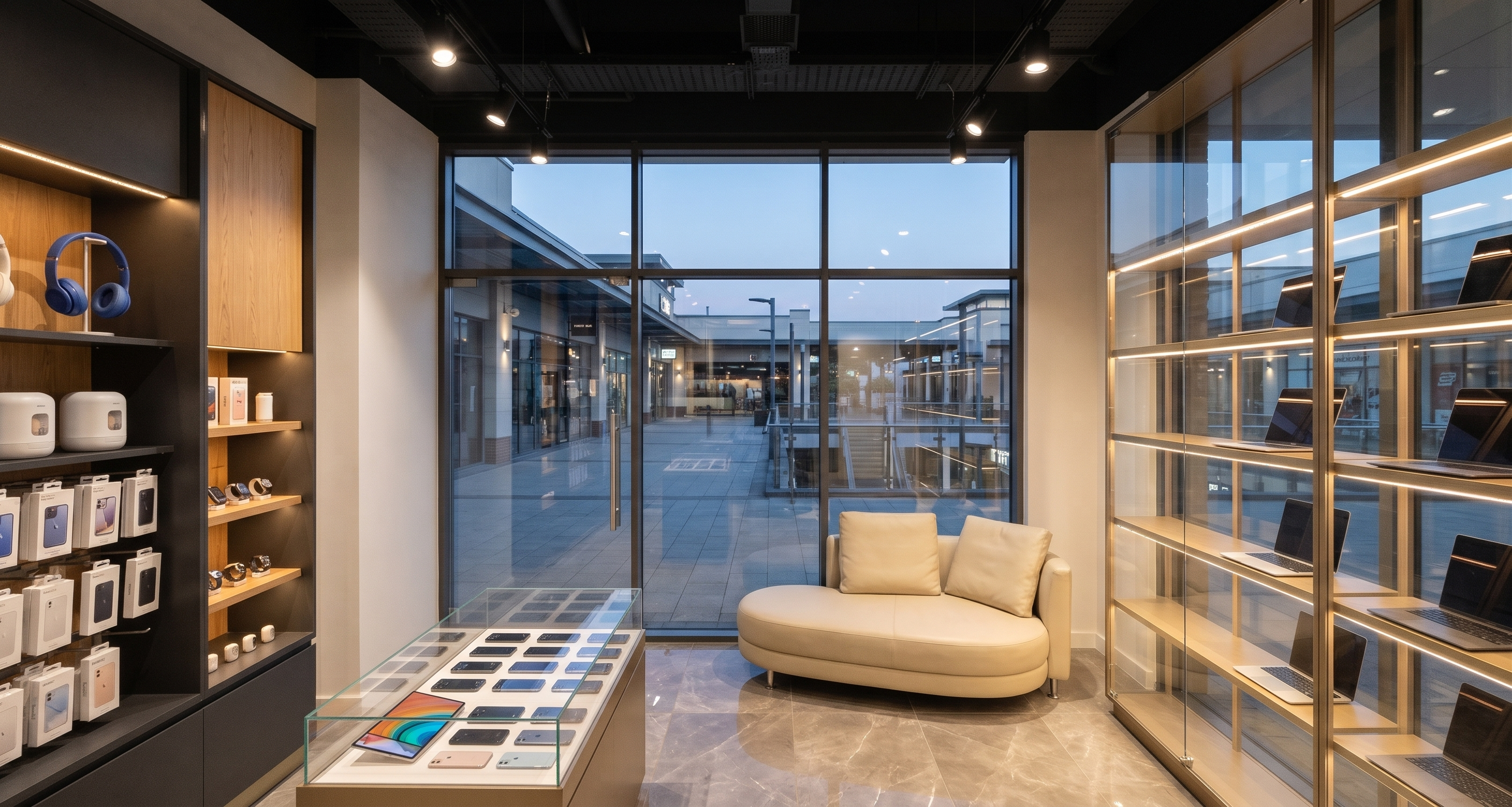
- Create a new photorealistic view of the same mobile phone and laptop store, maintaining the established materials, ceiling, lighting, furniture, and display arrangements.
CAMERA AND COMPOSITION:
Position the camera inside the store, looking directly toward the main entrance façade. The glazed curtain wall forming the main storefront, including the entrance door in its existing location, must appear straight ahead.
Show only a small portion of the existing transparent glass laptop display unit at the far right edge of the image. It should appear as a cropped foreground element, not as the main subject. Preserve its actual position and orientation in the model. Do not move it onto the entrance façade or create a duplicate display unit.
MAIN STOREFRONT:
Retain the existing curtain wall geometry, mullions, entrance door, and proportions. Use clear glass with subtle, realistic reflections, allowing views toward the outdoor pedestrian walkway of the open-air shopping mall. Keep the entrance and circulation route unobstructed.
GLASS LAPTOP DISPLAY:
The small portion visible on the right must retain clear glass shelves and transparent backing, slim champagne bronze supports, and concealed warm-white LED lighting. Maintain visibility through the display from both inside and outside. Keep the laptop screens facing the exterior walkway, consistent with the previous view.
MATERIALS:
Maintain warm natural oak veneer and vertical fluted wood detailing, matte charcoal gray cabinetry, brushed champagne bronze trims, and clear glass display counters. Retain the polished warm gray marble-effect porcelain flooring with subtle white veining and narrow grout joints.
CEILING AND LIGHTING:
Keep the exposed matte black industrial ceiling, visible services, black lighting tracks, adjustable spotlights, and the slim rectangular pendant above the main counter. Preserve their existing positions.
Use warm-white interior lighting around 3000K, with concealed LEDs beneath shelves, inside counters, and along recessed toe-kicks. Balance the interior lighting with daylight entering through the main storefront. Use soft shadows and controlled reflections, keeping the exterior visible without overexposure.
POINT LOGO:
If the existing “Point” counter logo falls within the new camera view, retain its original position and spelling. Use raised letters with softly illuminated warm-white faces and a subtle backlit halo against the fluted wood. Do not relocate or duplicate the logo to make it visible.
Preserve all other design elements exactly as established. Change only the camera viewpoint and framing. Do not redesign the store, relocate furniture, or add new displays, signage, or decorative elements.
- Created
- November 2, 2026