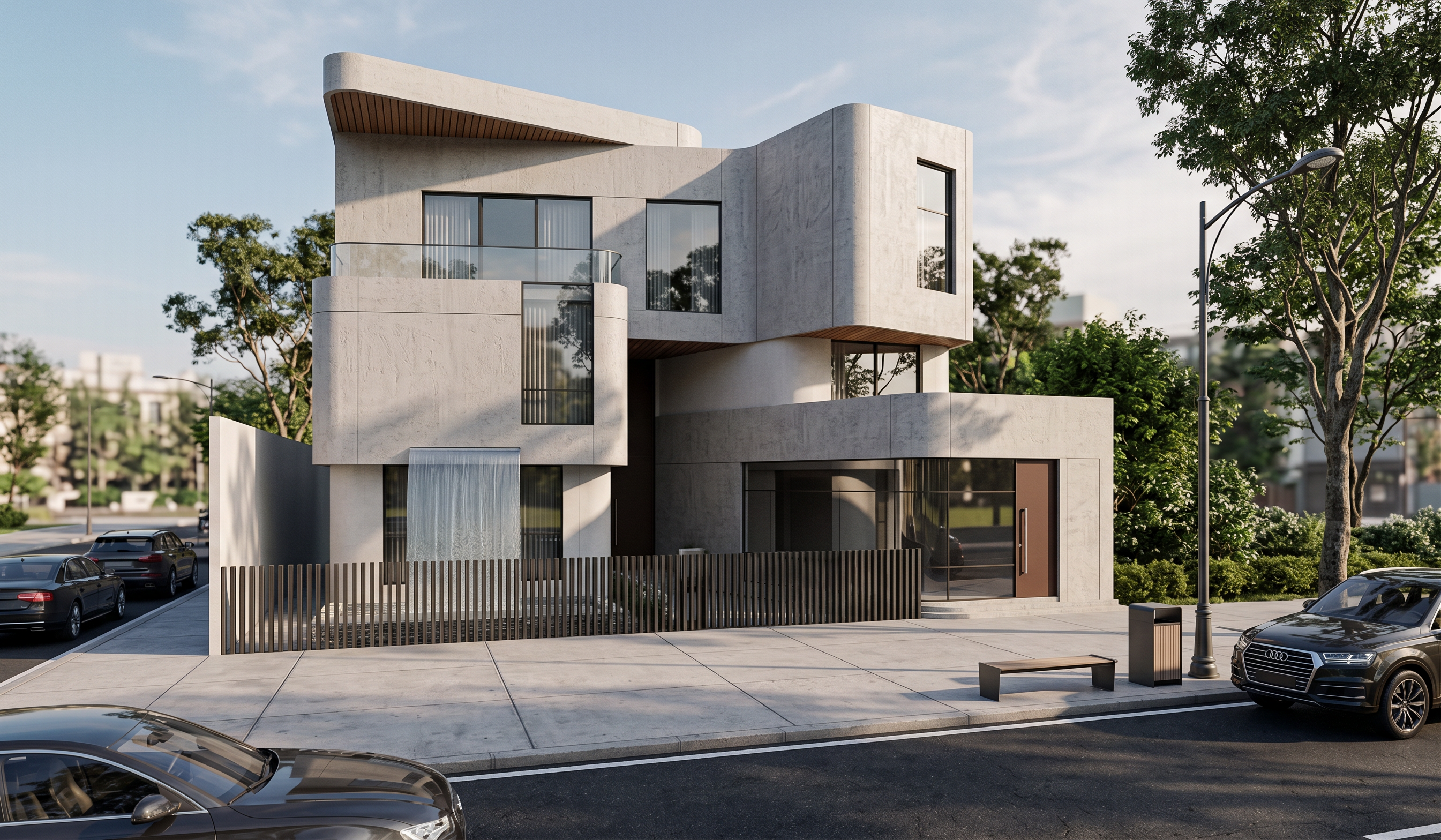
- Prompt
- Transform the provided screenshot into a high-quality, photorealistic architectural render.
The ONLY design change is to turn the blue marked sheet/area into a very simple, elegant, natural-looking waterfall. The waterfall should be subtle and minimal, with a smooth and realistic flow of water that fits naturally into the existing design.
Create a beautiful, realistic environment around the scene with natural outdoor atmosphere, believable lighting, realistic reflections, shadows, and subtle environmental details that enhance the overall render.
IMPORTANT:
• Preserve the entire existing architecture and design EXACTLY as shown.
• Do NOT change any walls, floors, stairs, windows, doors, façade, proportions, dimensions, or geometry.
• Preserve ALL existing materials, colors, textures, and finishes exactly as they are.
• Do NOT add or remove landscaping, furniture, plants, or objects.
• Keep the exact same camera angle, perspective, framing, and composition.
• Do NOT redesign or reinterpret any part of the project.
• The blue marked area is the ONLY area to be changed, and the blue marking itself must disappear in the final render.
Make the final result look like a professional, realistic architectural visualization, with the waterfall being simple, clean, elegant, and naturally integrated into the existing environment
- Created
- September 14, 2026