- Prompt
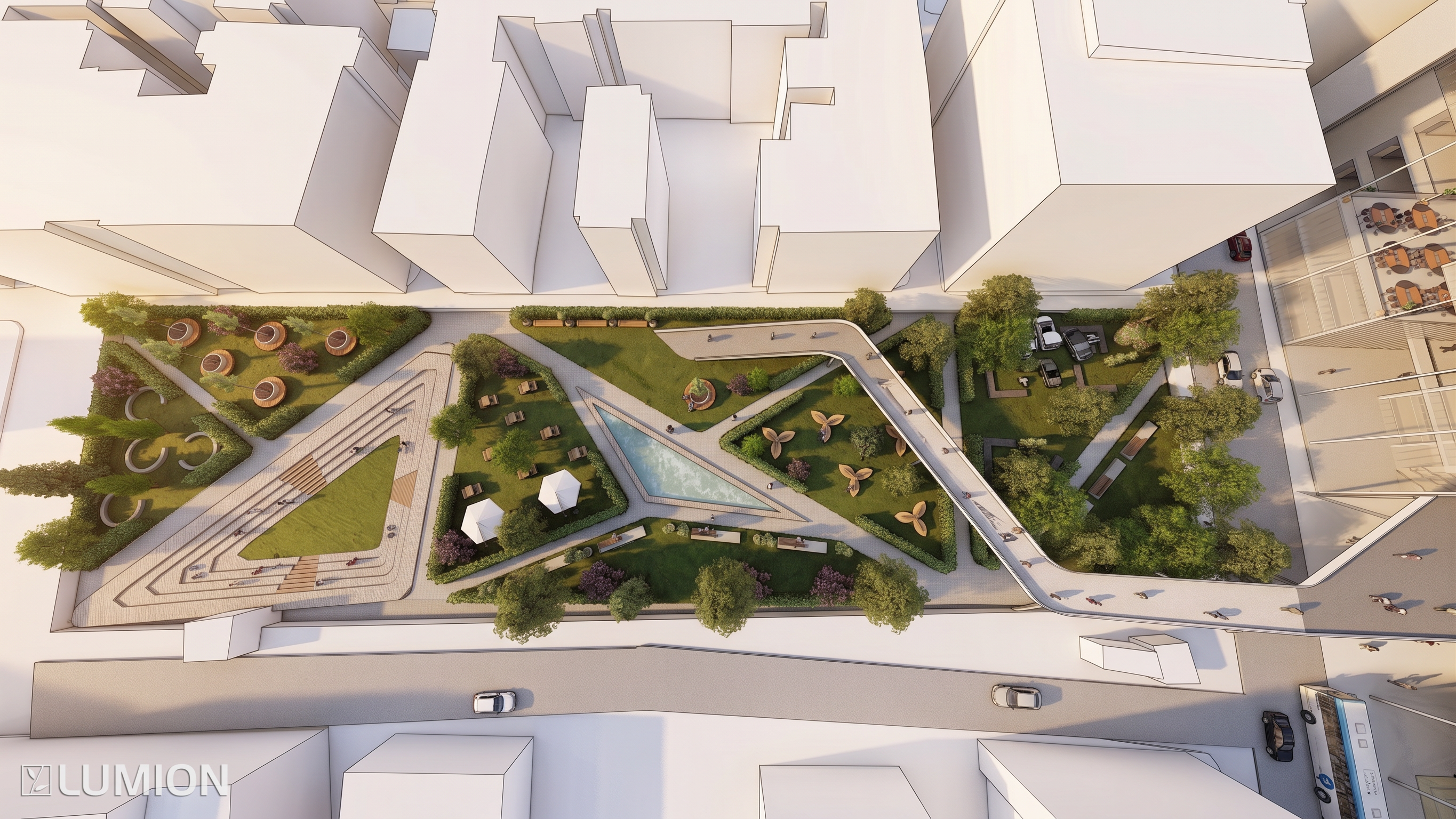
- Create a high-resolution architectural axonometric illustration of an urban park design, based strictly on the provided reference image and preserving the original architectural layout, proportions, circulation paths, landscape organization, and main design elements.
Show the project from a clean bird’s-eye axonometric perspective with a slightly elevated angle. The composition should clearly communicate the spatial organization of the urban park as an architectural presentation drawing.
Use a refined architectural diagrammatic illustration style, combining realistic architectural visualization with clean graphic representation. Buildings, landscape elements, paths, plazas, seating areas, trees, vegetation, water elements, and urban furniture should be clearly distinguishable and carefully modeled.
Use realistic but slightly simplified materials and textures. Concrete, stone, wood, glass, metal, soil, grass and vegetation should have subtle material definition without becoming overly photorealistic.
Vegetation should be detailed and varied, with individual tree canopies, shrubs, planted areas and landscape textures, but represented in a controlled architectural visualization style.
Include human figures at an appropriate scale to communicate circulation, activity and spatial relationships. Figures should be subtle, minimal and naturally distributed throughout the park.
Use soft natural daylight, gentle shadows and subtle ambient occlusion to enhance depth and spatial hierarchy.
The final image should look like a professional architecture portfolio axonometric diagram: clean, sophisticated, spatially legible, diagrammatic, illustrative and architectural.
IMPORTANT:
- Preserve the original design and geometry from the reference image.
- Do not redesign or reinterpret the project.
- Do not change the circulation or landscape layout.
- Do not add unnecessary architectural elements.
- Avoid watercolor aesthetics.
- Avoid hand-painted or sketchy appearance.
- Avoid excessive textures.
- Avoid cartoon-like graphics.
- Avoid overly saturated colors.
- Created
- September 17, 2026
- Seed
- 0