- Prompt
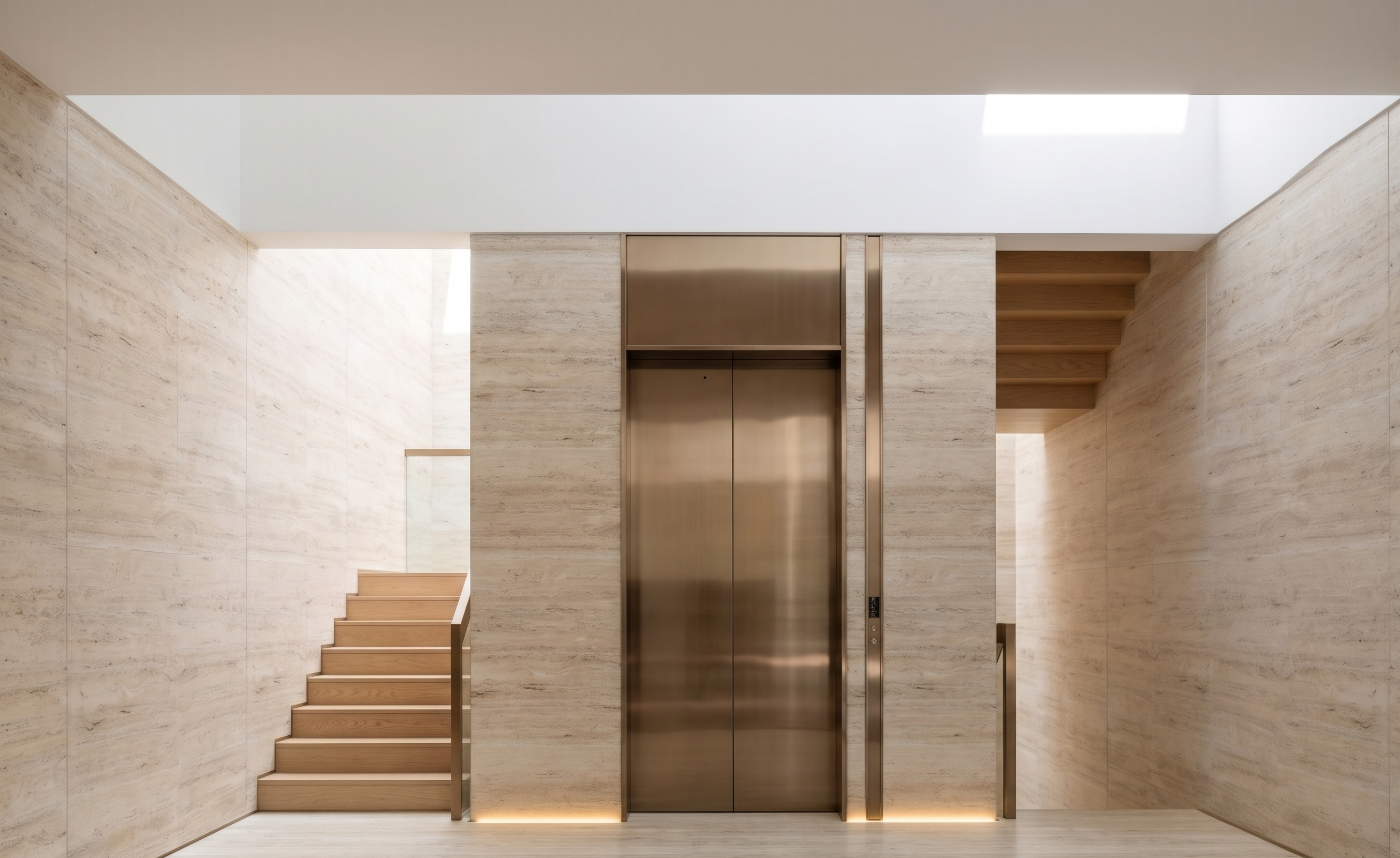
- Transform the existing image into an ultra-photorealistic, high-end architectural photograph, as if captured by a professional architectural photographer.
**STRICT DESIGN PRESERVATION:** Preserve 100% of the original architecture, staircase design, layout, proportions, furniture, materials, colors, and every existing detail. Maintain the exact original camera angle, perspective, composition, framing, and image aspect ratio. Absolutely no redesign or modifications.
**MATERIAL SPECIFICATION:**
- Staircase steps: Natural light oak wood with realistic, refined wood grain.
- All other existing brown-colored elements: Stainless steel bronze finish with elegant, realistic metallic reflections.
- Keep all other materials exactly as in the original image.
- All surfaces must look pristine, clean, premium, and well-maintained. Absolutely NO dirty materials, stains, discoloration, scratches, rough textures, or artificial-looking surfaces.
**NATURAL DAYLIGHT:** Realistic sunlight entering through the existing overhead void behind the staircase. Create natural light distribution, physically accurate shadows, and realistic reflections.
**COVE LIGHTING:** Reproduce the existing cove lighting exactly as shown in the original image. Keep the warm light subtle, soft, and low intensity. Do not add or relocate any lighting.
**PHOTOGRAPHIC REALISM:** Professional architectural photography, natural exposure, crisp details, realistic material textures, accurate reflections, and balanced contrast. Keep the entire space bright and evenly illuminated with absolutely no dark corners or underexposed areas.
**NEGATIVES:** No CGI appearance, no artificial-looking materials, no dirty surfaces, no excessive glow, no haze, no overexposure, no design changes, no material substitutions, no camera adjustments, and absolutely no changes to the original image ratio or dimensions.
- Created
- November 19, 2026