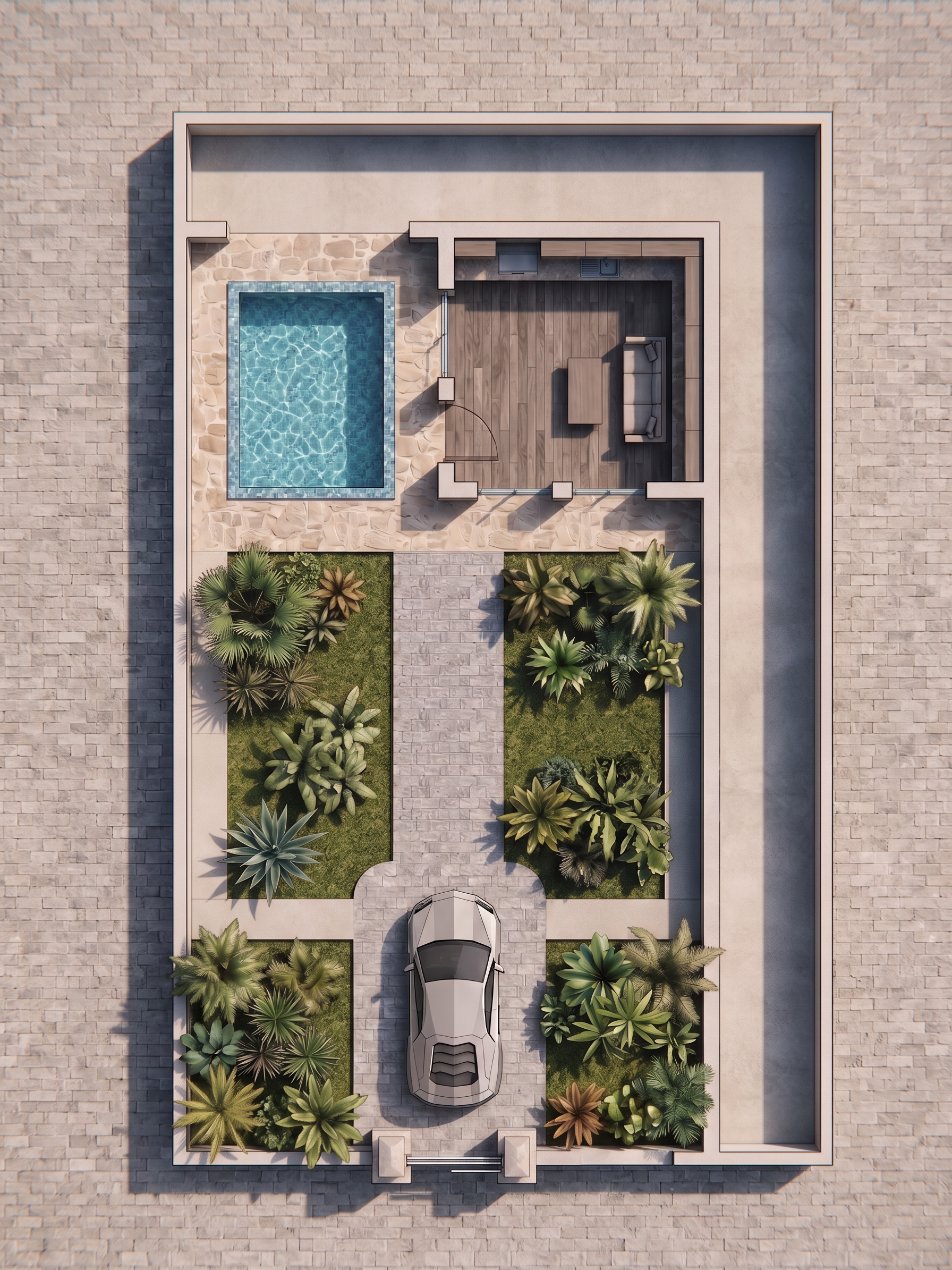
- Prompt
- Use the reference image ONLY as a visual reference for materials, textures, colors, lighting, landscaping style, and rendering quality.
Do NOT copy, modify, reinterpret, or redesign the layout from the reference image.
Keep my current plan exactly as it is in terms of design, geometry, spatial arrangement, and placement.
* Preserve the exact location of the building, pool, garden beds, parking, paths, walls, and all other elements.
* Do not move, add, remove, rotate, or redesign any element.
* Do not change the existing layout or spatial relationships.
* Keep the current proportions and arrangement of the plan.
* The site must remain accurately scaled to 10 × 50 meters.
Make the final image look like the reference only in terms of visual quality:
* Use similar realistic materials and textures.
* Use a similar paving and flooring treatment.
* Use a similar natural and realistic landscaping style.
* Match the reference’s level of photorealism and rendering quality.
* Use realistic shadows, lighting, material reflections, and surface details.
* Keep the amount of greenery minimal and controlled.
* Add a practical circulation path around the garden areas without changing the existing layout.
Remove all text, labels, annotations, and unnecessary lines, and remove the separate kitchen outside the main plan as previously specified.
CRITICAL RULE:
REFERENCE IMAGE = MATERIAL + STYLE + RENDERING QUALITY ONLY.
MY CURRENT PLAN = 100% AUTHORITY FOR DESIGN, GEOMETRY, PROPORTIONS, AND PLACEMENT.
Do not make any design decisions based on the reference image. The final result must look like my exact plan, simply rendered with the same material quality, realism, and visual atmosphere as the reference.
- Created
- September 20, 2026