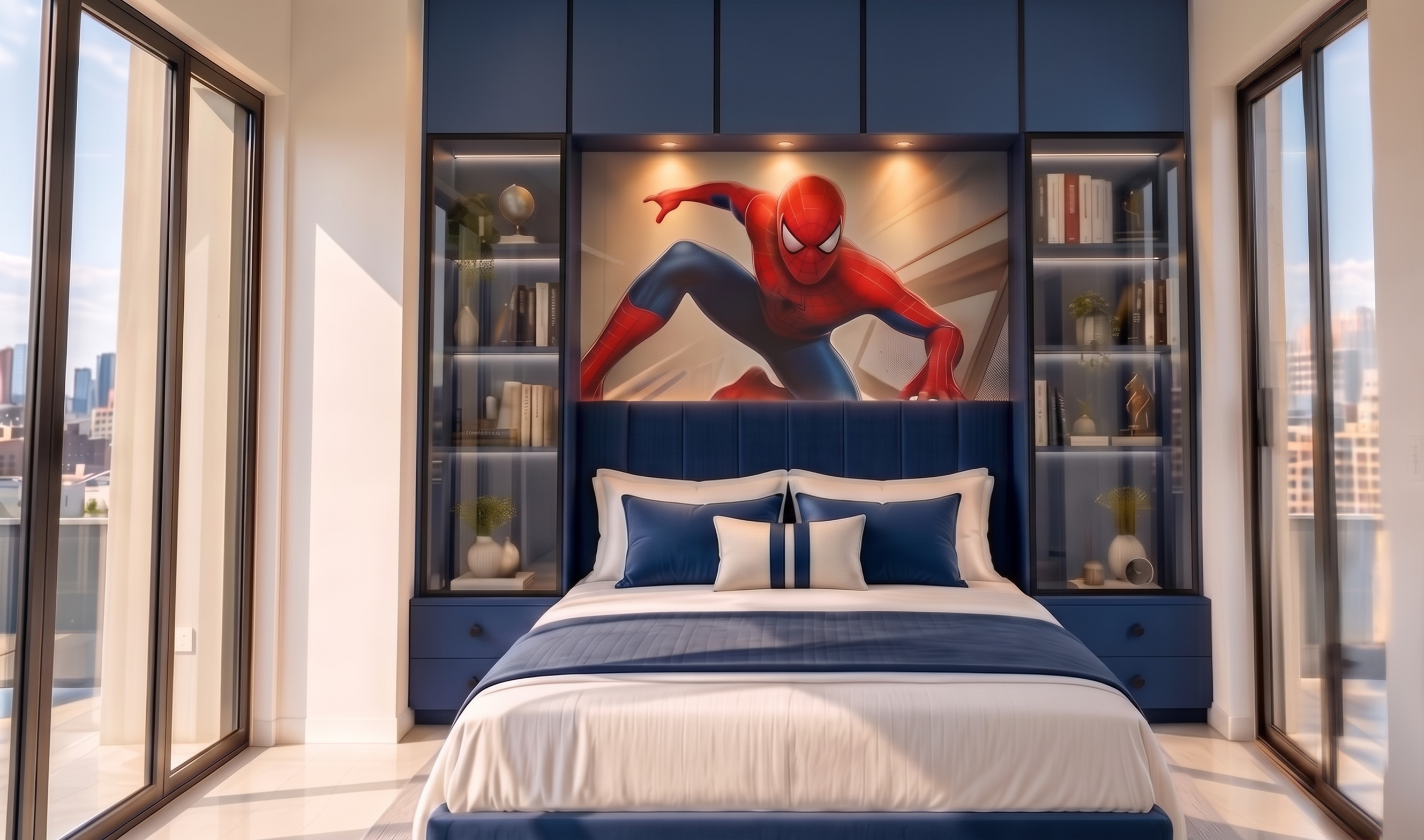
- Prompt
- Enhance and correct the provided interior image while preserving the exact existing design, architecture, geometry, camera angle, perspective, proportions, colors, furniture, bed, headboard, Spider-Man artwork, curtains, glass profiles, lighting, and materials.
Make ONLY these corrections:
### 1. IMAGE SHARPNESS / CLARITY
The current image looks slightly soft and blurry. Make the entire image significantly sharper and more detailed while keeping it photorealistic.
* Improve overall image clarity and fine details.
* Make architectural edges crisp and clean.
* Make the cabinetry, shutter edges, glass profiles, fabric textures, flooring, and furniture details clearly visible.
* Improve micro-details and realistic material textures.
* Maintain natural photographic softness where appropriate; do NOT create an artificial over-sharpened or HDR appearance.
* No blur, haze, pixelation, smudging, or low-resolution appearance.
* The final image should look like a high-resolution professional architectural photograph.
### 2. UPPER LOFT SHUTTER GAPS
Correct the gaps between the five upper loft shutters.
The loft must remain EXACTLY FIVE separate equal single-door shutters.
* Exactly 5 shutters total.
* All 5 shutters must have identical width and height.
* Create four clearly visible, thin, straight vertical gaps between the five shutters.
* The gaps must be perfectly equal in width from left to right.
* Make each gap dark and clearly readable as a genuine cabinet joint/shadow line.
* Keep the gaps continuous and perfectly vertical from the top edge to the bottom edge of the loft.
* Do NOT merge the shutters together.
* Do NOT create additional divisions.
* Do NOT make the gaps too wide.
* Do NOT distort or warp the shutter panels.
* The five doors should read clearly as five individually manufactured cabinet shutters.
### STRICT PRESERVATION
Do not change anything else in the image. Do not redesign the room, change the camera position, alter the window sizes, modify the bed, change the artwork, change the curtains, alter the glass profiles, or add/remove any furniture.
Final output: ultra-sharp, clean, high-resolution, photorealistic luxury interior photograph with perfectly aligned five-door loft shutters and clearly defined, equal vertical shutter gaps.
- Created
- September 30, 2026