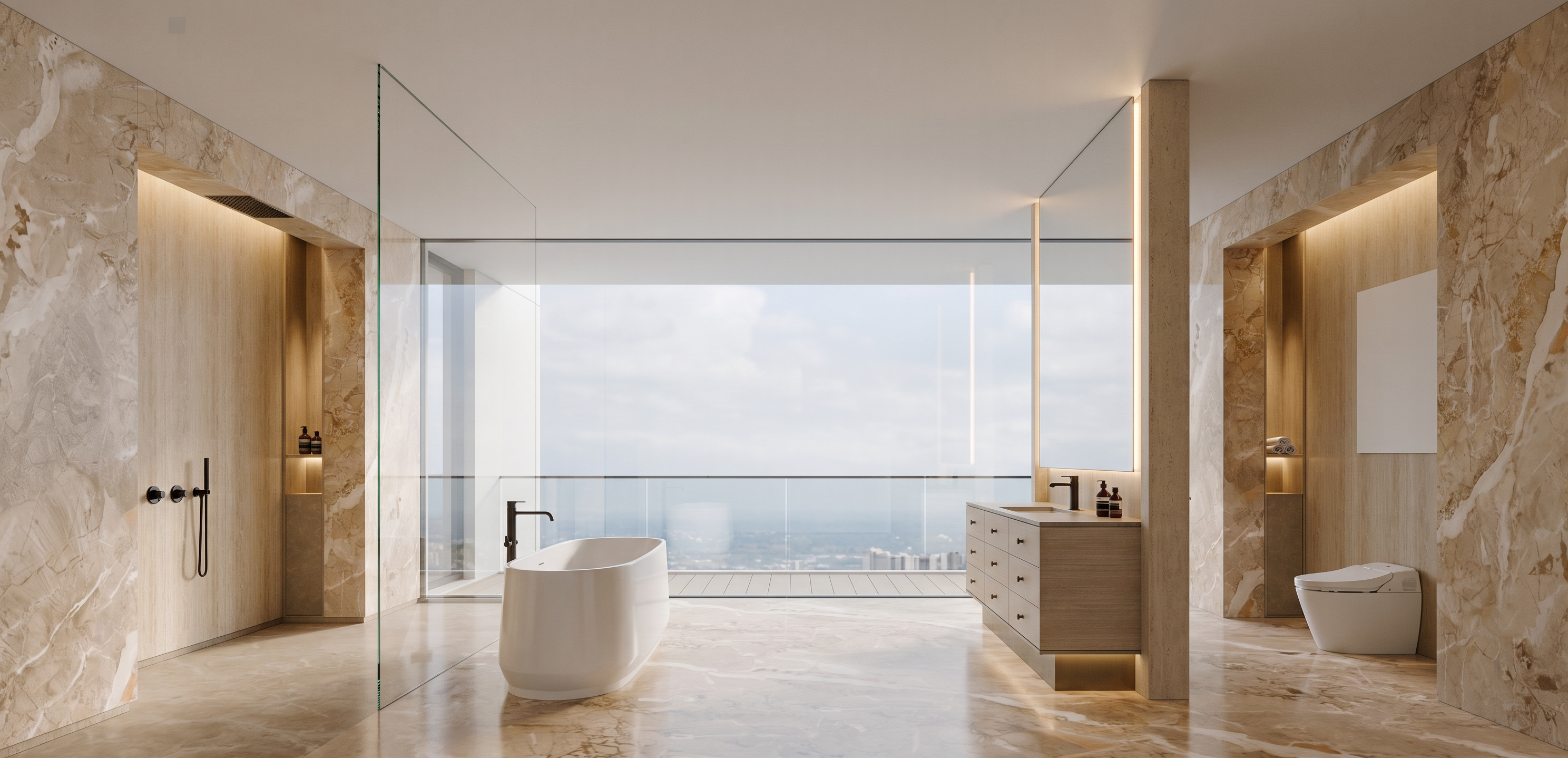
- Prompt
- **Ultra-photorealistic architectural visualization based strictly on the provided reference image. Preserve the exact architectural design, geometry, proportions, dimensions, layout, furniture placement, materials, colors, and camera angle. Do not redesign, reinterpret, add, remove, or modify any architectural elements.**
Transform the reference into a **high-end professional architectural photograph** with realistic material textures, physically accurate reflections, subtle surface imperfections, natural shadows, realistic ambient occlusion, accurate depth, and refined global illumination.
Use **soft natural daylight**, realistic exposure, balanced contrast, and natural color grading. Materials should feel authentic and tactile — realistic stone, wood grain, metal, glass, fabric, and other finishes with correct roughness, reflections, and micro-texture.
Maintain realistic architectural scale and perspective. Add natural photographic details such as subtle lens characteristics, realistic light falloff, soft contact shadows, and slight atmospheric depth.
**Photography quality:** professional architectural photography, full-frame camera, 24–35mm architectural lens, realistic perspective, high dynamic range, sharp but natural details, clean composition, premium editorial quality similar to **ArchDaily / Dezeen / high-end architecture photography**.
**Important:** Do not change the design. Do not add unnecessary decorations, props, plants, people, artwork, lighting fixtures, or furniture that are not already present in the reference. Keep the scene clean and faithful to the original design.
**Output:** ultra-realistic, sophisticated, natural, photorealistic architectural render, 4K quality, realistic materials, realistic lighting, no CGI appearance.
- Created
- September 1, 2026