- Prompt
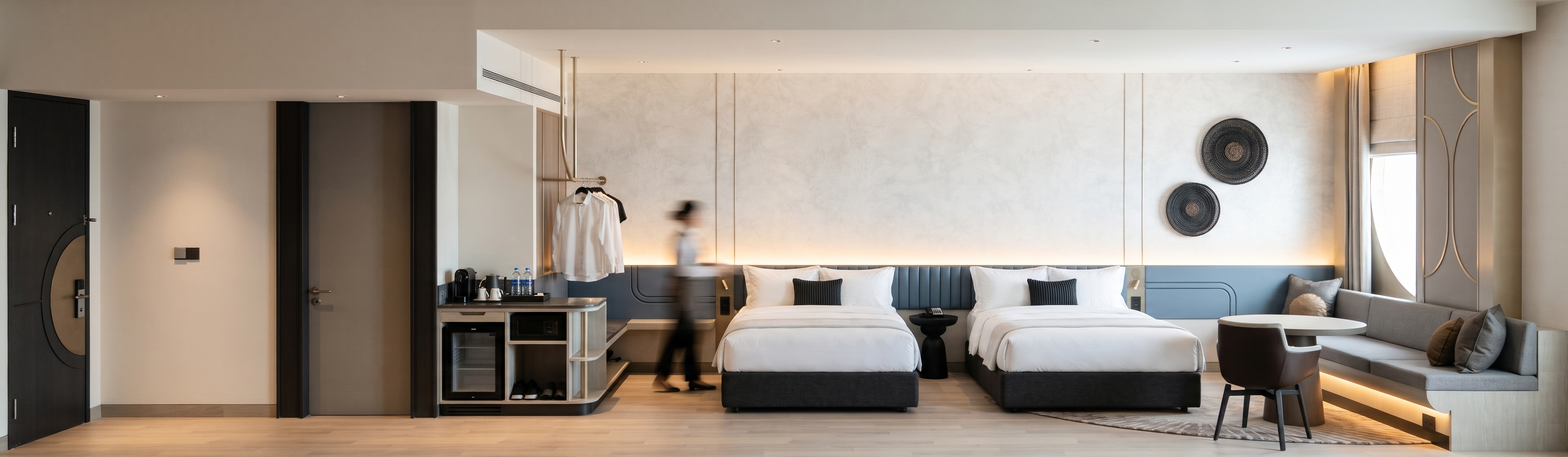
- Transform the reference image into a photorealistic 4K architectural interior render of a contemporary hotel twin room. Match the original front-facing panoramic composition, camera height, framing, and perspective. Preserve the room geometry, ceiling levels, door locations, furniture dimensions and placement, wall panel divisions, and all built-in details.
Show the two beds with charcoal upholstered bases, layered white linens, and small dark ribbed accent cushions. Keep the sculptural black bedside table between them. Reproduce the full-width muted slate-blue headboard wall with its curved grooves and central vertical ribbing. Above it, retain the large off-white washed textured wall panels, fine vertical joints, concealed warm lighting along the lower edge, and two circular dark woven wall accents.
On the left, preserve both doors, the minibar cabinetry with its rounded corner, and the suspended champagne-metal clothes rail. On the right, retain the built-in grey banquette, loose cushions, oval pedestal table, brown dining chair, rounded area rug, and tall decorative panel with its curved champagne-metal inlay. Render the light pale wood plank flooring with a matte finish and subtle natural grain.
Use soft ambient illumination, subtle recessed downlights, and warm concealed lighting behind the headboard and beneath the banquette. Keep the exposure natural, the white linens neutral, and the shadows soft. Give the fabrics, textured wall panels, timber, and brushed metal realistic surface detail and restrained reflections. Maintain the original layout and styling throughout.
- Created
- November 13, 2026