- Prompt
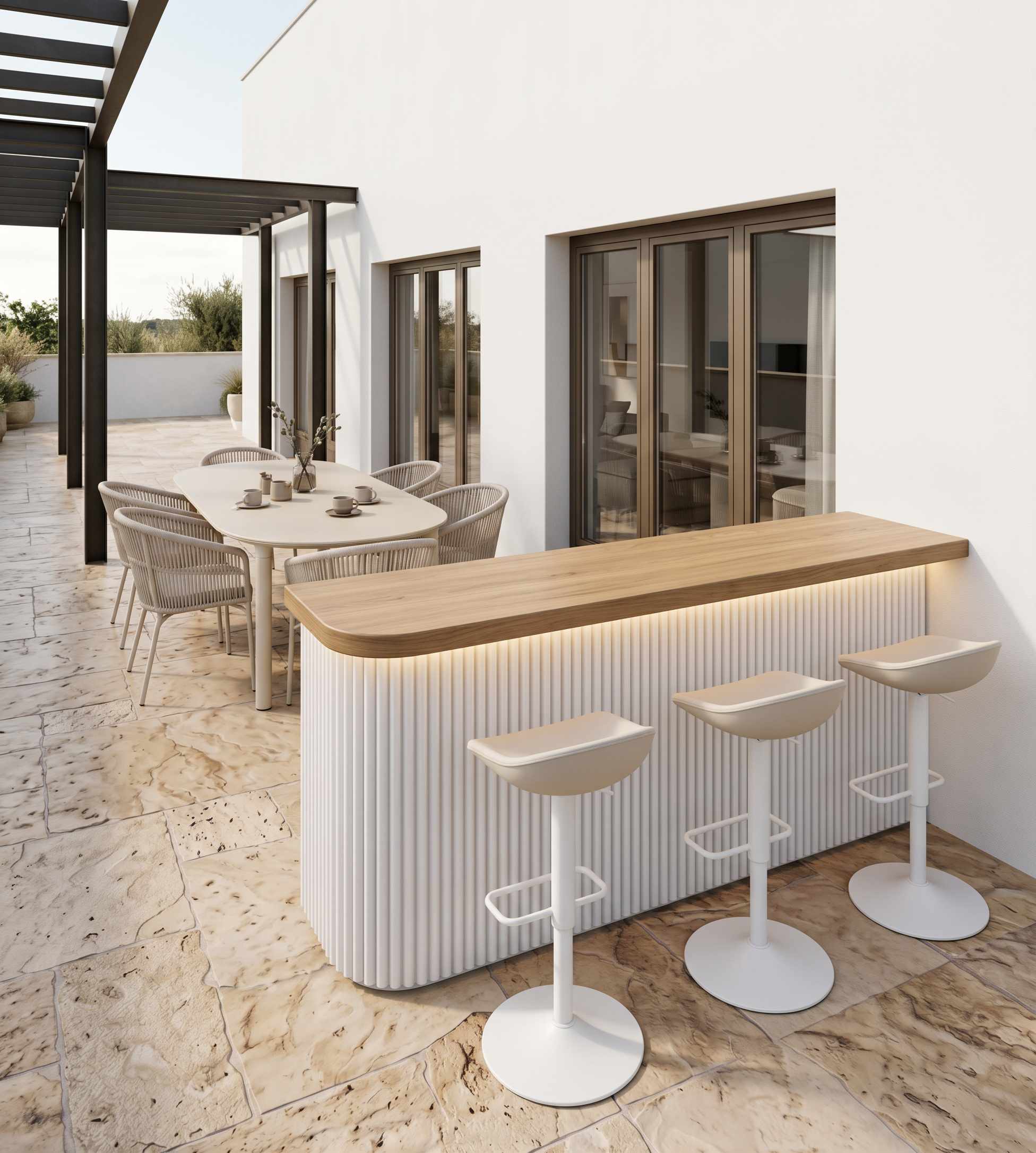
- Create a highly photorealistic architectural render of the terrace based strictly on the provided image and reference images.
CRITICAL — PRESERVE THE ORIGINAL IMAGE
• Do not change the image dimensions, aspect ratio, camera position, camera angle, perspective, focal length, framing, geometry, proportions, or architectural design.
• Do not redesign, rearrange, or reinterpret the existing layout.
• Preserve the exact spatial relationships and positions indicated by the colored markings.
• Only apply the materials, architectural finishes, and furniture described below.
1. Flooring and architecture
• Floor: Use the exact floor tiles shown in Reference 1, matching their color, texture, dimensions, pattern, and laying direction.
• Right-side gray area: This represents a solid white facade wall. Finish it in clean white exterior plaster, preserving the exact existing geometry.
• Two yellow rectangles: These indicate two separate exits from the interior onto the terrace. Create floor-to-ceiling, three-panel glazed doors with brown frames, matching the design and appearance shown in Reference 1. Preserve the exact size, position, and proportions of both openings.
2. Foreground — bar counter
The rectangular area in the foreground represents a bar counter viewed slightly from an angle.
• Create the bar counter exactly as shown in Reference 1.
• The counter extends outward from the facade wall, leaving a clear passage on its left side. Preserve this spatial arrangement.
• The front of the counter must have a white vertically ribbed/fluted finish.
• Integrate subtle LED lighting into the counter, matching Reference 1.
• Use a natural wood countertop with the same color, texture, thickness, and finish as in Reference 1.
• Preserve the original counter geometry, proportions, and orientation. From the current camera angle, the visible end and side of the counter should appear exactly as dictated by the original 3D model.
Bar stools: Place three white bar stools along the bar counter, matching Reference 3 exactly in design, shape, materials, color, and proportions. Align them naturally along the counter, with realistic spacing.
3. Background — dining table and chairs
Behind the bar counter, the light purple rectangle and green squares indicate the dining area.
• Dining table: Replace the light purple marked rectangle with the table shown in Reference 2. Match its exact design, shape, materials, color, finish, and proportions.
• Dining chairs: Replace the green marked squares with the corresponding dining chairs, following the furniture design and arrangement established in the references and original 3D model.
• Position the dining table behind the bar counter, at the angle indicated by the original image. Maintain its exact orientation and placement relative to the facade wall, bar counter, and terrace doors.
• Ensure that the dining table and chairs remain visually distinct from the foreground bar counter, with realistic depth and perspective.
4. Rendering quality
Produce a premium, photorealistic architectural visualization with physically accurate materials, realistic natural daylight, soft shadows, detailed tile and ribbed-surface textures, realistic wood grain, accurate glass reflections, and subtle integrated LED lighting.
The overall aesthetic should be elegant, refined, and consistent with the reference images.
FINAL RESTRICTIONS: Do not change the camera, image dimensions, aspect ratio, geometry, architectural layout, or design. Do not crop, zoom, rotate, or alter the composition. Do not add unrequested objects. Follow the colored markings precisely and reproduce the specified furniture from the corresponding references.
- Created
- October 18, 2026