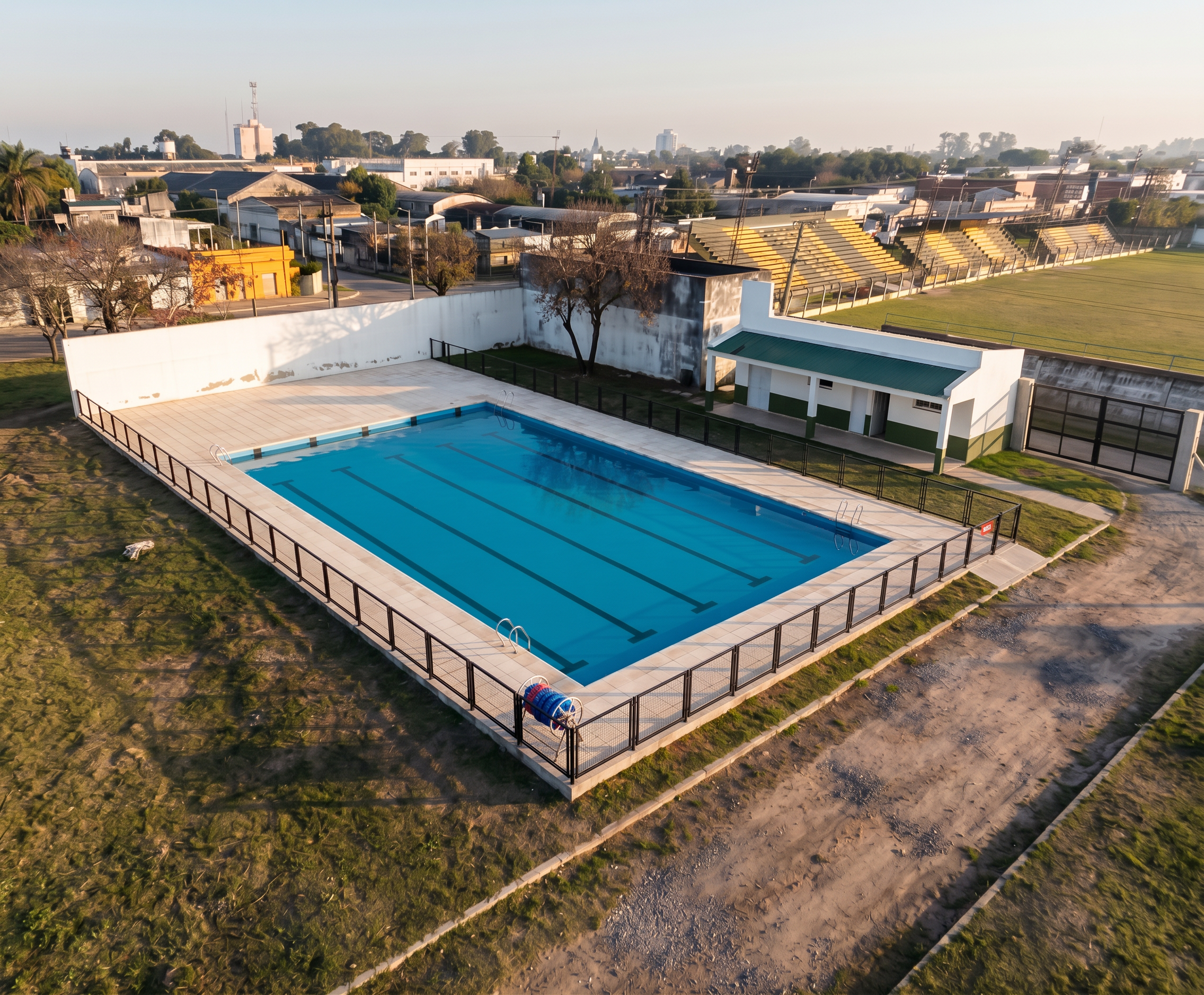
- Prompt
- LOCAL EDIT ONLY — DO NOT REGENERATE THE IMAGE.
Treat this photograph as locked. Every pixel outside one small rectangle on the
right-hand side must come back pixel-identical to the input. You are inpainting a
single object into an otherwise frozen image, not producing a new version of the
scene.
THE ONLY THING YOU MAY ADD:
A two-leaf vehicular swing gate set into the property's boundary fence on the
RIGHT side of the image, immediately beyond the green-roofed changing-room
building, with its left jamb lined up with the far right end of that building.
4.00 m wide overall: two leaves of 2.00 m width by 2.00 m height, black 60 x 40 mm
steel tube framing divided into four horizontal panels filled with black expanded
metal mesh, satin black enamel. It hangs from two square fair-faced concrete posts
of 0.20 x 0.20 m, about 2.20 m tall, one at each jamb; the existing boundary fence
simply stops against those posts on both sides. The gate is closed, in the same
plane as that fence, resting on the ground at the level of the dirt track beyond,
lit by the same warm low sun with its shadow falling in the same direction as
every other shadow in the image.
MUST REMAIN EXACTLY AS THEY ARE — unchanged in shape, length, height, position,
colour, texture, weathering and framing:
- the long white boundary wall and every other wall in the scene, including the
older painted walls behind it. Do not lengthen, shorten, straighten, repaint,
clean, re-texture or move any wall by even a little.
- the pool, the water, the black lane markings, the coping, the ladders and the
lane-rope reel.
- the beige paver deck, its row counts, its joints, its kerb and its outline.
- the black perimeter fence around the deck.
- the green-roofed changing-room building.
- the grandstands, the football pitch, the trees, the houses, the sky, the dirt
tracks and the grass.
- the camera angle, the focal length, the crop, the exposure, the white balance
and the overall colour grading.
DO NOT: add a second gate, door, opening or driveway anywhere; widen or narrow
the paving; move the white wall; alter any existing shadow; add people, vehicles,
signs, text or watermarks; sharpen, denoise, relight or recolour the photograph.
If any part of the scene other than the new gate would change, leave it alone
instead. Output the original image with the gate added — nothing else.
- Created
- October 19, 2026