- Prompt
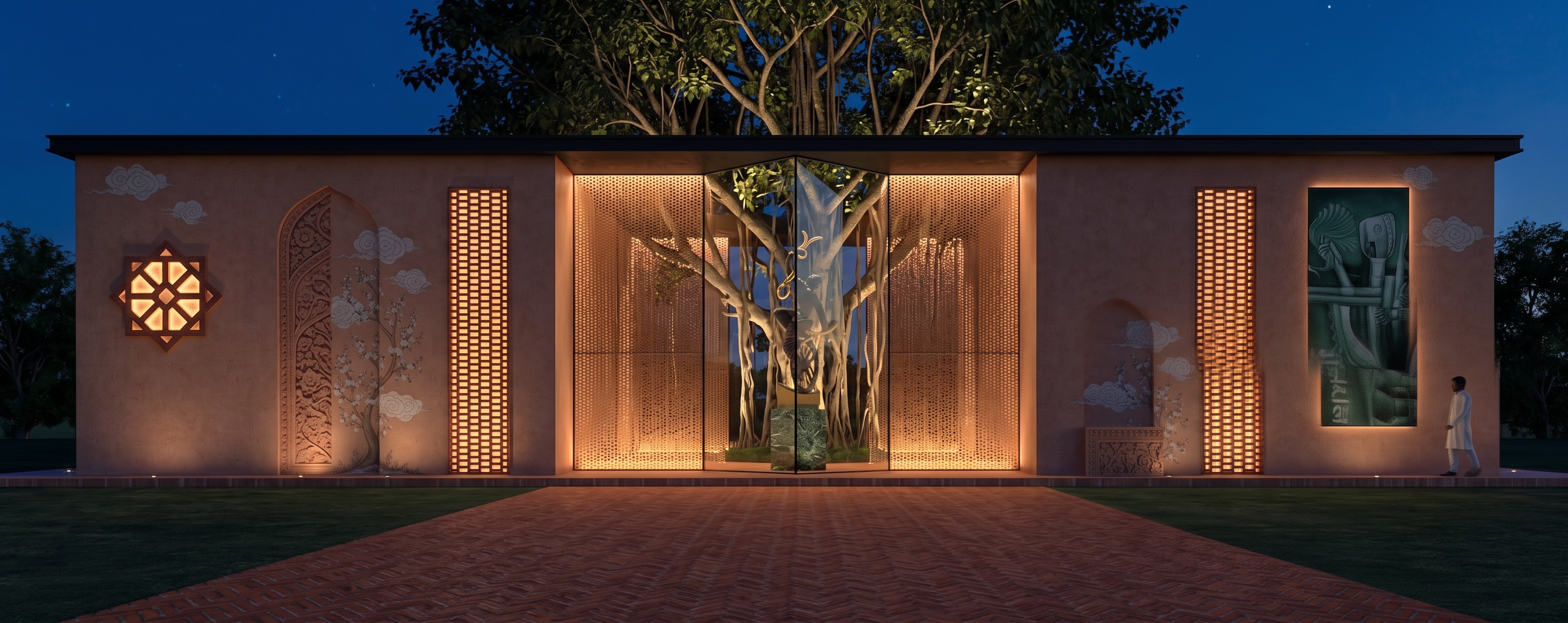
- Transform the provided architectural view into a highly realistic, photorealistic night-time architectural render, while strictly preserving the original building design, geometry, proportions, composition, and camera angle.
Create an elegant and atmospheric night scene with a deep natural evening sky and subtle ambient darkness. Illuminate the building with carefully designed warm architectural lighting, realistic soft shadows, natural reflections, and balanced exposure.
Make the entire featured jali/screen design fully backlit with a warm, soft, diffused golden glow. The intricate jali pattern should be clearly visible and elegantly illuminated, creating subtle light spill and realistic illumination on the surrounding walls and architectural surfaces.
Add a large, mature, lush banyan tree behind the building, positioned exactly at the center of the composition. Make the tree naturally visible above and around the building, with realistic dense foliage, detailed branches, and subtle aerial roots. Use gentle landscape lighting to softly highlight parts of the tree while maintaining a realistic night-time atmosphere.
Enhance all materials with realistic textures and surface finishes, including accurate glass reflections, subtle interior illumination, realistic wall materials, and natural depth. Add high-quality global illumination, ambient occlusion, realistic shadows, cinematic contrast, and premium architectural visualization quality.
Maintain a harmonious balance between the warm glowing backlit jali, the illuminated architecture, and the dark natural surroundings. The final result should look like a high-end, realistic, cinematic night architectural photograph, with no changes to the original architectural structure.
- Created
- August 31, 2026