- Prompt
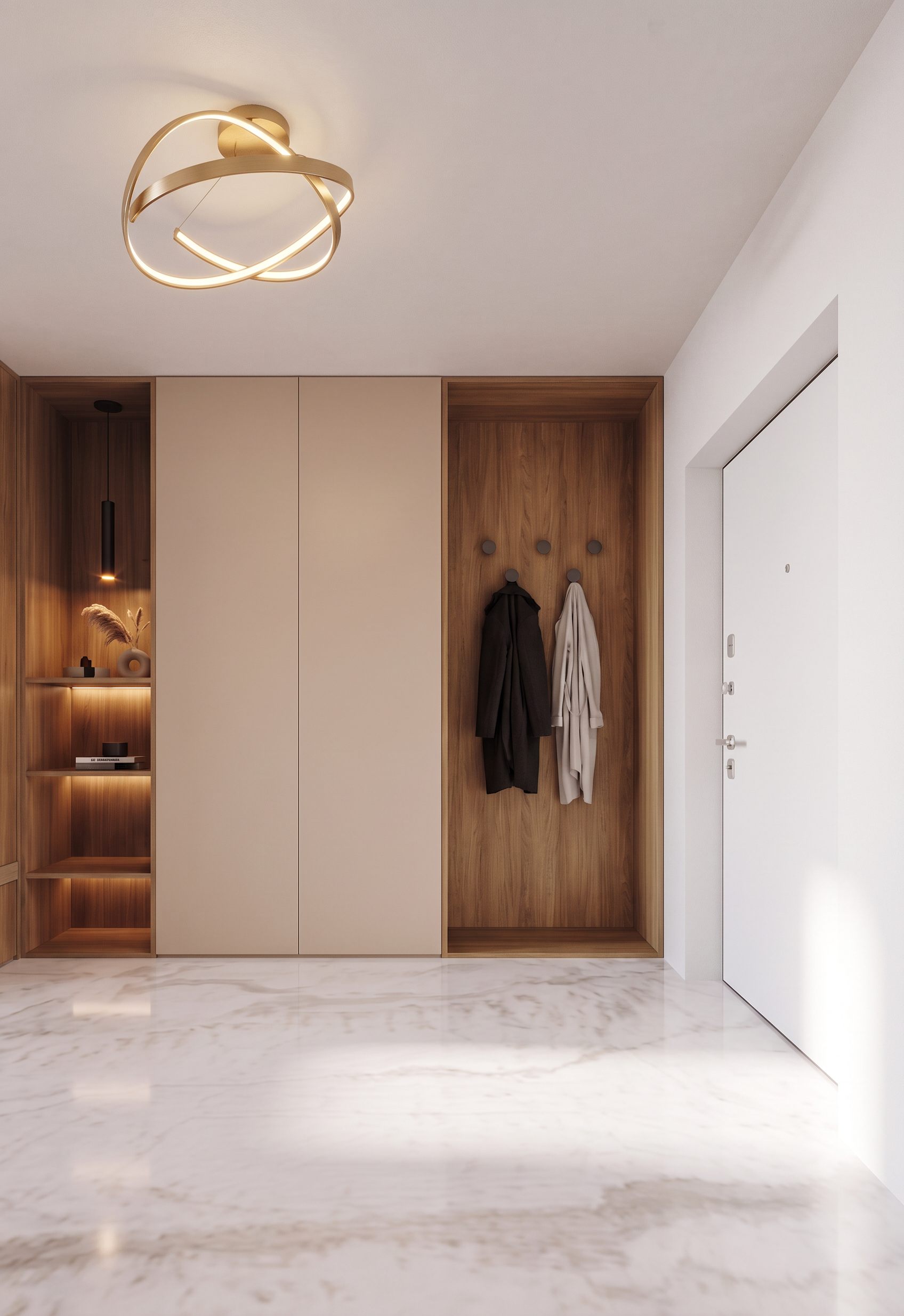
- Create a photorealistic interior render of the hallway based strictly on the provided image.
IMPORTANT: Do NOT change the image dimensions, aspect ratio, camera position, camera angle, perspective, framing, geometry, proportions, layout, or architectural design. Preserve the exact original composition and all existing architectural elements. Do not add, remove, move, resize, or redesign any elements.
The camera is positioned directly and frontally facing the wardrobe composition.
MATERIALS AND DESIGN:
1. FLOOR
Use the flooring from Reference Image 1. Match the exact material, color, texture, pattern, scale, and overall appearance of the floor shown in Reference 1.
1. LEFT SIDE — OPEN WOODEN SHELVING
On the left side, there is a vertical row of open shelves made of wood, exactly as shown in Reference Image 1.
Use the same wood species, color, tone, grain, texture, and finish as in Reference Image 1.
Include the suspended pendant light integrated with/positioned above the shelving, matching Reference Image 1 in form, material, proportions, and appearance.
1. CENTRAL BEIGE WARDROBE
Next to the wooden shelving, create the beige built-in wardrobe with completely smooth, flat fronts, exactly as shown in Reference Image 1.
The wardrobe must have no visible handles or decorative detailing.
Use a warm light beige finish with a refined, matte appearance.
1. RIGHT SIDE — RECESSED WOODEN WALL PANEL
To the right of the beige wardrobe, there is a wooden wall panel attached directly to the wall.
The panel is recessed by 40 cm relative to the front plane of the wardrobe and the shelving.
Preserve this 40 cm depth difference exactly.
Use the same wood material, color, grain, tone, and finish as the wooden shelving on the left.
The black dots visible on the original image represent wall hooks. Keep their exact positions and proportions.
Add a small amount of realistically hanging clothing on these hooks, such as a coat, jacket, or lightweight garment. The clothing should look natural and casually hung, without obstructing the overall design or changing the geometry.
1. RIGHTMOST WALL AND ENTRANCE DOOR
The white area on the far right is a white wall. Keep its geometry and position unchanged.
The lilac and blue rectangular area represents the entrance door. Render it as a white entrance door while preserving its exact size, position, proportions, and geometry from the original image.
1. CEILING LIGHT
The green circular element on the ceiling represents a ceiling light.
Replace/render this element as a ceiling light matching Reference Image 2.
Use the same shape, proportions, material, color, and visual character as the ceiling light in Reference Image 2, while keeping its exact original position and size.
RENDER QUALITY:
Create a highly photorealistic architectural visualization with realistic natural and artificial lighting, physically accurate materials, realistic wood grain, subtle surface imperfections, accurate shadows, realistic reflections, and high-quality global illumination.
The final image must look like a professionally photographed high-end interior, not a CGI illustration.
ABSOLUTELY NO CHANGES to the camera angle, perspective, image dimensions, aspect ratio, architectural geometry, proportions, layout, or design. Only apply the specified materials, finishes, lighting, clothing, and photorealistic rendering.
- Created
- October 20, 2026