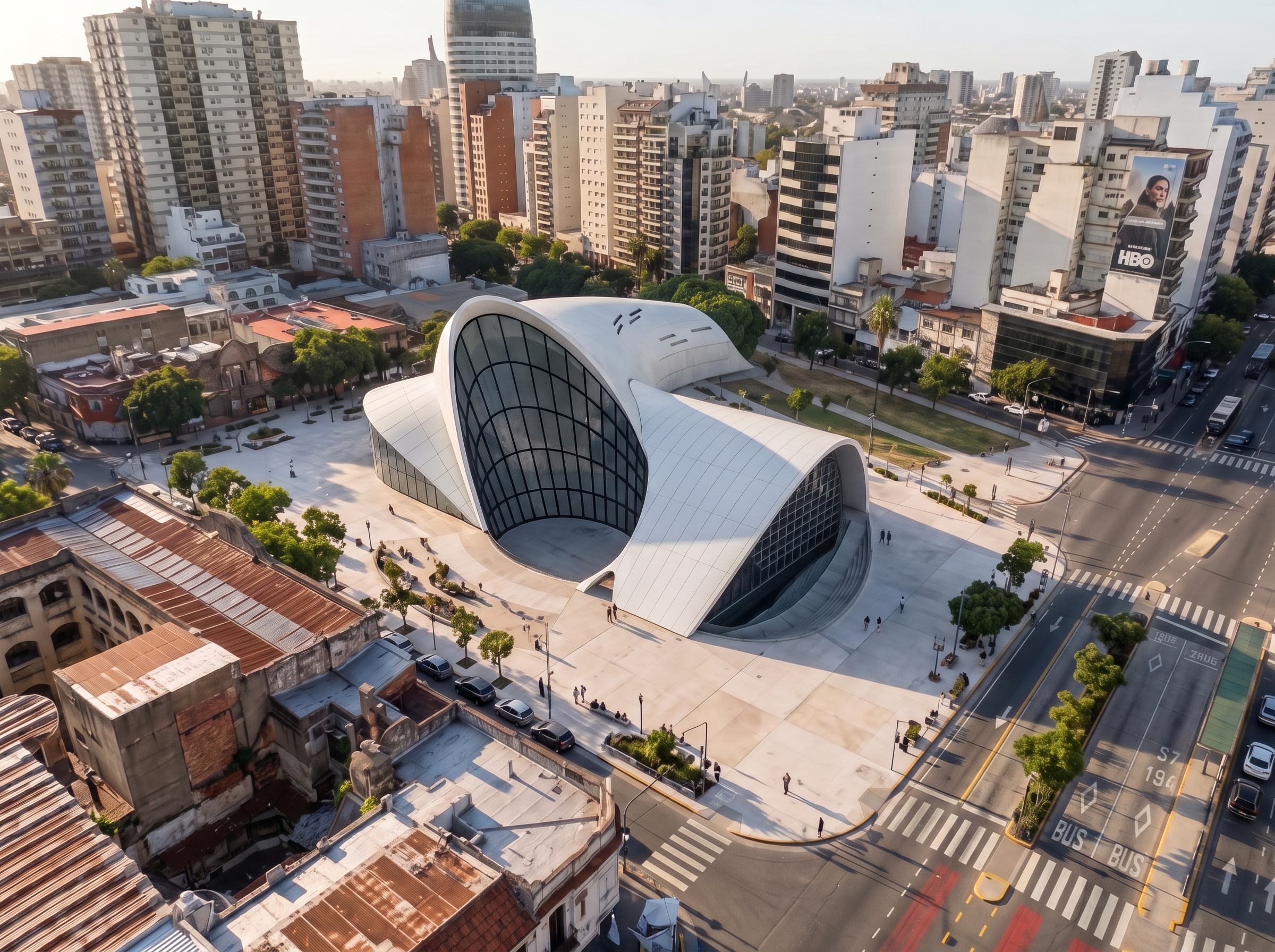
- Prompt
- TASK: EXACT ENVIRONMENT REPLICATION AND ARCHITECTURAL MODEL INSERTION
Use the FIRST uploaded image as the exact, fixed reference for the entire scene and environment. Use the SECOND uploaded image, which contains my architectural 3D model, as the ONLY source for the building that must be inserted into the scene.
THE OBJECTIVE IS TO REPLACE THE BUILDING, NOT TO REDESIGN THE SCENE.
PRESERVE THE ORIGINAL ENVIRONMENT EXACTLY. Reproduce the reference image as faithfully as possible, including the exact street layout, sidewalks, pavement, curbs, road markings, surrounding buildings, neighboring facades, windows, doors, trees, vegetation, street furniture, utility poles, lighting, textures, colors, and every visible environmental detail.
PRESERVE THE ORIGINAL CAMERA VIEW. Match the reference image's exact camera position, viewing angle, perspective, focal length, framing, horizon, and image composition. Do not move, rotate, zoom, crop, or reframe the camera.
REPLACE ONLY THE TARGET BUILDING. Remove the original building occupying the project site and insert my uploaded architectural 3D model in its place. Use my model as the authoritative source for its geometry, shape, proportions, dimensions, number of floors, facade design, openings, balconies, materials, and architectural details. Do not redesign, reinterpret, simplify, or invent any part of my building.
POSITION THE MODEL CORRECTLY. Place the building on the exact original plot, aligned with the existing property boundaries, street frontage, sidewalk, and neighboring buildings. Match its scale and ground elevation to the surrounding urban context. The building must look physically integrated into the site, not pasted onto the image or floating above the ground.
MATCH THE ORIGINAL RENDERING STYLE. Preserve the reference image's exact visual style, realism, lighting, weather, time of day, shadows, color grading, material appearance, and image quality. Apply consistent lighting and realistic contact shadows to the inserted building so that it blends naturally into the original environment.
DO NOT CHANGE ANYTHING ELSE. Do not redesign the street, modify the sidewalks, replace neighboring buildings, add or remove trees, change the road, invent new objects, alter the urban context, or generate a different environment. Do not create a new interpretation of the reference image.
STRICT PRIORITY RULE: The first image controls the environment, camera, composition, and rendering style. The second image controls the architecture of the inserted building. The only intended change to the first image is the replacement of the original building with my uploaded model.
FINAL RESULT: A photorealistic architectural visualization that looks like the original reference photograph, with the same street, sidewalks, neighboring buildings, surroundings, and camera view, but with my exact architectural model seamlessly inserted into the original site.
If any detail is uncertain, preserve the original reference image rather than inventing or modifying environmental elements.
- Created
- October 21, 2026