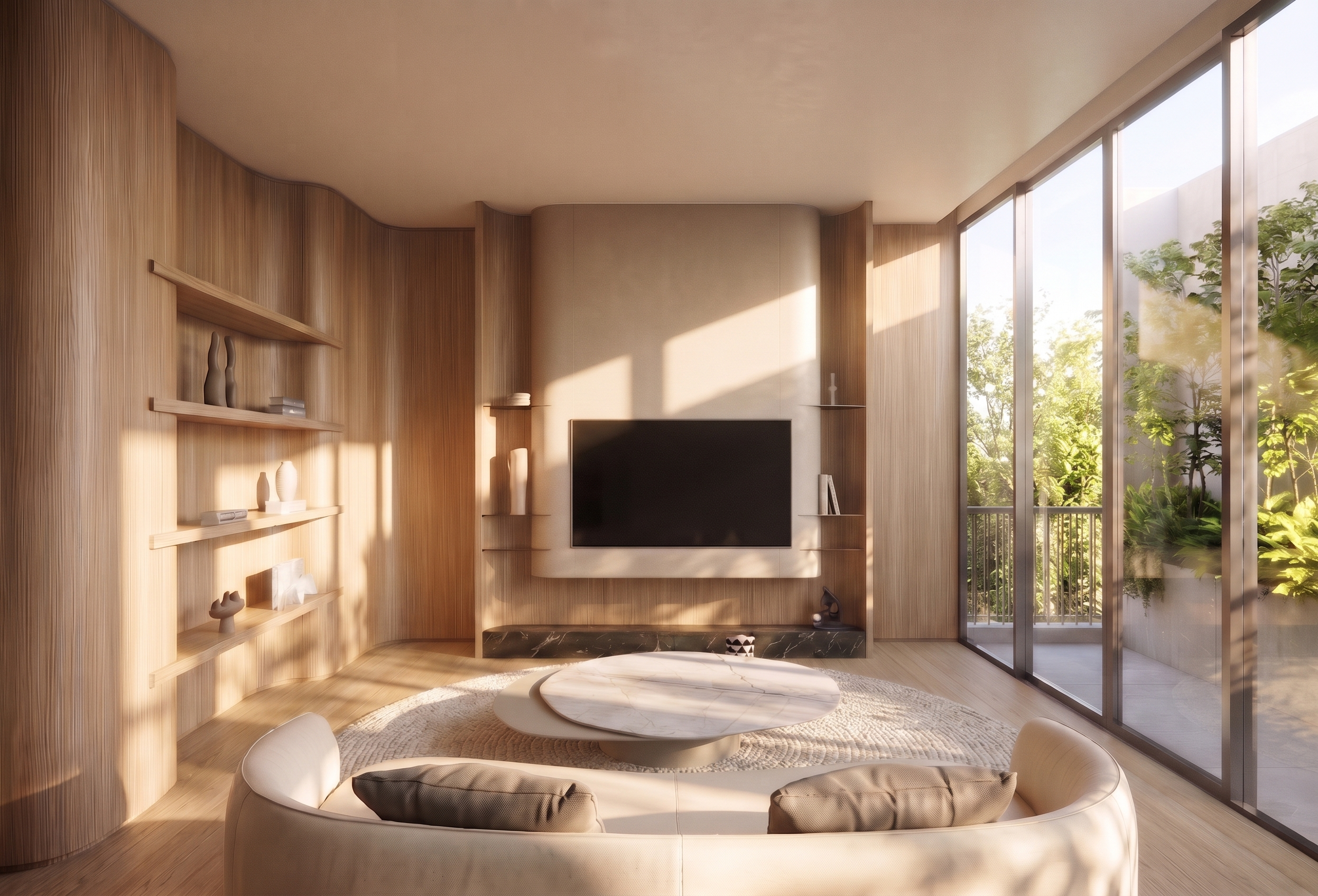
- Prompt
- **Interior Lighting & Atmosphere Enhancement Prompt**
Enhance the overall room brightness, lighting, and atmosphere to closely match **Reference Image 1**.
- Adjust the overall exposure, brightness, and ambient lighting to recreate the same bright and natural atmosphere shown in Reference Image 1.
- Match the natural daylight intensity, color temperature, light direction, and softness of the reference image.
- Brighten darker areas and corners while maintaining balanced light distribution throughout the room.
- Create realistic natural shadows, subtle reflections, and soft ambient illumination.
- Maintain accurate material colors and textures without overexposure, washed-out surfaces, or loss of detail.
- Achieve a bright, airy, warm, and elegant atmosphere with photorealistic interior rendering quality.
**Image Preservation Requirements**
- Preserve the original interior design, architectural structure, furniture positions, materials, image dimensions, aspect ratio, camera angle, perspective, and composition.
- Do not resize, crop, stretch, or distort the image.
- Do not modify any other elements that are not explicitly specified above.
- Created
- November 6, 2026