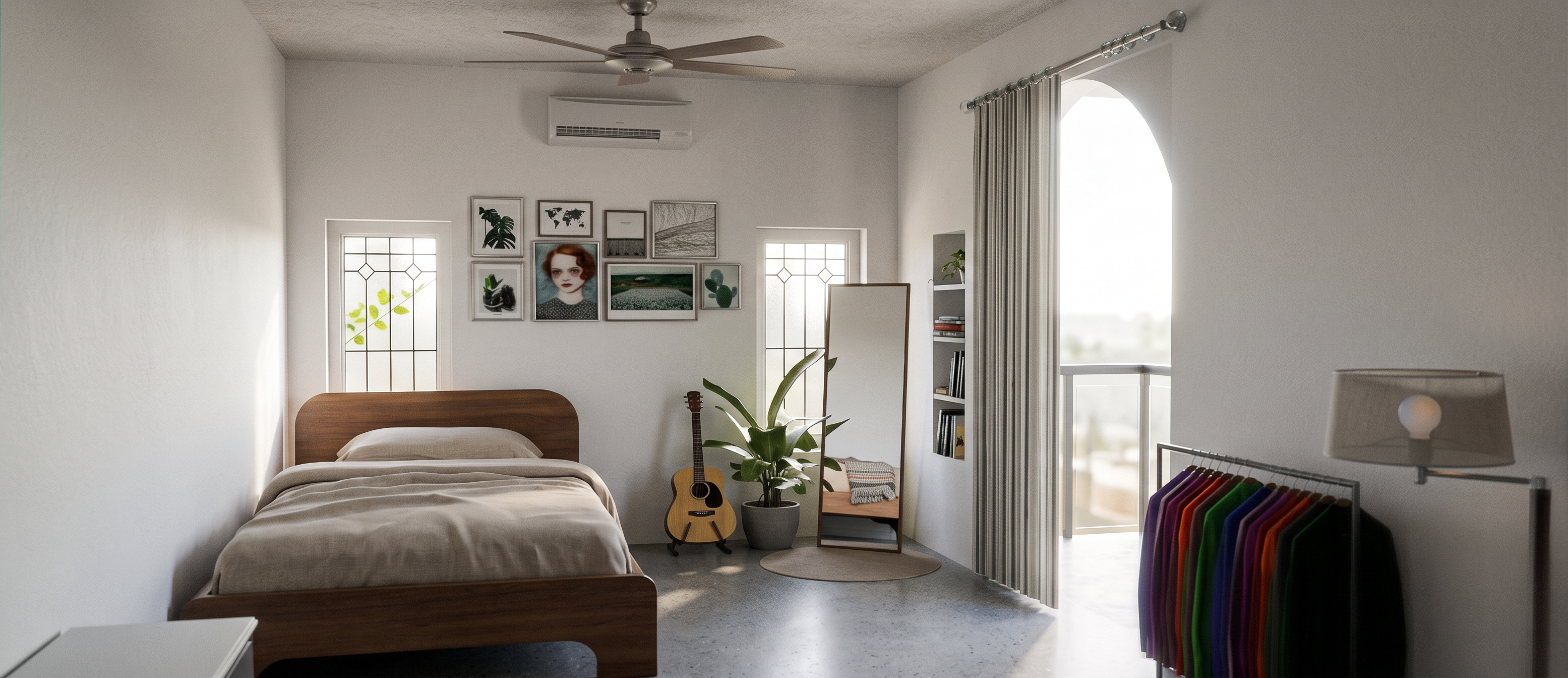
- Prompt
- @Create image Transform the uploaded SketchUp 3D model into an ultra-realistic, high-end architectural photograph.
STRICTLY PRESERVE the original SketchUp geometry, room layout, furniture placement, dimensions, materials, colours, camera angle, composition, doors, windows, ceiling design and all architectural details. Do not redesign, add, remove, resize, or reposition anything.
Convert the 3D model into a photorealistic real-life interior/exterior image that looks as if it was professionally photographed with a high-end full-frame camera.
Use realistic natural DAYLIGHT coming through the existing windows and openings. Create soft, physically accurate sunlight, natural shadows, realistic ambient bounce light and balanced exposure. Avoid excessive artificial lighting, overexposure, glowing lights or unrealistic illumination.
Make every material physically realistic:
- realistic wood grain and texture
- natural fabric texture
- accurate glass reflections
- realistic metal surfaces
- detailed wall and floor textures
- physically accurate roughness, reflections and subtle imperfections
Add realistic depth, natural ambient occlusion, accurate contact shadows and subtle real-world imperfections so the scene does not look like a CGI render.
Use high-end Corona Renderer / V-Ray quality, photorealistic global illumination, realistic reflections and refractions, physically based materials, high dynamic range lighting and professional architectural photography quality.
The final image should look like a REAL photograph taken inside the actual finished space, not a SketchUp model or CGI.
Ultra-detailed, sharp but natural, realistic textures, realistic perspective, natural daylight, professional architectural photography, 4K/8K quality, clean composition, realistic colour grading.
IMPORTANT:
Do not change the original design.
Do not change the camera/view.
Do not add new furniture or decorative objects.
Do not remove existing objects.
Do not change the colour theme.
Only improve realism, lighting, materials, textures, shadows and image quality.
- Created
- September 21, 2026