Skip to content
Render tools
Use the PRIMARY IMAGE as the absolute base.

Use REFERENCE IMAGE 2 ONLY as inspiration for the human-scale accessibility concept, public-space organization, pedestrian layout, seating, and spatial experience.

CRITICAL:
Preserve the mosque in the PRIMARY IMAGE EXACTLY as it is.

DO NOT change or regenerate:
- mosque architecture or massing
- façade proportions
- Najdi details and decorative openings
- windows and doors
- arcade and entrance
- roofline
- minaret
- materials and textures
- colors and lighting
- architectural rendering quality

The final mosque must look IDENTICAL to the PRIMARY IMAGE.

REFERENCE IMAGE 2:
Take inspiration ONLY from its accessibility and public-realm design:
- pedestrian-oriented layout
- continuous accessible routes
- tactile paving
- shaded walking areas
- seating/resting areas
- landscape islands
- placement of people
- human-scale spatial organization

Do NOT copy the mosque or architectural style from Reference Image 2.

PUBLIC REALM:

Transform ONLY the area surrounding the mosque.

REMOVE the road/street-dominated environment immediately around the mosque.

Do NOT place asphalt streets or major vehicular roads between the mosque and the surrounding public space.

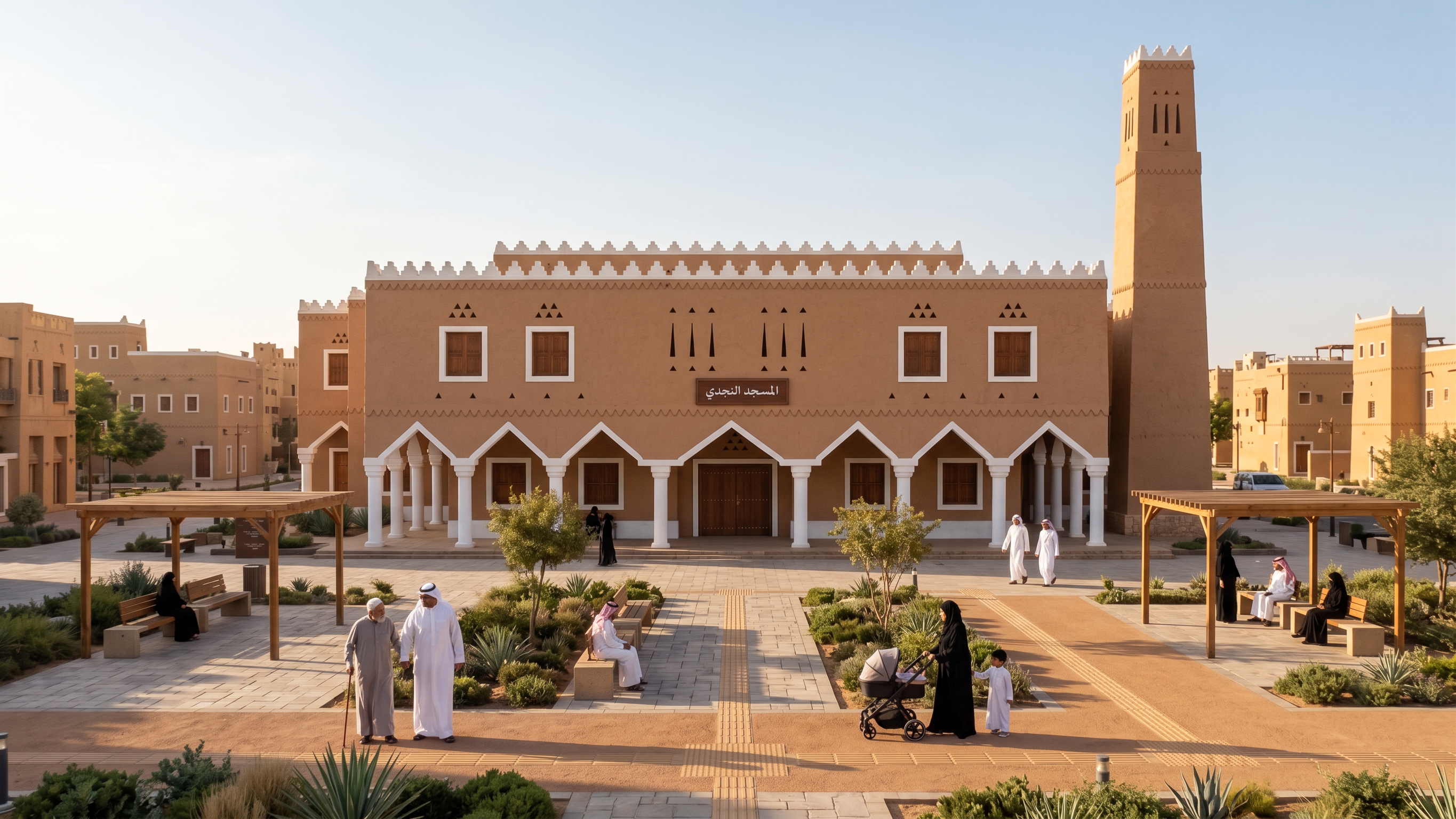
Instead, create a generous, continuous HUMAN-SCALE PUBLIC PLAZA around the mosque.

The mosque should feel directly integrated into the public realm and neighborhood, not isolated by roads.

Create a clear pedestrian sequence:
NEIGHBORHOOD → PUBLIC PLAZA → SHADED WALKING ROUTE → ACCESSIBLE PATH → MOSQUE ENTRANCE.

Include:
- generous pedestrian paving
- wide continuous walking paths
- completely step-free accessible routes
- tactile paving integrated naturally into the plaza
- subtle accessible level transitions
- shaded pedestrian areas
- simple benches and resting points
- lightweight shaded pergola/seating areas
- restrained landscape islands
- Riyadh-appropriate planting
- clear direct routes toward the mosque entrance

Do NOT turn the area into a park.
Do NOT use excessive greenery or trees.
Do NOT create a decorative garden.
The space should remain an urban civic plaza associated with the mosque.

PEOPLE:
Show realistic human-scale activity:
- elderly person with a cane
- companion
- mother with stroller
- families and children
- other pedestrians walking naturally toward and away from the mosque
- people sitting in shaded resting areas

Keep activity calm and realistic.

VEHICLES:
Remove visual dominance of vehicles.
No major streets immediately surrounding the mosque.
No parking dominating the foreground.
Pedestrian movement and public space must be visually dominant.

CAMERA:
Preserve the PRIMARY IMAGE camera as much as possible.
A very slight adjustment is allowed only if necessary to clearly show the new public plaza and accessibility sequence.
Do not significantly change the perspective or architectural reading of the mosque.

VISUAL QUALITY:
Maintain EXACTLY the premium photorealistic quality of the PRIMARY IMAGE:
warm Riyadh daylight, realistic Najdi earthen materials, refined textures, natural shadows, realistic people, restrained landscaping, and professional Saudi architectural visualization quality.

FINAL CONCEPT:
The image should communicate:
"The journey to the mosque begins from the neighborhood, not from the mosque door."

ABSOLUTE PRIORITY:
PRIMARY IMAGE = mosque + architecture + materials + lighting + quality.
REFERENCE IMAGE 2 = public realm + accessibility inspiration ONLY.

DO NOT CHANGE THE MOSQUE.
DO NOT CHANGE THE MINARET.
DO NOT CHANGE THE NAJDI DETAILS.
DO NOT LOWER IMAGE QUALITY.
DO NOT COPY THE REFERENCE MOSQUE.
DO NOT ADD TEXT OR LABELS.

Create renders like this

Turn any photo, sketch, or floor plan into a photoreal render in seconds.