- Prompt
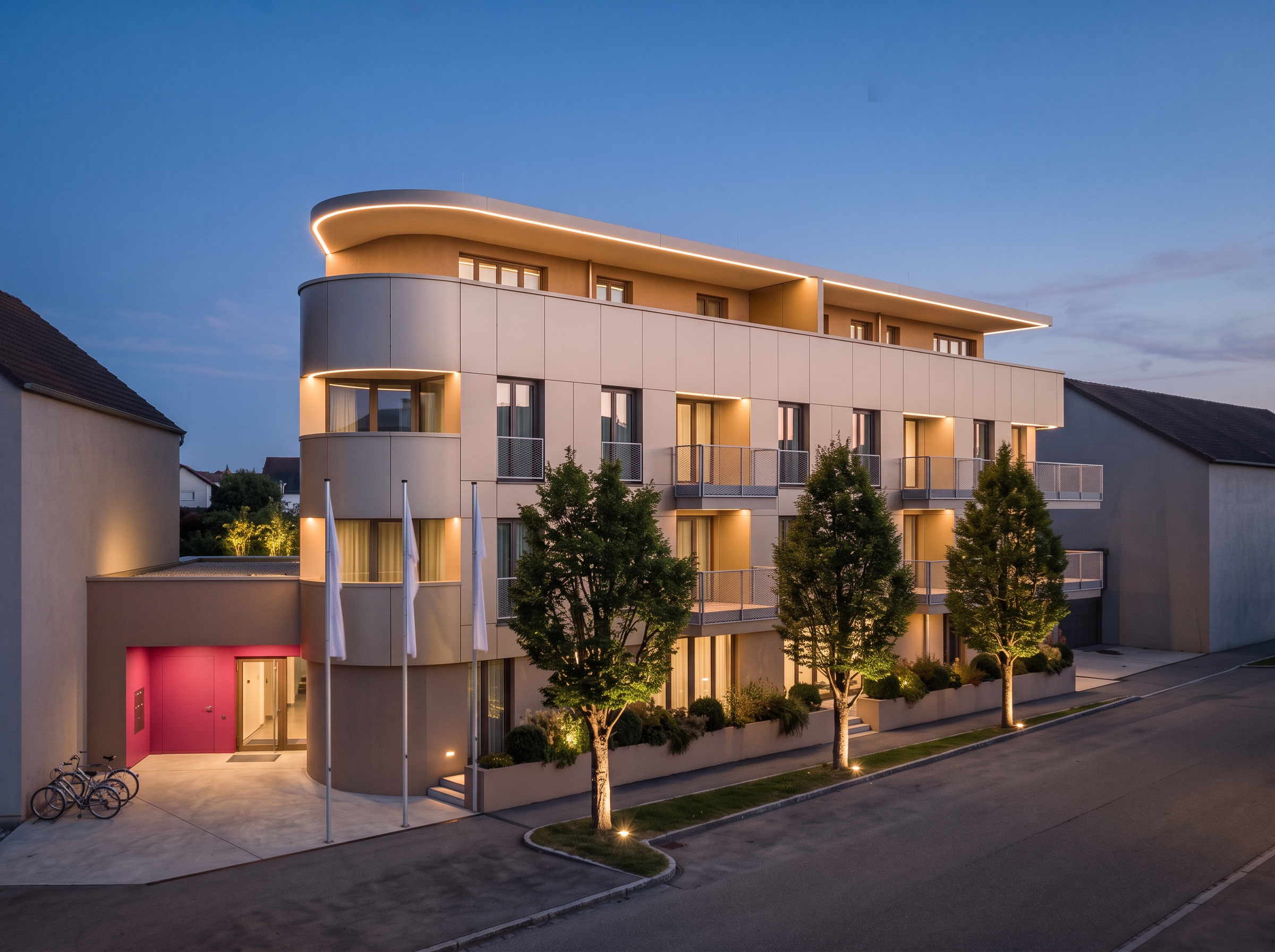
- Use the existing rendering as the exact reference. Everything in the image must remain exactly as it is, except for the following explicitly requested changes. Preserve the original camera position, perspective, framing, building geometry, facade materials and colors, windows, railings, landscaping, lighting atmosphere, neighboring buildings, and all other details.
1. LED light strips: Extend the existing indirect LED light strips continuously beneath the rounded sections of the balconies. Do NOT add any led light strips along any railing of the balconies, so just beneath the ceilings and the roof. Also continue the light strips around the curved sections of the roof overhang. Maintain the same warm color temperature, brightness, and appearance as the existing lighting.
2. Entrance roof: Remove all planting from the roof area directly above the entrance. Keep the roof structure, dimensions, materials, lighting, and surrounding elements completely unchanged.
3. Flags: Lower all three existing flags slightly on their flagpoles. Preserve their white color, original shape, proportions, and appearance. Keep exactly three flags and three flagpoles in their existing positions. Do not add or remove any flags or flagpoles.
4 Window frames: Change the color of all existing window frames to a dark grey (a sophisticated, muted grey tone). Apply this color consistently to every window frame while preserving the exact dimensions, profiles, positions, and appearance of all windows.
Strict preservation rule: Do not make any other changes. Do not redesign, reinterpret, enhance, or regenerate unaffected parts of the image. Do not add any buildings or architectural elements. The final result must be visually identical to the existing rendering except for the five specified adjustments.
- Created
- October 27, 2026