- Prompt
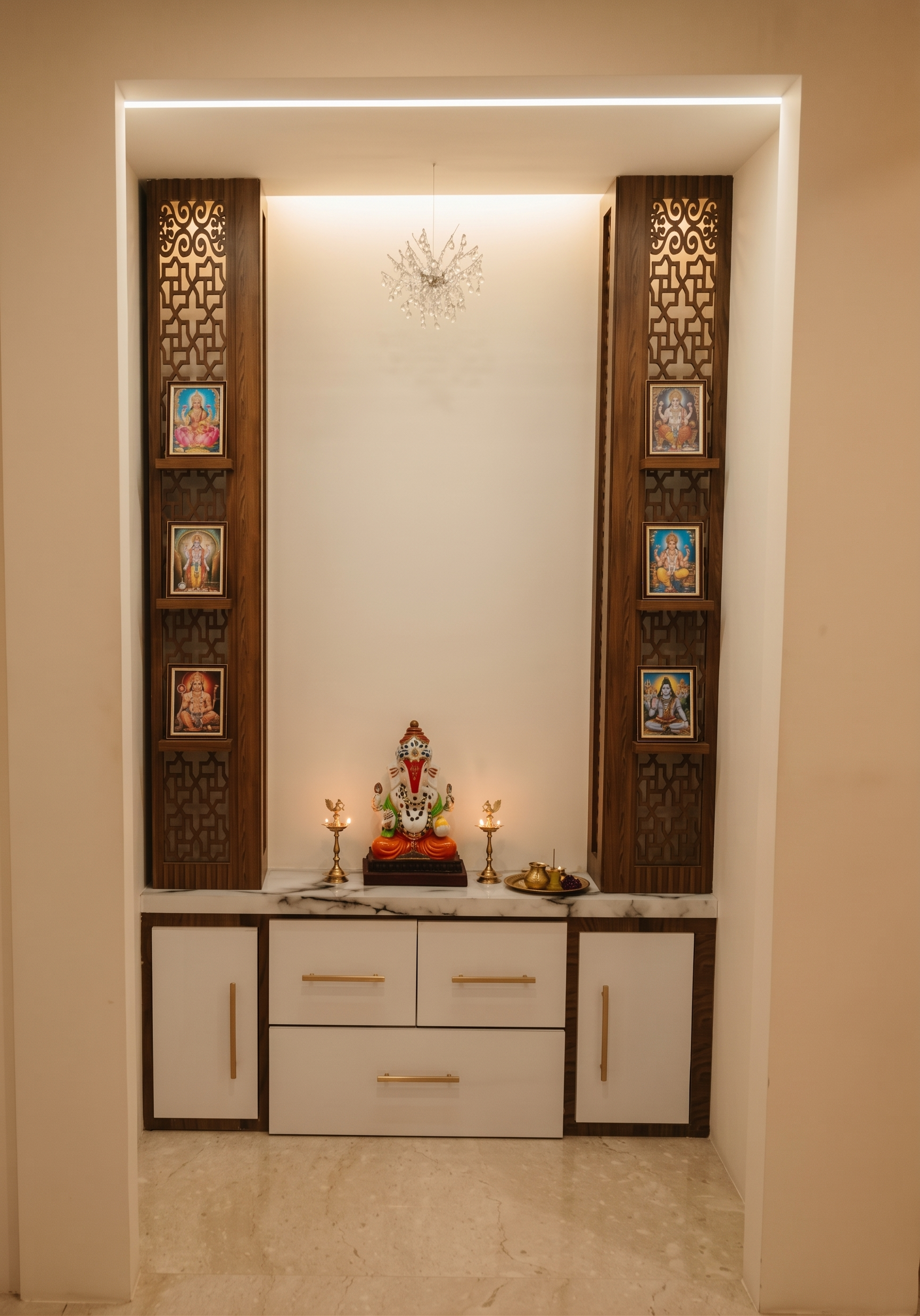
- Ah, understood — you mean **a prompt for an AI render tool**, not Canva.
Use this:
> **Render the uploaded image photorealistically while preserving the design exactly as shown. Do not modify, redesign, move, resize, add, or remove anything except the two requested changes.**
>
> **CHANGE ONLY:**
>
> 1. Add subtle **warm white architectural lighting (2700–3000K)** inside the existing pooja niche, especially along the top and around the existing recessed areas. The light should look naturally integrated, soft and realistic.
> 2. Replace **only the existing flooring** with a **light beige natural stone floor**, such as matte-finish limestone or light Kota stone, with subtle realistic texture and very fine variation.
>
> **KEEP 100% UNCHANGED:** pooja unit geometry, dimensions, proportions, camera position, perspective, framing, walls, ceiling, wooden jali panels, shelves, deity frames, Ganesha idol, diyas, cabinet, drawers, handles, countertop, wall opening, surrounding room and all existing objects.
>
> **Do not change the colours or materials of anything except the floor. Do not add decorations. Do not remove anything. Do not alter the deity images.**
>
> Make it look like a **real high-end interior photograph**, with physically accurate materials, realistic shadows, natural reflections, global illumination, subtle ambient occlusion, realistic light falloff and detailed textures.
>
> **STRICT IMAGE-TO-IMAGE EDIT: preserve the original image composition and geometry pixel-for-pixel as much as possible. Only enhance realism, add warm lighting, and change the flooring.**
- Created
- September 17, 2026