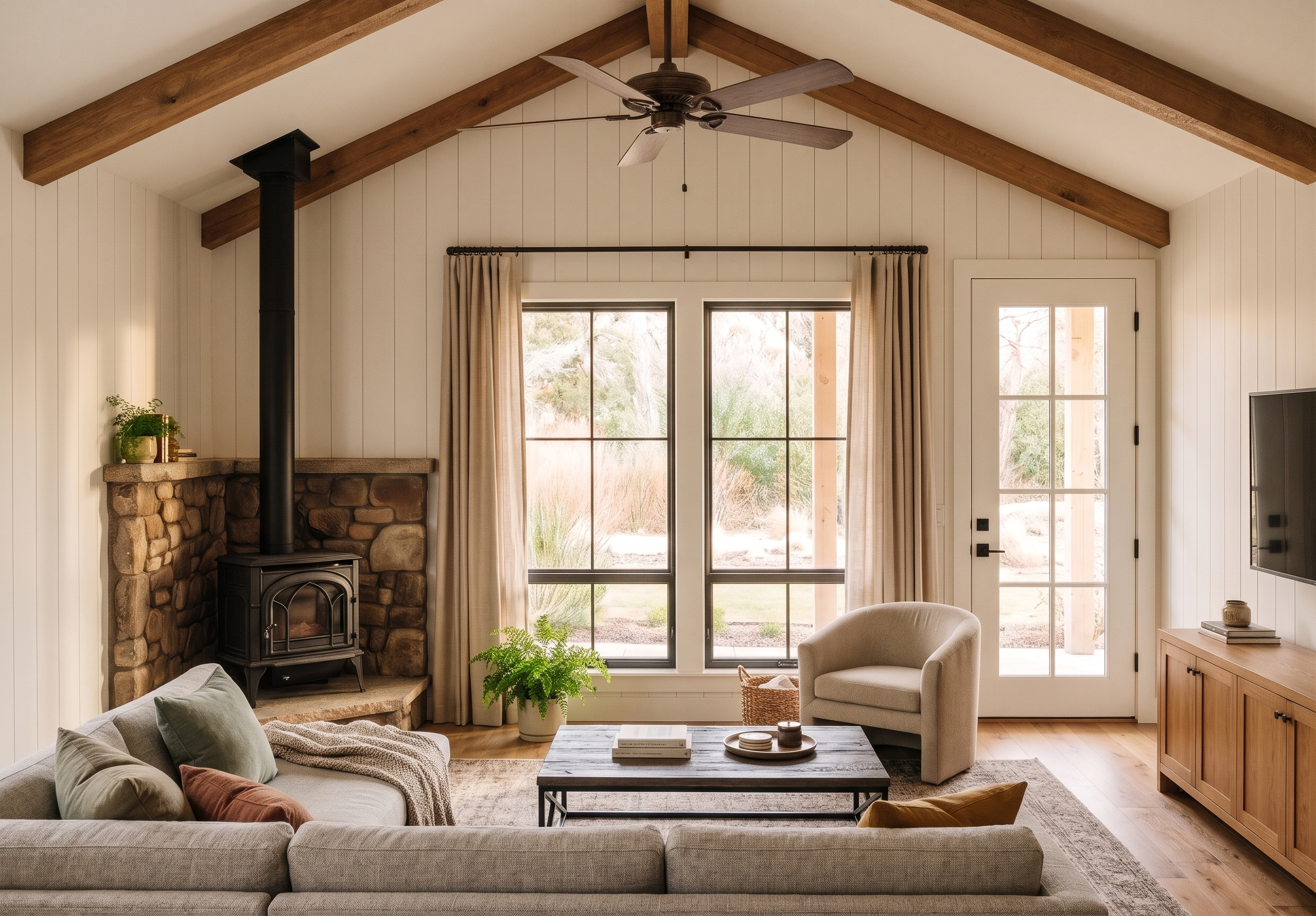
- Prompt
- Use the exact camera position and camera lens angle of the primary 3D room model provided (ignore views of other reference images). Do not change either the camera position or lens angle!
- Do not change any modeled structural geometry of the house. Retain all window and door locations styles and sizes, furniture locations and furniture types where currently shown. No additions, no subtractions. Render everything exactly in place as modeled and as directed below. Do not add furniture. Do not relocate the furniture shown or re-orient. Do not thicken the mullion division between the top and bottom window panels: keep it slim.
This model is the opposite view in the same room as the rendered kitchen reference image. Match all finishes as shown in the kitchen rendering but switch the view to the exact angle of the new model. Use the birdseye image to create the correct relationships of items.
Other Finishes
• Match the living room sectional and chair to each other and add muted color with the pillows/throws.
• The door will be painted white as in the reference image.
• The angled box in the left corner will be a realistic wood stove with a stone surround (see reference image).
• Add a nice big fan over the living area
• Add full length curtains at the two tall windows.
• Do not add shiplap to the ceiling
• Do not add windows where they are not already modeled
Use layered warm lighting with sunlight streaming through windows, soft ambient fixtures, and natural shadows. Include comfortable upholstered seating, textured rugs, curtains, plants, books, and tasteful everyday décor. Favor natural materials, painted woodwork, aged brass hardware, white walls, warm wood tones, and subtle vintage character. Photorealistic rendering, magazine-quality styling, highly detailed craftsmanship, cozy atmosphere, balanced composition, realistic materials, and the feeling of a home you immediately want to move into and stay awhile. Keep it warm while light and bright and cheery!
- Created
- November 8, 2026