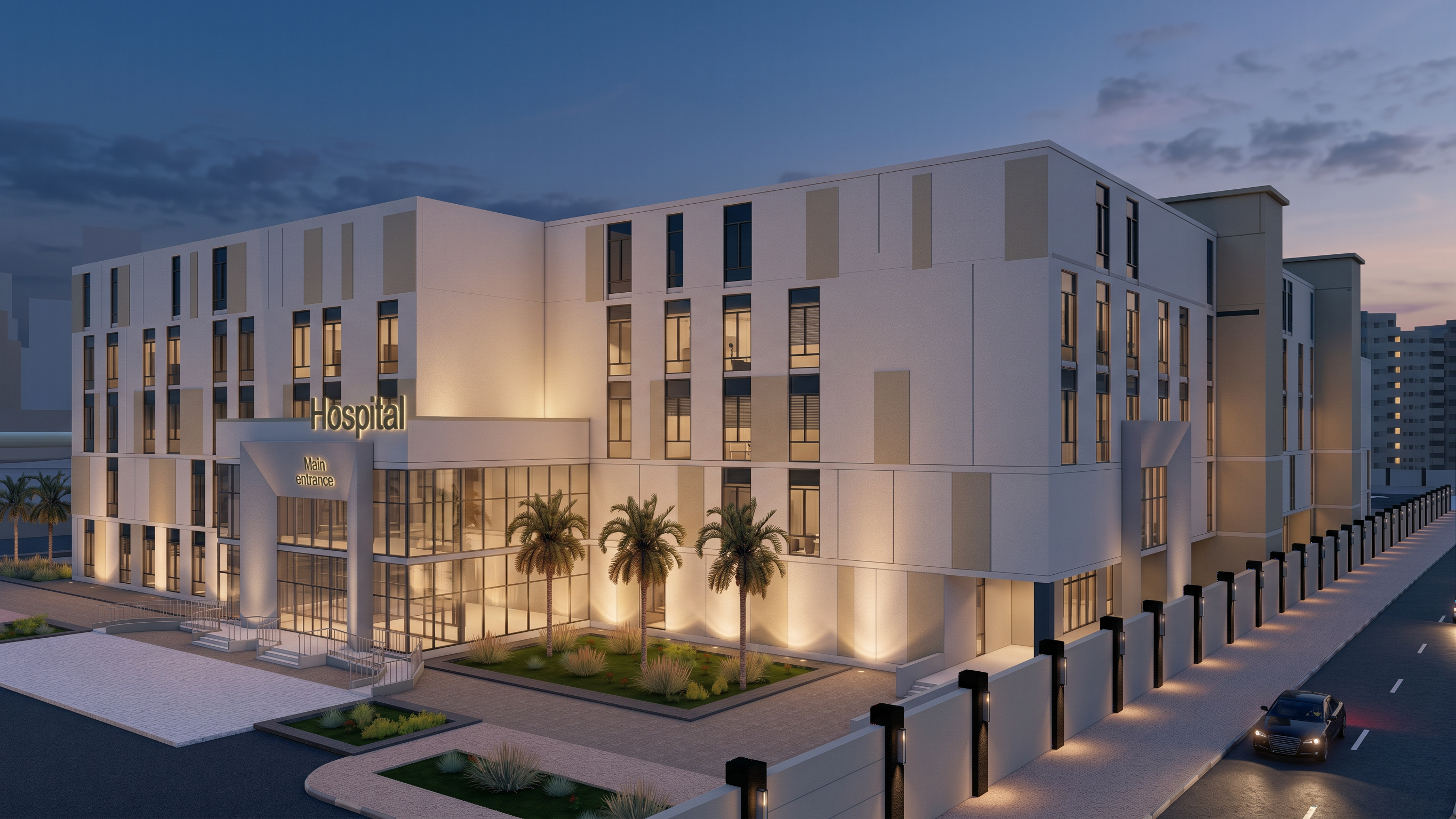
- Prompt
- Ultra-photorealistic architectural visualization of the hospital within the Raya Architectural Project, based strictly on the provided architectural design and reference rendering. Preserve the entire project exactly as shown, including the hospital's geometry, proportions, massing, floor levels, façade composition, windows, doors, entrances, materials distribution, surrounding buildings, streets, sidewalks, curbs, road markings, intersections, landscape, site boundaries, camera angle, perspective, and framing.
ABSOLUTE PRESERVATION RULE: Do not change, add, remove, relocate, redesign, or reinterpret any architectural or urban element. Keep all streets, road widths, alignments, intersections, sidewalks, and surrounding infrastructure exactly as in the original image. Do not modify the hospital's design, dimensions, façade, openings, or building configuration.
Apply only the rendering theme of the provided reference image, matching its lighting direction, atmosphere, color palette, contrast, material appearance, and photographic quality.
Enhance realism through physically accurate materials, detailed textures, realistic glass reflections, natural concrete and stone finishes, subtle surface imperfections, realistic shadows, global illumination, ambient occlusion, and balanced natural daylight. Improve the visual realism of the existing environment without changing its layout or introducing new elements.
Use professional architectural visualization quality comparable to V-Ray or Corona Renderer, with high-resolution textures, realistic light distribution, natural colors, accurate reflections, and exceptional detail. Maintain the original camera position, viewing angle, perspective, and crop exactly.
Final result: A super-realistic, high-end architectural render of the original Raya project hospital, with 100% preservation of the architectural design and street layout. Only the rendering quality, lighting, material realism, and visual atmosphere should be enhanced to match the reference image.
- Created
- October 18, 2026