- Prompt
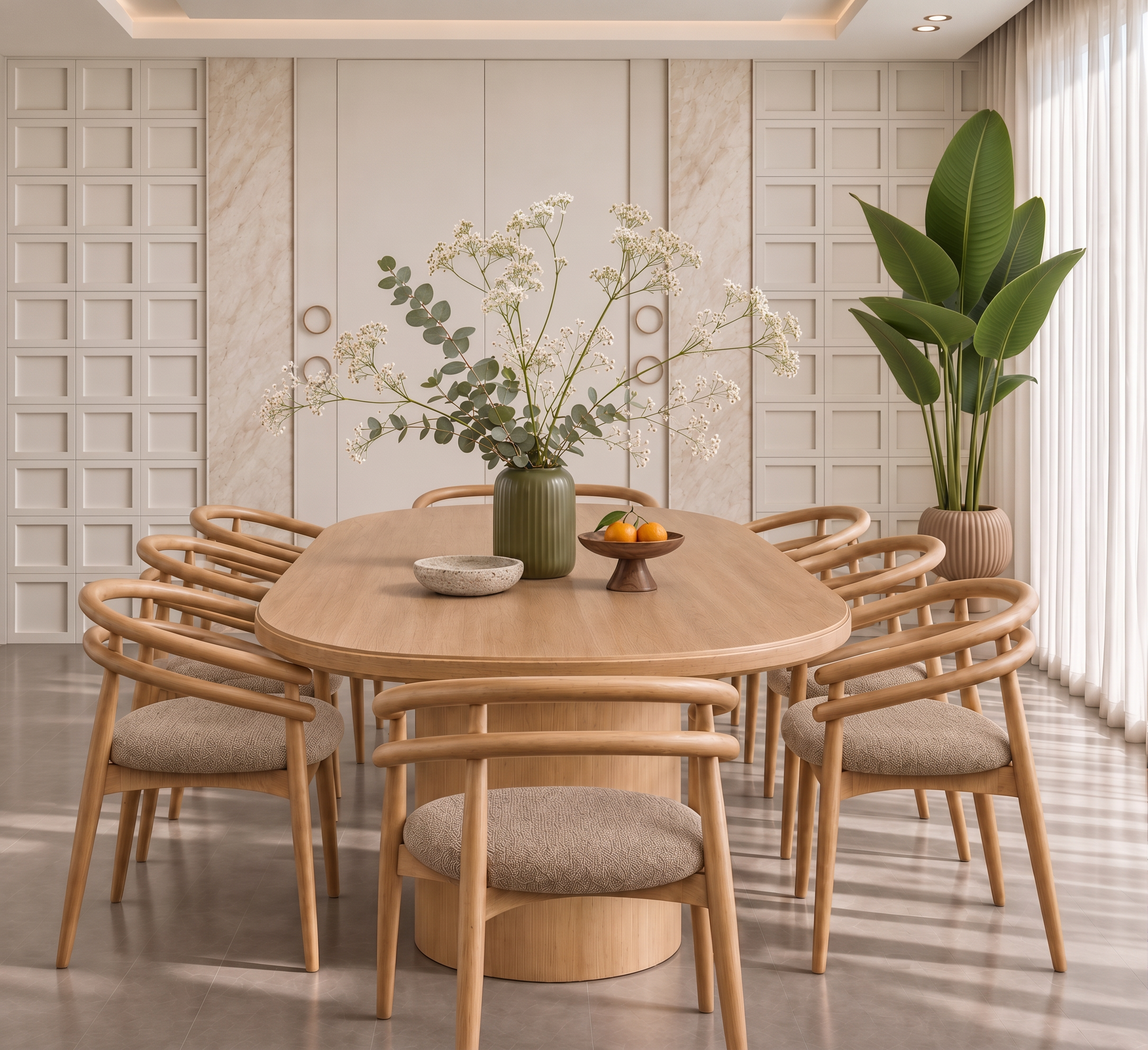
- Transform the uploaded dining room image into a highly photorealistic architectural interior photograph. Use the image as a strict design reference, preserving the exact camera angle, framing, proportions, layout, furniture, and decorative elements.
Preserve the natural oak oval dining table and its sculptural pedestal base, curved oak chairs with toasted beige woven seat cushions, olive-green ribbed ceramic centerpiece vase with airy eucalyptus branches and delicate white flowers, shallow stone bowl, and dark wooden pedestal bowl with oranges. Keep the tall broad-leaf plant in its ribbed terracotta planter, ivory double doors with circular handles, square wall panels, pale stone accents, sheer curtains, ceiling details, and tiled floor exactly as shown.
Enhance realism through fine wood grain, tactile woven fabric, subtle ceramic reflections, realistic leaf translucency, soft contact shadows, and physically accurate natural light.
Use soft daylight entering from the right, balanced neutral whites, and restrained warm ceiling lighting. Remove any excessive yellow or orange cast while maintaining a welcoming atmosphere. The walls should read as bone white, the oak as natural beige-brown, and the floor as neutral taupe.
Professional interior photography, lifelike materials, natural exposure, gentle contrast, and preserved highlight detail.
Do not redesign, add, remove, move, or replace anything. Do not change furniture shapes, colors, materials, or the number of chairs. No people, no text, no watermarks, no exaggerated HDR, no oversharpening, and no plastic-looking surfaces.
- Created
- November 10, 2026