Skip to content
Render tools
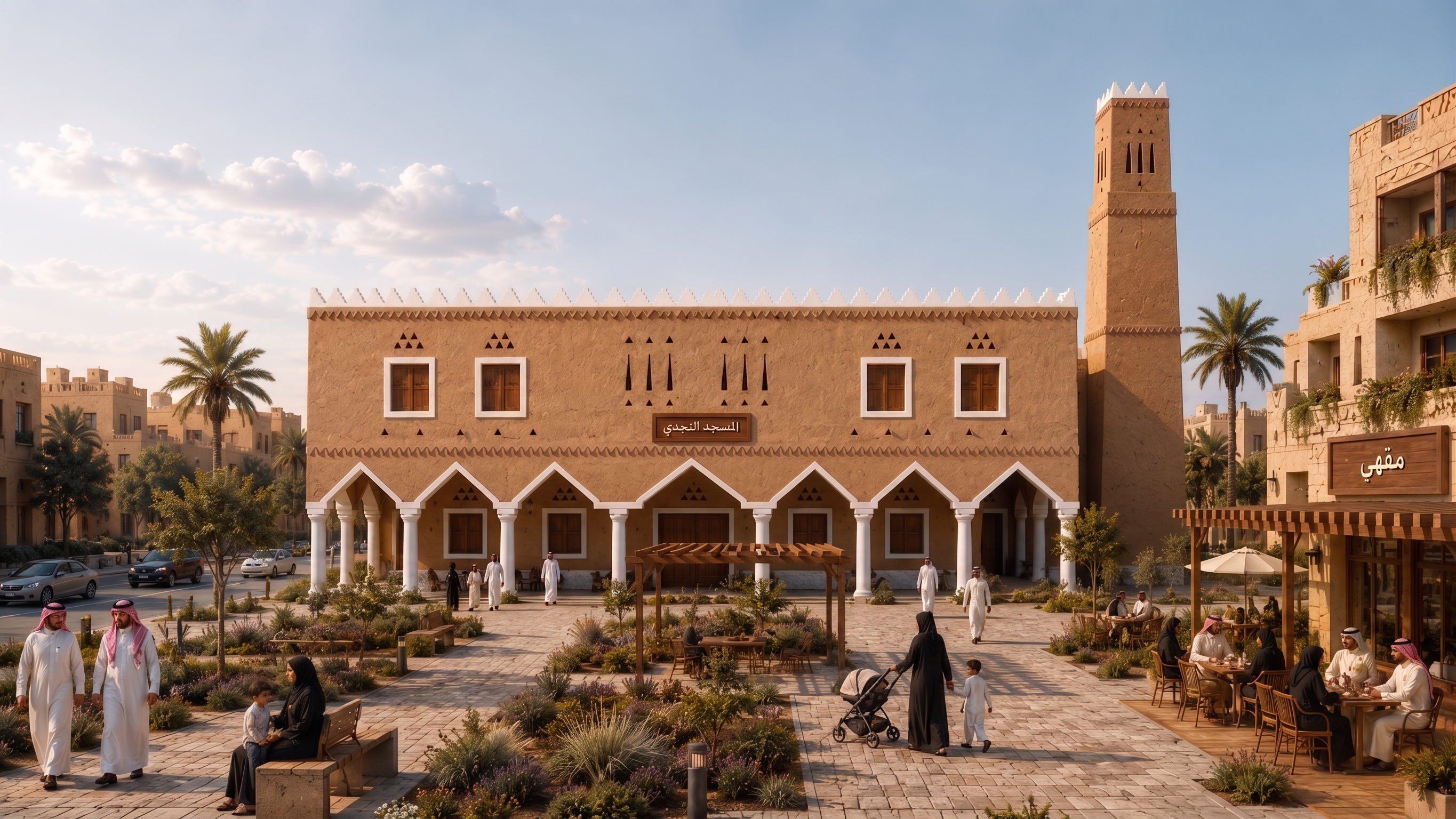
Enhance this image into a premium, high-end photorealistic architectural visualization.

STRICTLY PRESERVE the existing composition and architecture.

Do NOT redesign, reshape, move, add or remove any architectural elements.

Keep EXACTLY:
- the mosque massing and proportions
- the current Najdi minaret shape and flat top
- façade composition and openings
- white Najdi decorative elements
- entrance and arcade
- surrounding commercial building
- plaza layout
- landscape locations
- people and overall scene composition
- camera angle and framing

Preserve the Arabic signs exactly:
Mosque sign: "المسجد النجدي"
Commercial sign: "مقهى"

ONLY improve the visual quality and realism.

Enhance:
- realistic Najdi earthen plaster texture
- subtle natural material imperfections
- realistic wood texture
- refined stone and paving materials
- architectural depth
- soft contact shadows
- realistic ambient occlusion
- natural sunlight
- balanced exposure
- realistic reflections
- detailed vegetation
- natural skin and clothing
- realistic café furniture
- refined landscape materials

Make the earthen mosque walls feel sophisticated and architectural, NOT clay-like, plastic, cartoonish or overly rough.

Use warm natural Riyadh daylight with realistic desert atmosphere.

Keep vegetation climate-appropriate and restrained.
Do NOT increase greenery or add more trees.

The final result should have the quality of a professional architectural competition render / premium Saudi architecture visualization.

High resolution, sharp architectural details, realistic materials, clean edges, natural depth and cinematic but realistic lighting.

MOST IMPORTANT:
ENHANCE ONLY.
DO NOT REDESIGN.
DO NOT CHANGE THE MINARET.
DO NOT CHANGE THE MOSQUE.
DO NOT CHANGE THE SIGNS.
DO NOT ADD TEXT OR LOGOS.

Create renders like this

Turn any photo, sketch, or floor plan into a photoreal render in seconds.