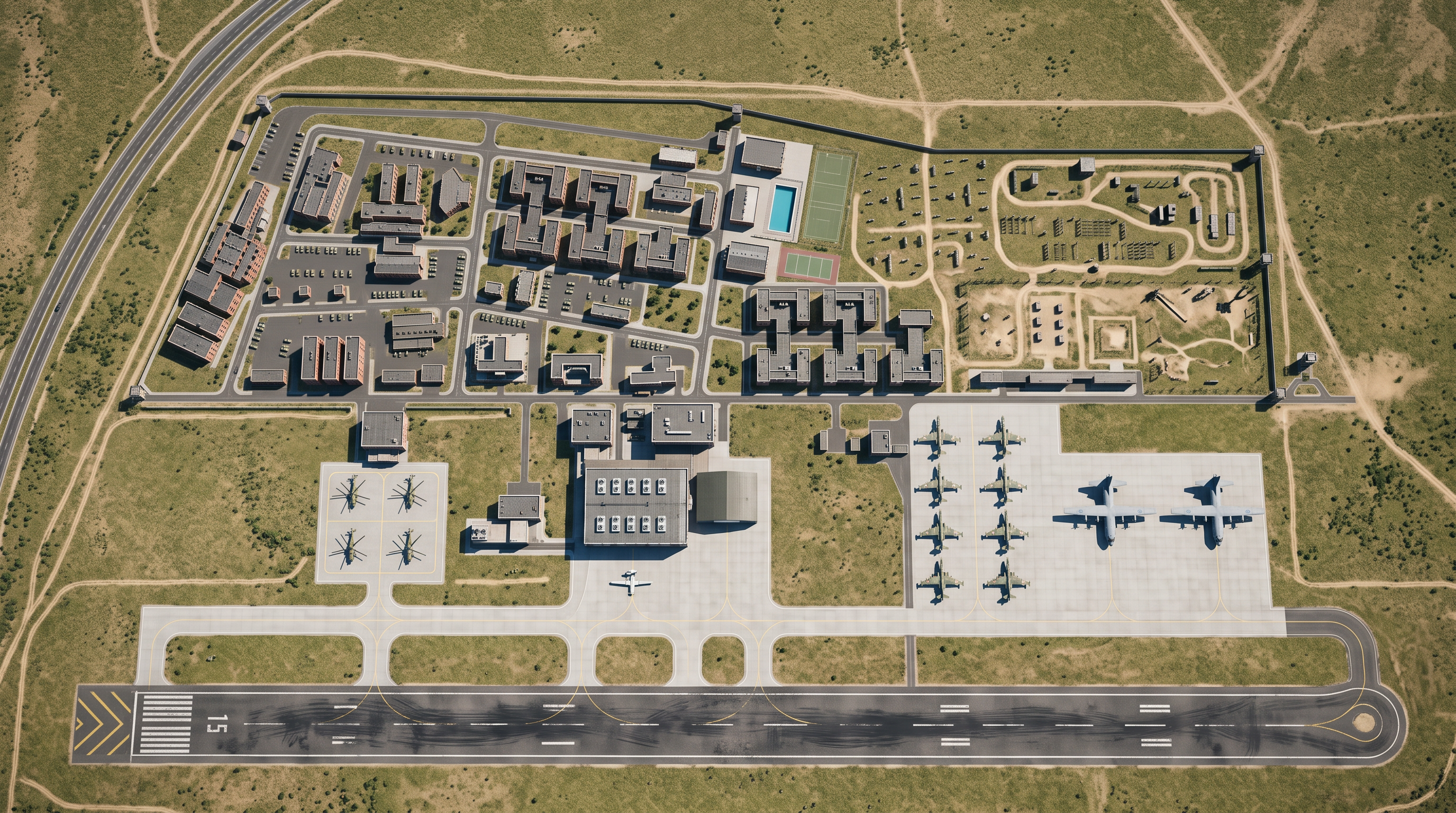
- Prompt
- STRICT 3D AIRPORT SITE PLAN VISUALIZATION — NO REDESIGN
Convert the uploaded airport site plan into a realistic 3D aerial visualization. The source plan is the fixed geometric reference, NOT inspiration. Preserve the existing design exactly. Change only its visual appearance from 2D to 3D.
GEOMETRY — ABSOLUTE PRIORITY
Preserve the exact position, shape, dimensions, orientation and proportions of every existing element: runway, markings, taxiways, intersections, fillets, aprons, roads, parking, site boundaries, open spaces and buildings. Do not move, rotate, resize, stretch, mirror, simplify, straighten, reshape, add, delete or rearrange anything. Do not invent infrastructure or improve the layout.
BUILDINGS
Pink outlines indicate fixed building footprints. Extrude each building vertically from its exact footprint. Never alter, combine, split or extend footprints. Add realistic roofs, facades and appropriate heights only. Use the Area Schedules PDF only to identify buildings and approximate areas; the site plan controls the geometry.
3D VIEW
Create a realistic professional airport masterplan render with natural daylight, subtle shadows, believable materials and recognizable 3D aircraft. Use a high aerial, almost vertical view with minimal perspective distortion. Show the entire site and BOTH runway ends in one frame. Do not crop.
PAVEMENTS
Dark surfaces = asphalt. Light-gray surfaces = concrete. Keep every pavement edge, connection, road alignment and existing runway/taxiway marking exactly as shown. Do not extend, shorten, widen or realign any surface.
AIRCRAFT — EXACT COUNTS AND LOCATIONS
- Leftmost apron: exactly 8 helicopters.
- Next apron right, in front of the hangar: exactly 1 Bayraktar UAV.
- Next apron right: exactly 10 Su-25 aircraft.
- Next apron right: exactly 2 C-130 aircraft.
Preserve source positions, headings, angles and spacing wherever shown. Keep all aircraft in their designated aprons. Do not rearrange them or add other aircraft.
LANDSIDE
Preserve the exact layout of buildings and facilities serving approximately 3,500 military personnel. The upper-right areas are “PENTATHLON AREA” and “MILITARY OBSTACLE COURSE”. Preserve their original boundaries and locations. Do not turn the obstacle course into a forest or park. Do not add trees, landscaping, buildings, roads, parking, course equipment or other elements not shown.
STYLE AND RESTRICTIONS
Use realistic building height, roof and facade materials, asphalt and concrete textures, daylight and subtle shadows. Keep all elements at believable scale. No new design elements, decorative landscaping, extra aircraft, water features, dramatic camera angles or effects that obscure the plan.
FINAL CHECK
Compare the render against the source. Verify all building footprints, runway/taxiway/apron/road boundaries, connections, aircraft counts and area locations. If anything has changed, prioritize restoring the source geometry over visual enhancement.
OUTPUT: ONE high-resolution, realistic 3D aerial image of the complete original site plan.
FINAL RULE: THE PLAN IS THE DESIGN. DO NOT REDESIGN IT. Preserve all existing horizontal geometry; add only 3D height, materials, lighting and shading. If realism conflicts with accuracy, accuracy wins.
- Created
- October 19, 2026