- Prompt
- MULTI-ANGLE ARCHITECTURAL PRESENTATION:
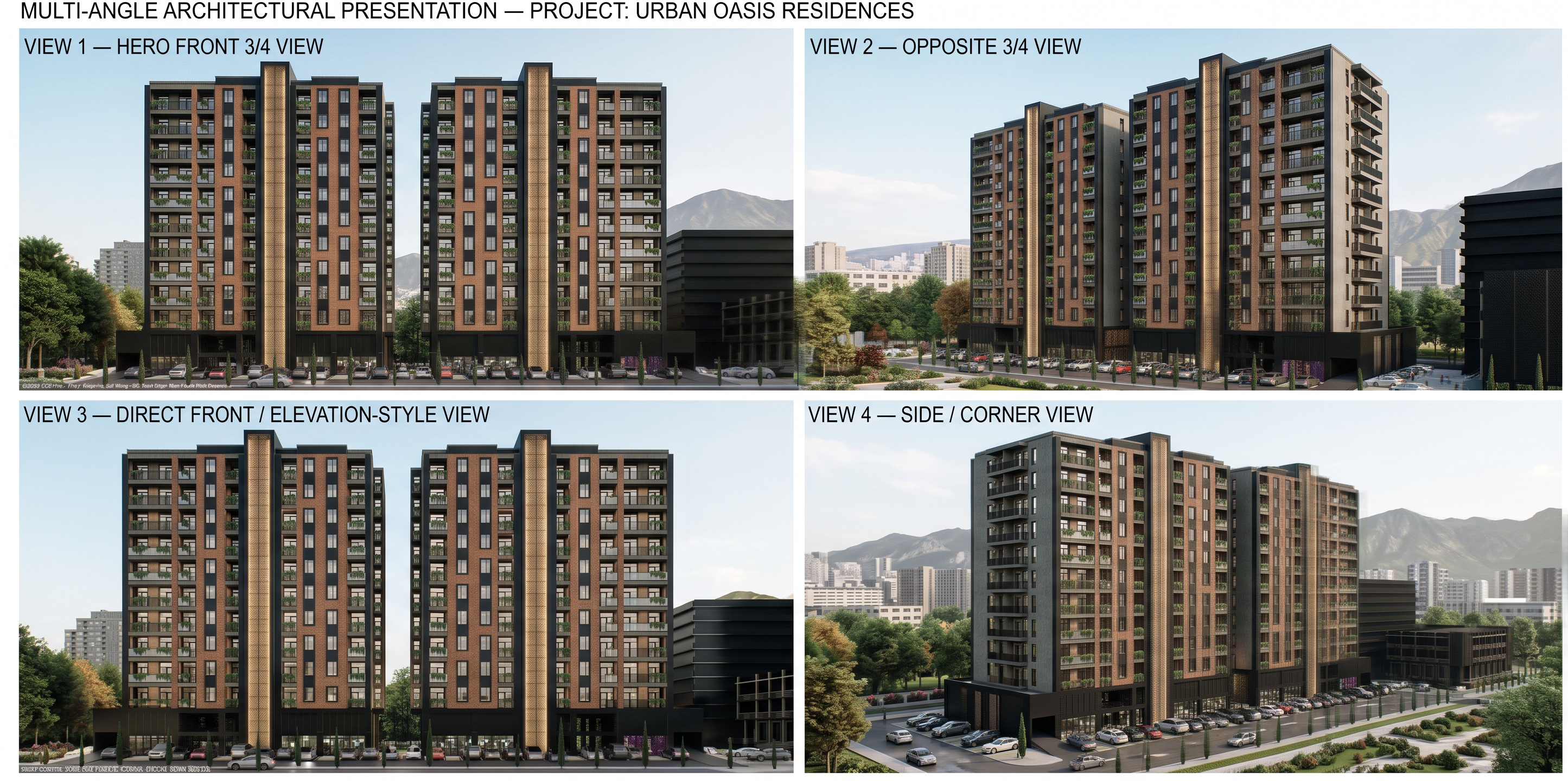
Generate 4 highly effective professional architectural views of the EXACT SAME BUILDING.
IMPORTANT:
All four views must use the identical building geometry, dimensions, proportions, floor count, facade composition, windows, balconies, roof and structural elements from the reference.
Do not redesign or modify the building between views.
VIEW 1 — HERO FRONT 3/4 VIEW:
A dramatic front three-quarter perspective showing the main facade and one side facade.
Camera positioned at approximately eye level / slightly elevated architectural photography height.
Show the full building clearly and emphasize the brick, black metal and exposed concrete composition.
This should be the primary presentation image.
VIEW 2 — OPPOSITE 3/4 VIEW:
A three-quarter perspective from the opposite side of the building.
Reveal the depth of the building, side facade, balconies and vertical concrete elements.
Maintain the exact same architecture and proportions.
VIEW 3 — DIRECT FRONT / ELEVATION-STYLE VIEW:
A clean, almost symmetrical frontal architectural view.
Show the complete main facade with minimal perspective distortion.
Emphasize the rhythm of windows, balconies, brick facade, black metal elements and concrete vertical accents.
VIEW 4 — SIDE / CORNER VIEW:
A wider side-corner perspective showing the building depth, side facade, ground-floor commercial spaces, parking area and surrounding landscape.
Use a professional architectural photography composition.
For all four views:
- Same building
- Same dimensions
- Same geometry
- Same floor count
- Same facade design
- Same materials
- Same colors
- Same architectural details
- Only the camera position and viewing direction may change
Do not create four different architectural designs.
Create four camera views of ONE IDENTICAL BUILDING.
Use professional architectural photography composition, realistic perspective, natural lens characteristics, ultra-realistic PBR materials, high-resolution textures, realistic lighting, physically accurate shadows and reflections.
- Created
- September 24, 2026