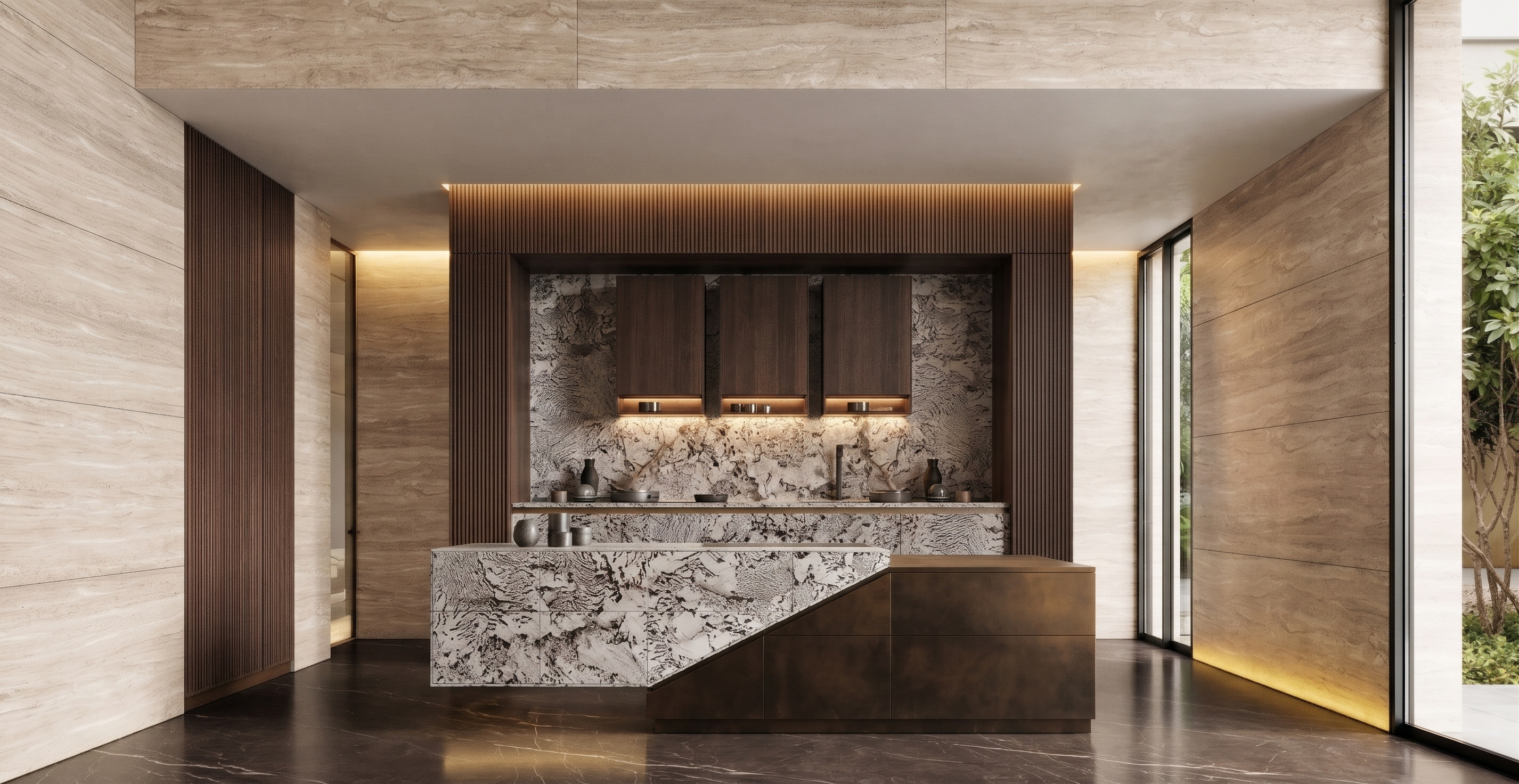
- Prompt
- Create a photorealistic, high-end interior render based on the provided Sketch, following the material specifications and design references below.
**Material and Design Specifications:**
1. **Flooring:** Use dark brown natural stone flooring with a semi-gloss, semi-matte finish (satin finish). Create a sophisticated surface with subtle natural stone patterns and realistic reflections, balancing matte and glossy characteristics.
2. **Central Island and Countertop:** Design the central island and countertop to match the exact style, materials, shapes, details, and finishes shown in Reference Image 1. Reproduce the reference design as accurately as possible.
3. **Wall Finishes:** Apply cream-colored natural Travertine stone to the walls, featuring authentic porous textures, subtle natural variations, and elegant horizontal or vertical veining, creating a warm and luxurious atmosphere.
**Rendering and Visualization Requirements:**
- Create a sophisticated, luxurious, contemporary interior atmosphere.
- Use highly realistic stone textures, natural material variations, and accurate surface finishes.
- Incorporate realistic lighting, soft shadows, and subtle reflections.
- Maintain a harmonious balance between the dark brown stone flooring, cream Travertine walls, and central island.
- Produce a premium-quality Photorealistic High-End Interior Visualization with ultra-realistic 4K rendering quality.
**Strict Preservation Requirements:**
- Use the original Sketch as the primary reference for architectural structure, room dimensions, proportions, island position, camera angle, perspective, and overall composition.
- Preserve the exact original image dimensions and aspect ratio.
- Do not resize, crop, stretch, or distort the image.
- Do not modify any architectural elements or design details that are not explicitly specified above.
- Created
- November 16, 2026