Skip to content
Render tools
Use the attached Najdi mosque as the STRICT architectural reference.

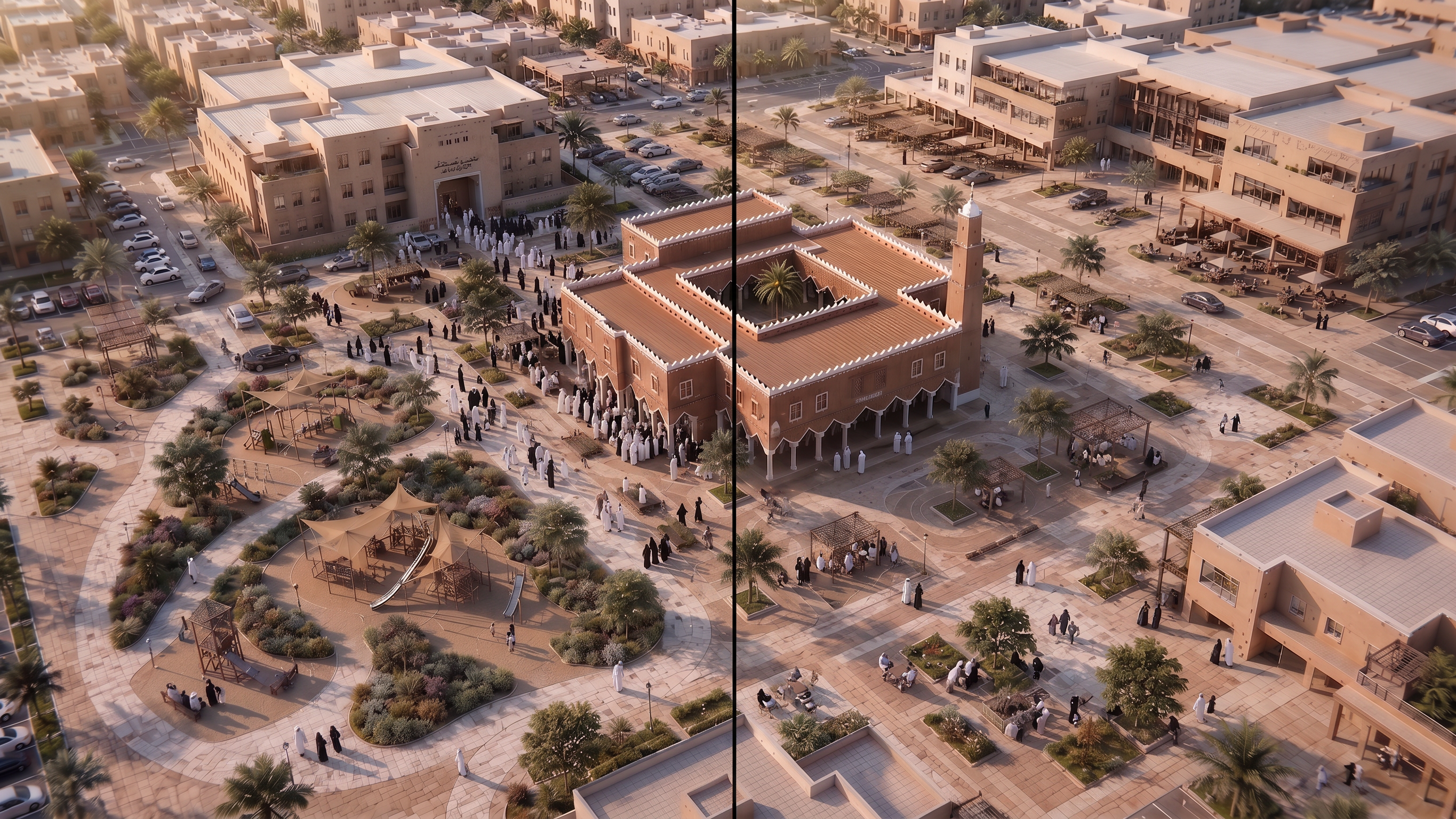
Create ONE architectural visualization showing THE EXACT SAME MOSQUE AND THE EXACT SAME SURROUNDING FORECOURT in TWO DIFFERENT TIME STATES.

Compose the image as a clean horizontal comparison:

LEFT = DURING PRAYER TIME
RIGHT = OUTSIDE PRAYER TIME

IMPORTANT:
Both sides must show EXACTLY THE SAME PLACE.

Same mosque.
Same plaza.
Same paving.
Same landscape.
Same parking layout.
Same camera angle.
Same architecture.

Only the USE and HUMAN ACTIVITY should change.

LEFT — DURING PRAYER TIME:

Show the surrounding space actively supporting prayer-time arrival.

Include:
- worshippers approaching the mosque
- active pedestrian movement
- organized vehicle arrival
- parking spaces in use
- clear pedestrian routes
- people moving toward entrances
- accessible arrival
- calm congregation activity

The space should feel active but organized.

RIGHT — OUTSIDE PRAYER TIME:

Transform the SAME surrounding space into a calm, flexible neighborhood public space.

Show:
- people sitting under shade
- small social gatherings
- elderly residents resting
- families passing through
- children accompanied by families
- shaded seating
- calm pedestrian activity

The space should demonstrate MULTI-USE without becoming a festival, playground or commercial plaza.

Do NOT add permanent structures that prevent prayer-time use.

Use movable or carefully positioned elements where appropriate.

The design should demonstrate that mosque surroundings can support different community needs at different times.

Riyadh climate:
limited trees,
drought-tolerant planting,
shade structures,
warm paving,
dry landscape character.

NO text.
NO labels.
NO arrows.
NO diagrams.

The visual difference must come from PEOPLE + ACTIVITY + USE, not from changing the architecture.

Professional architectural visualization for a Saudi mosque design guideline.

Create renders like this

Turn any photo, sketch, or floor plan into a photoreal render in seconds.