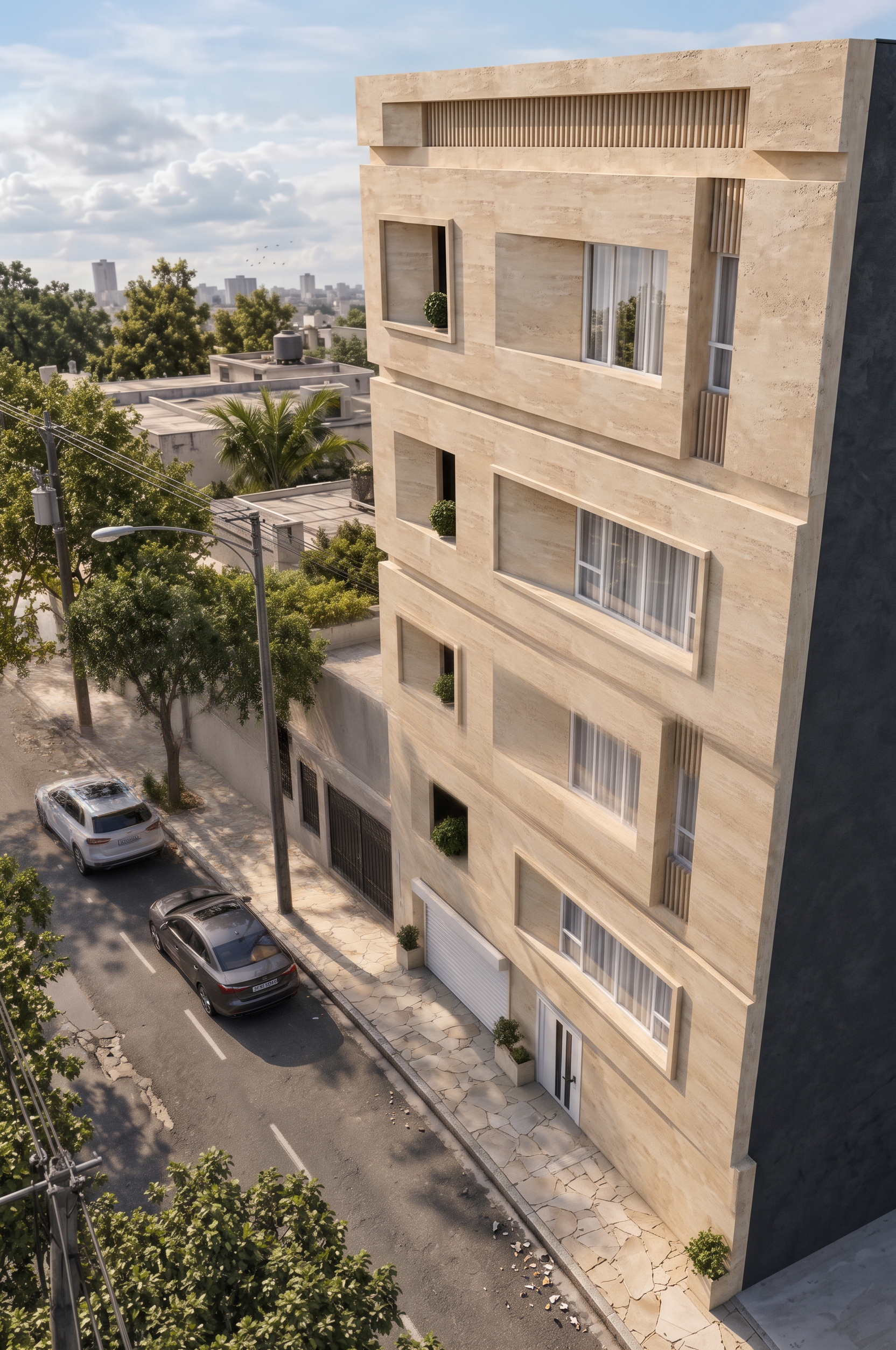
- Prompt
- Use the previous edited architectural render as the exact visual reference. Transform the current image to match the previous render in architectural modeling quality, photorealism, scene composition, environmental details, lighting, materials, and overall visual style, as if both images were rendered from the same 3D architectural project using two different camera angles.
1. Architectural consistency: Preserve the exact building design, facade geometry, dimensions, proportions, window and door positions, openings, materials, colors, and architectural details shown in the current image. Maintain complete consistency with the previous image. Do not redesign the building or introduce architectural changes. The only differences between the two images should be those naturally resulting from the different camera angles.
2. Scene composition and environmental modeling: Reproduce the same level of environmental detailing and scene-building as the previous render. Add realistic surrounding buildings, with all neighboring buildings limited to one story, along with a believable street scene, realistic parked or passing cars, electricity poles, streetlights, overhead electrical wires, natural trees, appropriate landscaping, and a realistic sky with subtle clouds and a few distant birds. Keep these elements proportionate, naturally positioned, and consistent with the previous image’s environment. Ensure that surrounding elements complement the main building rather than obscure its facade.
3. Lighting and atmosphere: Match the previous render’s lighting direction, daylight conditions, shadow softness, exposure, color temperature, sky appearance, reflections, and overall atmosphere as closely as possible. Maintain a clean, natural, professional architectural-photography look. Avoid excessive yellow tones, artificial saturation, harsh contrast, or unrealistic lighting.
4. Rendering quality enhancement: Significantly improve the rendering quality with ultra-photorealistic materials, physically accurate lighting, realistic global illumination, ambient occlusion, detailed surface textures, natural reflections, precise shadows, realistic glass, high-quality vegetation, sharp architectural edges, and professional color grading. Achieve the visual quality of a premium architectural visualization produced with 3ds Max and V-Ray.
5. Camera and perspective: Keep the current image’s camera angle and perspective. Reconstruct the scene so that it feels like the exact same building, neighborhood, environment, and architectural visualization shown in the previous image, photographed from a different viewpoint. Maintain consistent scale, depth, spatial relationships, and environmental continuity.
6. Strict preservation requirements: Use the previous edited image as the reference for all shared visual and environmental decisions. Do not copy its camera angle; use the angle from the current image. Do not alter the current building’s architectural design, facade layout, dimensions, or proportions. Do not invent new facade features. Do not allow neighboring buildings, trees, cars, poles, or wires to block important architectural details. Keep the main building as the dominant focal point.
Final result: Two visually consistent, ultra-high-quality architectural renders of the same project from different camera angles, with matching modeling, scene composition, environment, lighting, materials, and photorealistic rendering quality. Extremely high resolution, professional architectural photography, realistic details, clean textures, natural colors, and production-quality output.
- Created
- October 19, 2026