- Prompt
- Create a **high-end photorealistic architectural render** from the provided SketchUp image.
**IMPORTANT: preserve the existing composition exactly** — same geometry, proportions, furniture, openings, layout, framing, camera angle and perspective. **Do not move, remove, add or redesign any architectural element.** The goal is only to make the existing project look realistic.
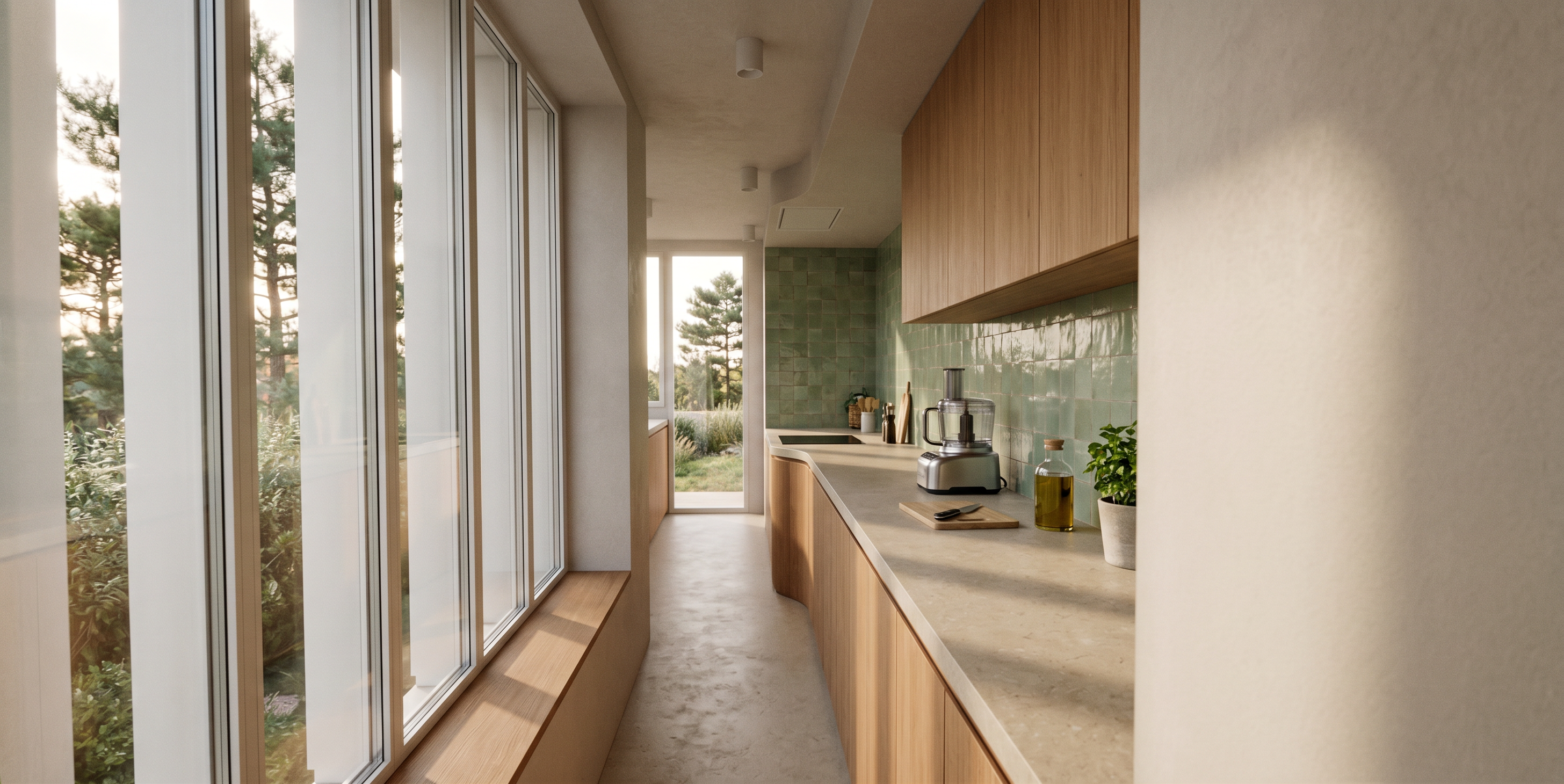
* **Floor & countertop:** matte beige concrete, mineral finish, subtle natural variations and realistic texture.
* **Green wall:** handmade green zellige tiles, slightly irregular, softly glossy with natural reflections, never mirror-like.
* **Lighting:** soft, warm and realistic natural daylight, with subtle shadows and light bounce, like professional architectural photography.
* **Exterior:** add realistic vegetation based on the provided garden photos, respecting the existing species, colors and overall volume.
* **Kitchen styling:** add a few subtle everyday objects such as a coffee machine, food processor, utensils, cutting board and jars, without cluttering the space.
* Realistic PBR materials, correct texture scale, subtle imperfections, physically accurate reflections and shadows.
**Final result:** a natural, high-end architectural photograph — **not a CGI-looking image**.
**Absolute priority: preserve the SketchUp image exactly. Do not reinterpret or redesign the project.**
- Created
- September 16, 2026