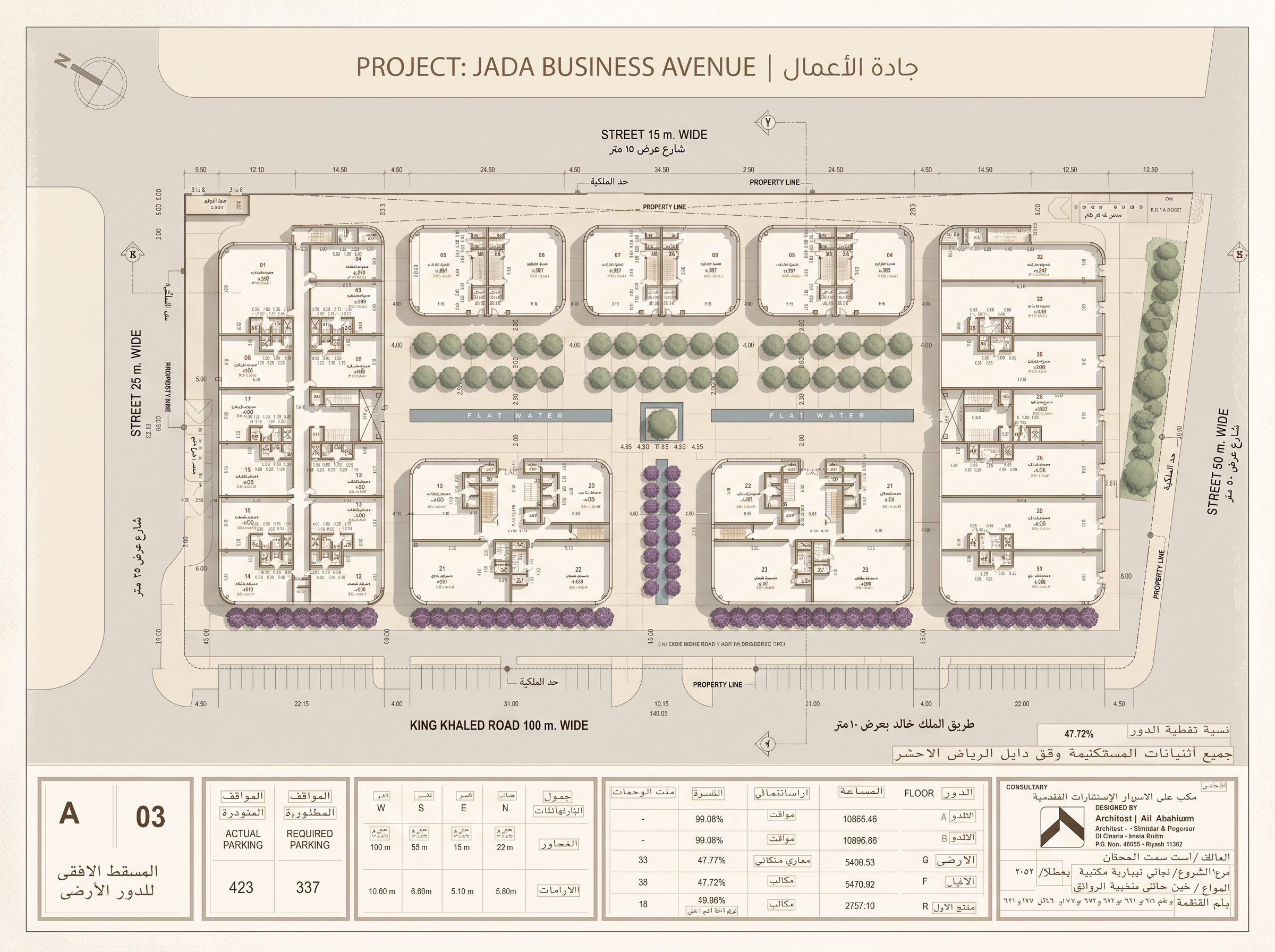
- Prompt
- PROJECT: JADA BUSINESS AVENUE | جادة الأعمال
TASK: Convert the uploaded original CAD site plan into a premium, softly rendered, 3D-style architectural masterplan illustration for a luxury commercial real estate brochure.
REFERENCE PRIORITY:
IMAGE 1 (SOURCE): The original CAD drawing is the absolute authority for architectural geometry and project information.
IMAGE 2 (STYLE): Use only as a visual reference for colors, rendering style, landscaping, shadows, and presentation.
ARCHITECTURAL ACCURACY — CRITICAL:
Preserve the original drawing exactly. Do not redesign, reinterpret, move, rotate, resize, remove, duplicate, or invent any buildings or site elements.
Maintain all original building footprints, shapes, positions, orientations, site boundaries, roads, parking spaces, pathways, courtyards, and spatial relationships. Preserve the original orientation, proportions, and aspect ratio. Do not crop the site.
Do not invent building heights, floors, roof structures, or architectural details unsupported by the source. If information is unclear, retain the original appearance rather than guessing.
VISUAL STYLE:
Create an elegant, dimensional architectural masterplan resembling a premium international real estate brochure.
Use:
- Warm ivory and pale sand-beige surfaces.
- Muted sage-green trees and natural landscaping.
- Fine warm-grey architectural linework.
- Soft daylight and delicate shadows.
- Subtle ambient occlusion and realistic contact shadows.
- Refined road, paving, and landscape textures.
- Gentle 3D depth without exaggerated perspective.
Use a slightly elevated axonometric or bird's-eye view while maintaining the original orientation.
Keep the composition clean, balanced, sophisticated, and legible. Avoid oversaturated colors, dramatic lighting, glossy surfaces, excessive landscaping, and visual clutter.
TEXT AND LABELS:
Preserve all existing building numbers, labels, dimensions, and annotations wherever possible. Do not invent or replace text. The official project names must remain:
Arabic: جادة الأعمال
English: jada business avenue
If text cannot be reproduced accurately, leave it for restoration in the editable brochure.
OUTPUT:
Produce the highest-resolution image supported by the tool, suitable for a premium printed brochure. Preserve the complete site and all important architectural details.
FINAL VALIDATION:
Compare the output against the original drawing. Ensure that no buildings, boundaries, roads, parking arrangements, or other architectural elements have changed.
If exact geometry cannot be preserved, prioritize architectural fidelity over visual enhancement.
This is a visual rendering task, NOT an architectural redesign. The output is a presentation image, not a replacement for the original CAD file.
- Created
- October 17, 2026