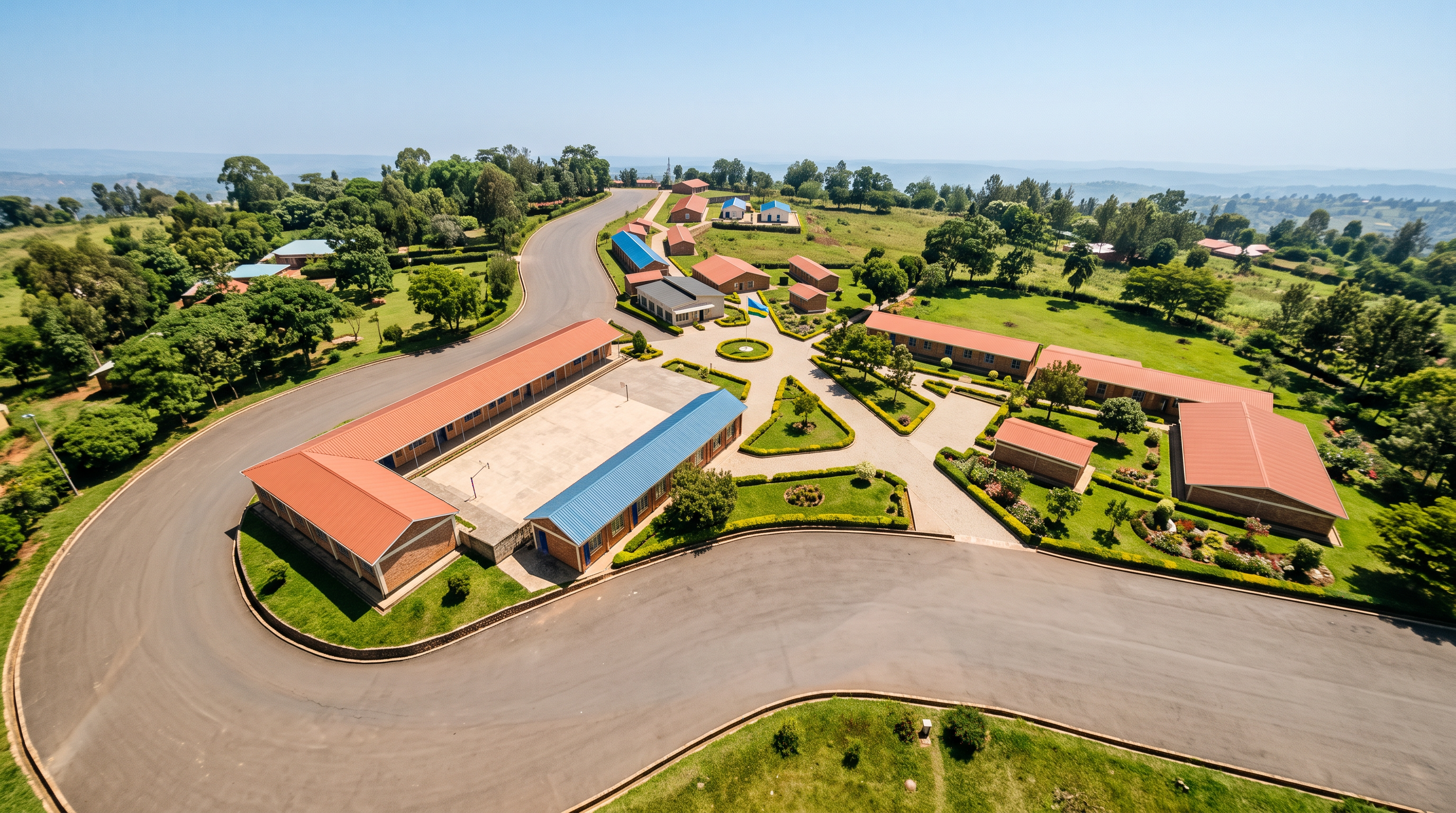
- Prompt
- Create an ultra-realistic, high-quality architectural rendering of the provided school campus image.
IMPORTANT: THIS IS AN IMAGE ENHANCEMENT TASK, NOT A REDESIGN. Preserve the original image and all existing structures exactly as they are.
### 1. BUILDINGS – STRICTLY PRESERVE
* Preserve all existing buildings exactly as shown in the original image.
* Do not change building shapes, dimensions, heights, positions, designs, or architectural details.
* Do not add, remove, move, or resize any doors or windows.
* Preserve the original brick colours, textures, patterns, and arrangements.
* Do not invent or add any new buildings or structures.
### 2. ROOF SHEETS – KEEP ORIGINAL COLOUR
* Preserve the exact original roof sheet colours.
* Absolutely do not change, replace, recolour, darken, or lighten the roof colours.
* Only improve their appearance so they look brand new, clean, fresh, smooth, and well-maintained.
* Remove any appearance of rust, dirt, fading, stains, or ageing.
* Preserve the original roofing materials, shapes, and designs exactly.
### 3. SKY AND DAYLIGHT
* Create a beautiful, clear, bright blue sky with absolutely no clouds.
* Use strong, natural daytime sunlight.
* Make the entire image exceptionally bright, sharp, and crystal clear.
* No darkness, gloomy atmosphere, fog, haze, or dull lighting.
* Maintain balanced, realistic natural shadows.
### 4. LANDSCAPING
* Add many beautiful, mature green trees throughout the campus.
* Add fresh, thick, healthy green grass.
* Create beautiful, neat gardens with colourful ornamental flowers.
* Add attractive green shrubs and hedges.
* Keep all buildings clearly visible. Never allow trees or plants to hide buildings.
### 5. RWANDA NATIONAL FLAG
* Include ONLY ONE Rwandan national flag.
* Place it on a flagpole in the exact central circular garden area.
* Do not add any additional flags anywhere else.
### 6. MAIN ROAD AND OTHER ROADS
* Preserve the exact original main road layout, width, shape, position, and surface material.
* Do not make the main road completely black or excessively dark.
* Maintain a natural, realistic road colour similar to the original reference image.
* Make the road look clean, smooth, fresh, and well-maintained.
* Do not change, widen, narrow, or redesign any road, driveway, parking area, or pedestrian path.
### 7. SITE LAYOUT AND CAMERA
* Preserve the original site boundaries and overall campus arrangement.
* Maintain the exact original camera angle, viewing direction, and perspective.
* Do not rearrange or redesign the campus.
### 8. FINAL IMAGE QUALITY
* Produce a highly realistic, professional architectural visualization.
* Make the campus look newly completed, beautiful, clean, green, and well-maintained.
* Ensure excellent brightness, natural colours, sharp details, and a beautiful sunny daytime atmosphere.
* Avoid excessive darkness, oversaturation, artificial colours, and unrealistic effects.
### FINAL STRICT INSTRUCTION
Do not redesign or modify the original architecture. Do not change roof colours, brickwork, doors, windows, roads, or site layout. Only improve the sky, natural lighting, landscaping, cleanliness, and overall image quality while keeping every original architectural and site detail intact.
- Created
- November 5, 2026