- Prompt
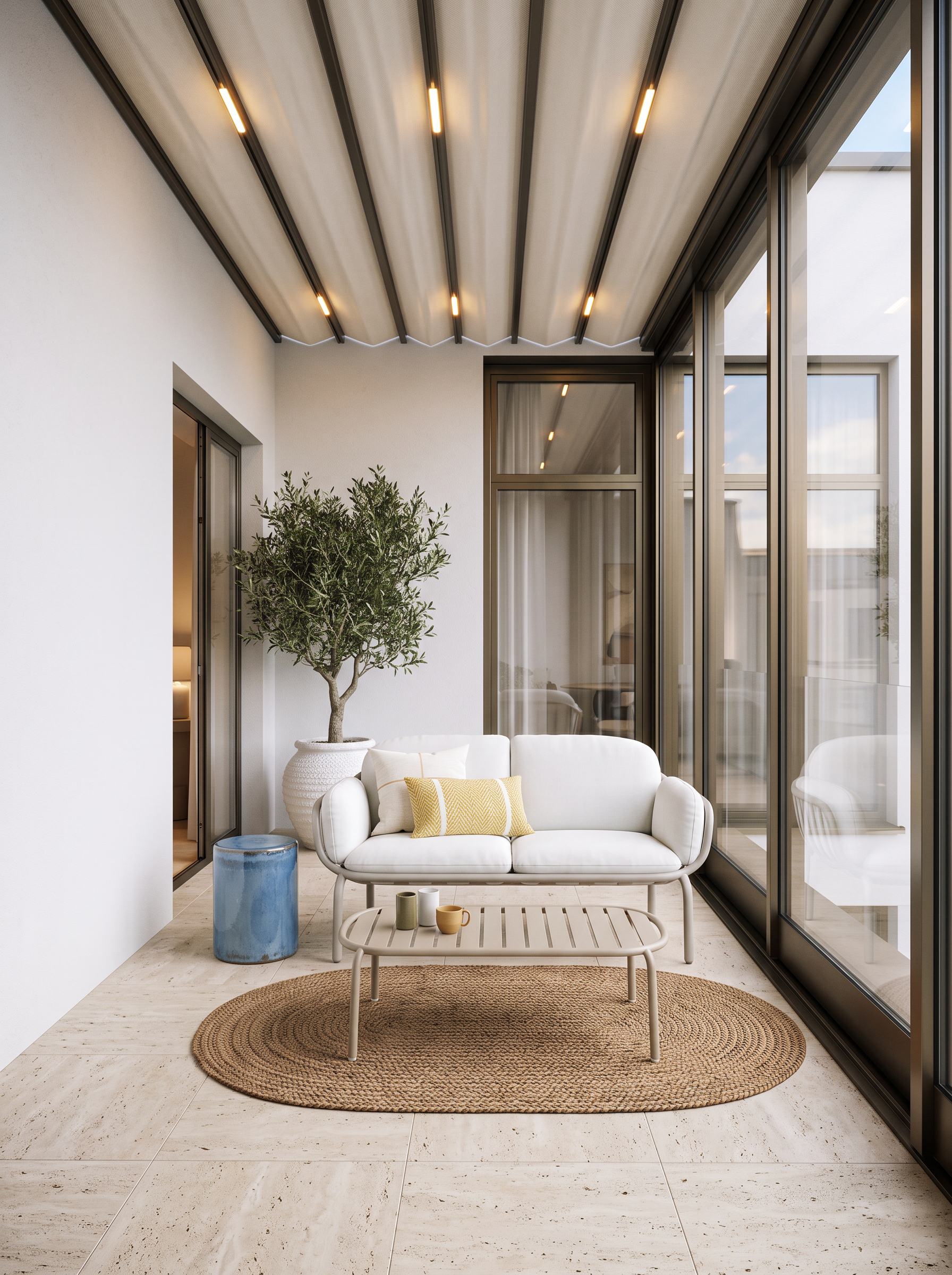
- Create a highly photorealistic architectural render of the terrace based strictly on the provided image.
CRITICAL — DO NOT CHANGE THE ORIGINAL IMAGE:
• Do not change the image dimensions or aspect ratio.
• Do not change the camera position, camera angle, perspective, focal length, or framing.
• Do not change the geometry, proportions, layout, architectural elements, or existing design.
• Preserve every element exactly in its current position.
• Only replace the materials, colors, glazing, furniture, lighting, and objects specifically described below.
Materials and architecture
• The gray area marked on the floor represents the terrace flooring. Replace it with the exact tile/material shown in Reference 1.
• The gray facade wall on the left should become a clean, plain white facade wall with a realistic exterior finish.
• The light green rectangle represents the doorway/opening connecting the interior room to the terrace. Keep its exact size, position, and geometry.
• The black lines on the right represent the glazing. Create the glazing exactly as shown in Reference 1, matching its frame design, proportions, divisions, materials, and appearance.
• The ceiling above the terrace should be a fabric awning/canopy with integrated lighting, exactly as shown in Reference 1. Reproduce the same type, shape, material, construction, and lighting effect.
Furniture and styling
• The red-marked area indicates the frontal view and placement of the sofa. Add a sofa matching the sofa shown in Reference 2, positioned according to the marked area and maintaining the existing camera perspective.
• Place a coffee table directly in front of the sofa, matching the design, shape, proportions, material, and finish of the coffee table shown in Reference 2.
• Place a rug underneath the coffee table and sofa area, matching the rug shown in Reference 2 in color, texture, pattern, proportions, and overall appearance.
• Place the blue cylinder as a small side element next to the sofa, keeping its exact indicated position and proportions.
• Add a realistic olive tree standing on the terrace floor in a white planter, positioned naturally within the indicated area. The tree should look like a real mature olive tree, with a natural trunk and realistic foliage.
Rendering quality
Create a premium, high-end architectural visualization with:
• physically accurate materials,
• realistic natural daylight,
• realistic soft shadows,
• subtle ambient occlusion,
• realistic reflections in the glazing,
• detailed fabric and tile textures,
• natural-looking vegetation,
• realistic proportions and scale,
• sophisticated interior/exterior lighting,
• clean luxury architectural photography aesthetics.
The final image must look like a real professionally photographed terrace, not a 3D concept or AI-generated image.
Do not redesign, reinterpret, rearrange, crop, zoom, rotate, or modify anything that is not explicitly requested above.
- Created
- October 18, 2026