- Prompt
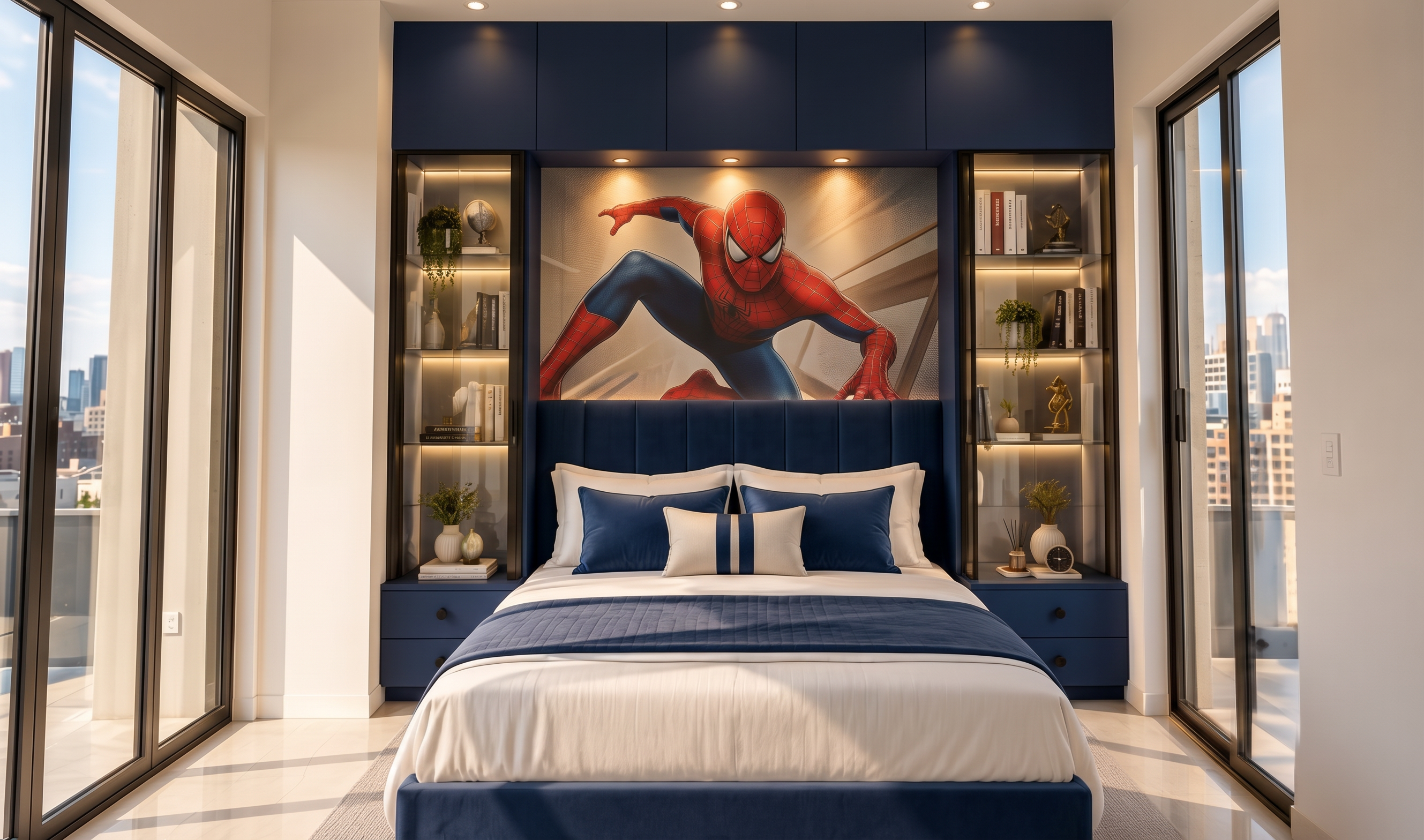
- Edit the provided interior image while preserving the exact room architecture, camera angle, perspective, proportions, windows, bed, lighting, cabinetry, shelves, flooring, and overall composition.
Make ONLY these two changes:
1. **Change all green-colored elements to blue** — including the headboard upholstery, bedside cabinets, lower bench/upholstery, cushions, and any other green surfaces visible in the room. Use a sophisticated deep/navy blue tone while preserving the original material texture, fabric weave, stitching, shadows, highlights, and realistic finish.
2. **Remove the three framed artworks above the headboard completely** and replace that entire area with a single premium Spider-Man themed wall treatment/wallpaper. The Spider-Man artwork should be integrated naturally into the wall, properly aligned with the headboard, with realistic scale, perspective, texture, and lighting. It should look like professionally installed interior wallpaper, not a pasted image.
Keep everything else exactly unchanged.
Final result: ultra-photorealistic luxury bedroom interior, realistic materials, natural daylight, cinematic architectural photography, accurate reflections and shadows, high-end interior design magazine quality. Do not alter the room layout or introduce any other objects or design changes.
- Created
- September 30, 2026