- Prompt
- Do not change anything in the existing image. Preserve the exact image dimensions, aspect ratio, camera angle, perspective, geometry, proportions, materials, colors, lighting, and overall design.
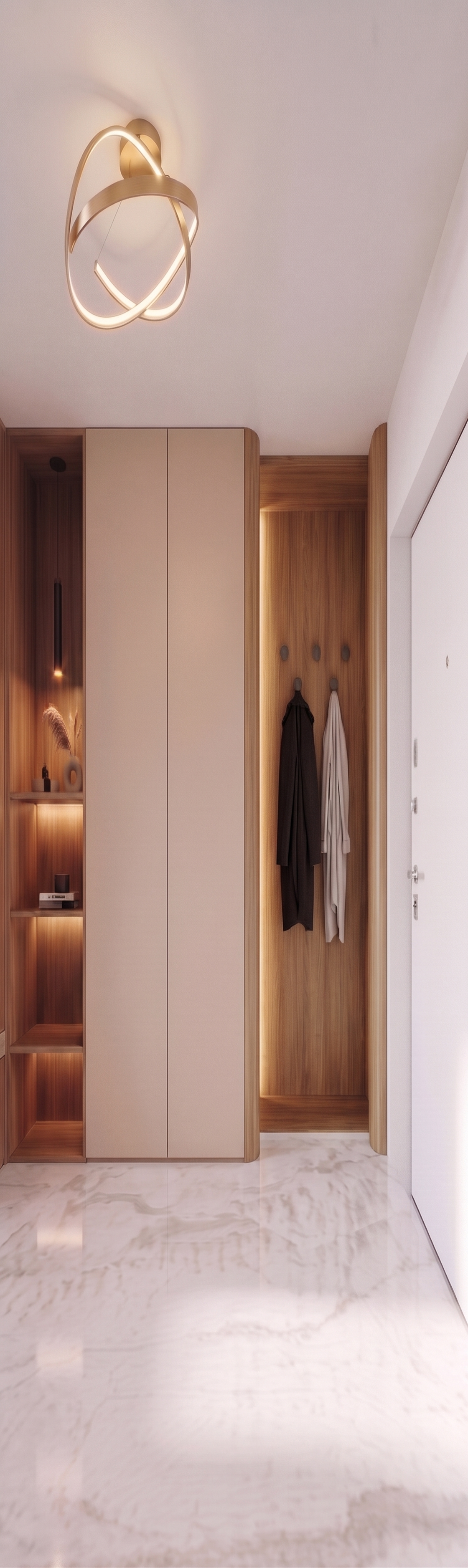
Make only the following modification to the wooden section on the right side, where clothes are hanging on hooks:
• Modify the side profiles of the wooden niche to match the rounded shapes shown in Reference 1. The sides must not remain straight and sharp as they are currently.
• The left side of the niche, which connects to the lower cabinet, must have a rounded profile.
• The right side of the niche, which meets the adjacent wall, must also have a rounded profile.
• Reproduce the smooth, elegant curvature shown in Reference 1, ensuring that both sides look intentional and seamlessly integrated into the existing cabinetry.
• Add concealed LED backlighting behind the newly rounded side profiles, matching the effect shown in Reference 1. The light should create a soft, warm, indirect glow that highlights the curved edges without being overly bright or harsh.
Keep the wooden finish, clothes hooks, hanging clothes, lower cabinet, niche dimensions, and all other details unchanged, except for the specified rounded side profiles and the addition of concealed LED lighting.
CRITICAL: Do not modify anything else in the image. Do not alter the camera angle, composition, cabinetry dimensions, wall geometry, materials, colors, or any other architectural or decorative element. Only round the two specified sides of the wooden niche and add concealed LED backlighting behind them.
- Created
- October 22, 2026