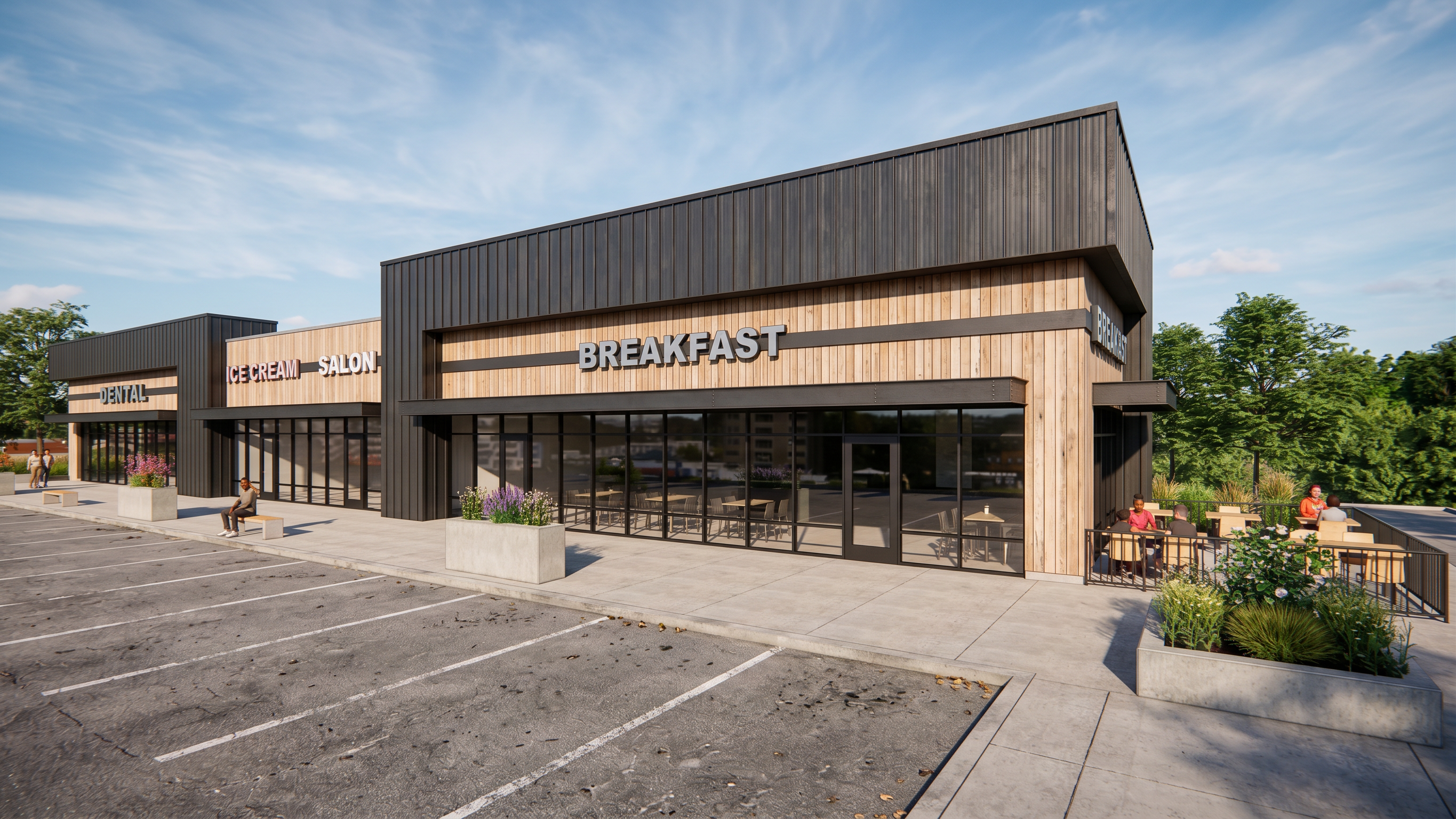
- Prompt
- Create an ultra-photorealistic, high-quality architectural rendering based strictly on the provided original 3D model/image.
CRITICAL REQUIREMENT: PRESERVE THE ORIGINAL DESIGN EXACTLY.
Do not modify, redesign, reinterpret, replace, or add anything to the original project. The purpose of this rendering is to improve visual realism, lighting, shadows, reflections, textures, and overall image quality while maintaining 100% fidelity to the original design.
1. MATERIALS AND COLORS
Preserve all existing materials exactly as they appear in the original model.
Do not change, replace, recolor, enhance, or reinterpret any material.
Maintain the exact original color palette, including all subtle color variations.
Do not make materials lighter, darker, warmer, cooler, more saturated, or less saturated.
Preserve the original material finishes, patterns, textures, and surface characteristics.
Do not introduce new materials or decorative finishes.
Improve the realistic appearance of existing materials through physically accurate lighting, natural shading, and realistic reflections only.
2. ARCHITECTURAL DESIGN AND LAYOUT
Preserve the exact architectural geometry, dimensions, proportions, and overall composition.
Do not move, remove, resize, add, or modify any architectural elements.
Maintain the exact locations, sizes, and shapes of all walls, floors, ceilings, doors, windows, columns, beams, railings, millwork, furniture, and fixtures.
Do not change the room layout, furniture arrangement, circulation paths, or spatial relationships.
Preserve all openings, transitions, joints, edges, and construction details.
Do not add decorative elements, furniture, accessories, plants, artwork, or other objects that are not present in the original model.
3. PHOTOREALISTIC LIGHTING
Generate highly realistic, physically accurate lighting.
Maintain the original lighting design and the exact location of all existing light fixtures.
Create natural-looking illumination with realistic light distribution and soft, accurate shadows.
Avoid excessive brightness, overexposure, artificial glow, or unrealistic lighting effects.
Preserve the original atmosphere and intended lighting character of the space.
Produce realistic ambient occlusion and natural light interactions between surfaces.
4. REALISTIC MATERIAL RENDERING
Improve the visual realism of existing surfaces without changing their original appearance.
Generate accurate reflections, subtle surface depth, realistic highlights, and natural shadow transitions.
Ensure glass looks transparent and realistic without becoming excessively reflective, dark, or distorted.
Maintain realistic surface details without exaggerating textures or introducing artificial imperfections.
5. IMAGE QUALITY AND FINAL OUTPUT
Produce an extremely high-resolution, professional architectural visualization.
Achieve a realistic photographic appearance rather than an artificial CGI or illustration style.
Maintain sharp details, clean edges, accurate geometry, and realistic depth.
Avoid blurry surfaces, distorted objects, warped lines, artificial textures, visual artifacts, and AI-generated inconsistencies.
Maintain the original camera position, viewing angle, perspective, framing, and composition.
Ensure all architectural elements remain crisp, proportionally accurate, and visually consistent.
FINAL INSTRUCTION:
The original model is the ONLY source of truth. Do not make any design decisions or creative modifications. Do not improve the design by changing its materials, colors, finishes, geometry, or layout.
The ONLY permitted improvements are enhanced photorealism, realistic lighting, natural shadows, accurate reflections, and improved rendering quality.
The final result must look like a professional photograph of the exact same architectural space, with absolutely no design changes.
- Created
- November 16, 2026